

Utilities Windows
Process Explorer for Windows
Find which Windows process has a file open or a DLL loaded with Process Explorer, Microsoft's Sysinternals process-inspection utility.
- Operating system
- Windows 11 or later; Windows Server 2019 or later
- Architecture
- Not specified on the publisher's download page
- Download package
- ZIP archive
Microsoft instructs users to run procexp.exe. Archive contents and CPU architectures were not independently inspected; Windows 10 is outside the current published requirements.
Link checked · Download guidance
What is Process Explorer?
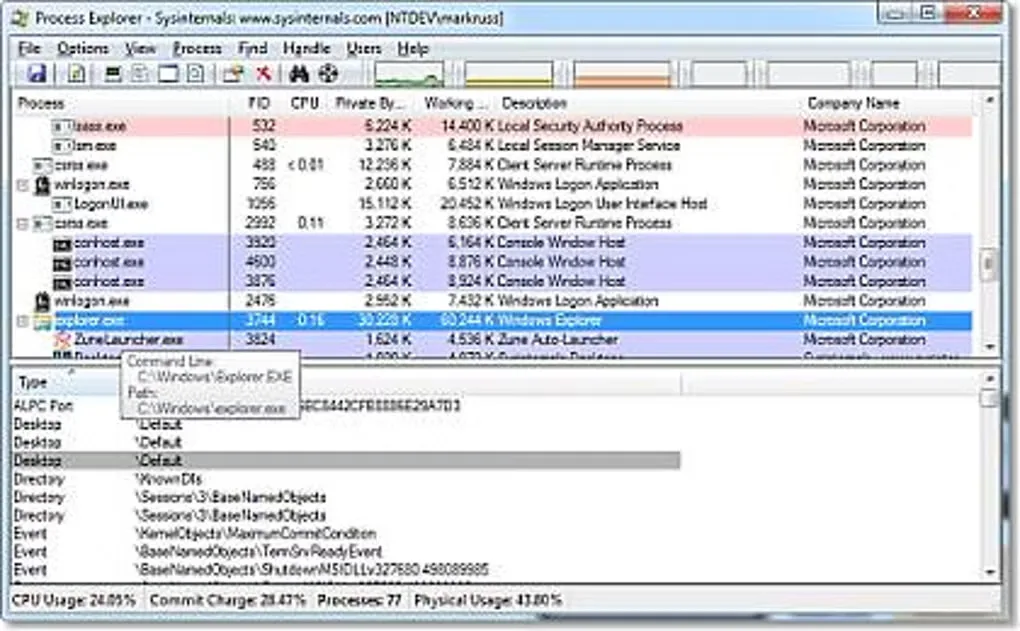
Process Explorer helps investigate open files, loaded DLLs and handle leaks on Windows. Select a running process to inspect its handles, DLLs or memory-mapped files, or search for a handle or DLL to identify the process using it. The process list also shows the account that owns each process.
The official download is a ZIP archive; Microsoft's instructions say to run procexp.exe. Current published requirements are Windows 11 or later, or Windows Server 2019 or later. Symbol-server use needs extra configuration: SYMSRV.DLL must be alongside the configured DBGHELP.DLL.
What it offers
- List running processes with their owning accounts.
- Inspect the handles opened by a selected process.
- View loaded DLLs and memory-mapped files for a selected process.
- Search for handles or DLLs to locate the processes using them.
Good to know
- Current publisher requirements start at Windows 11 for client systems and Windows Server 2019 for servers; Windows 10 is not listed as supported.
- Symbol-server paths require SYMSRV.DLL in the same location as the configured DBGHELP.DLL.
Product images
Sources
References used for this listing. Retrieval dates do not indicate hands-on testing.
More in utilities
View category ↗
1.1.1.1 with WARP 2026.8.2115.0
Encrypt traffic from your Mac to Cloudflare’s network with WARP, or use DNS-only mode for encrypted DNS queries to the 1.1.1.1 resolver.
1.1.1.1 with WARP 2026.8.2115.0
Encrypt traffic between your Windows PC and Cloudflare, or use encrypted DNS only, with the free 1.1.1.1 with WARP app.

3uTools 9.12.005
Manage iPhone and iPad photos, music, apps and backups from Windows with 3uTools, a free utility that also includes device checks and firmware flashing tools.