

Utilities Windows
Process Lasso for Windows
Manage Windows process priorities, CPU affinities and CPU Sets with Process Lasso. ProBalance automates priority adjustments to help keep the desktop responsive under CPU load.
- Operating system
- Windows 10, Windows 11 and Windows Server
- Architecture
- x86-64 (64-bit)
- Download package
- EXE installer
This link selects the stable x86-64 build. The publisher also provides separate x86-32 and ARM64 installers.
Link checked · Download guidance
What is Process Lasso?
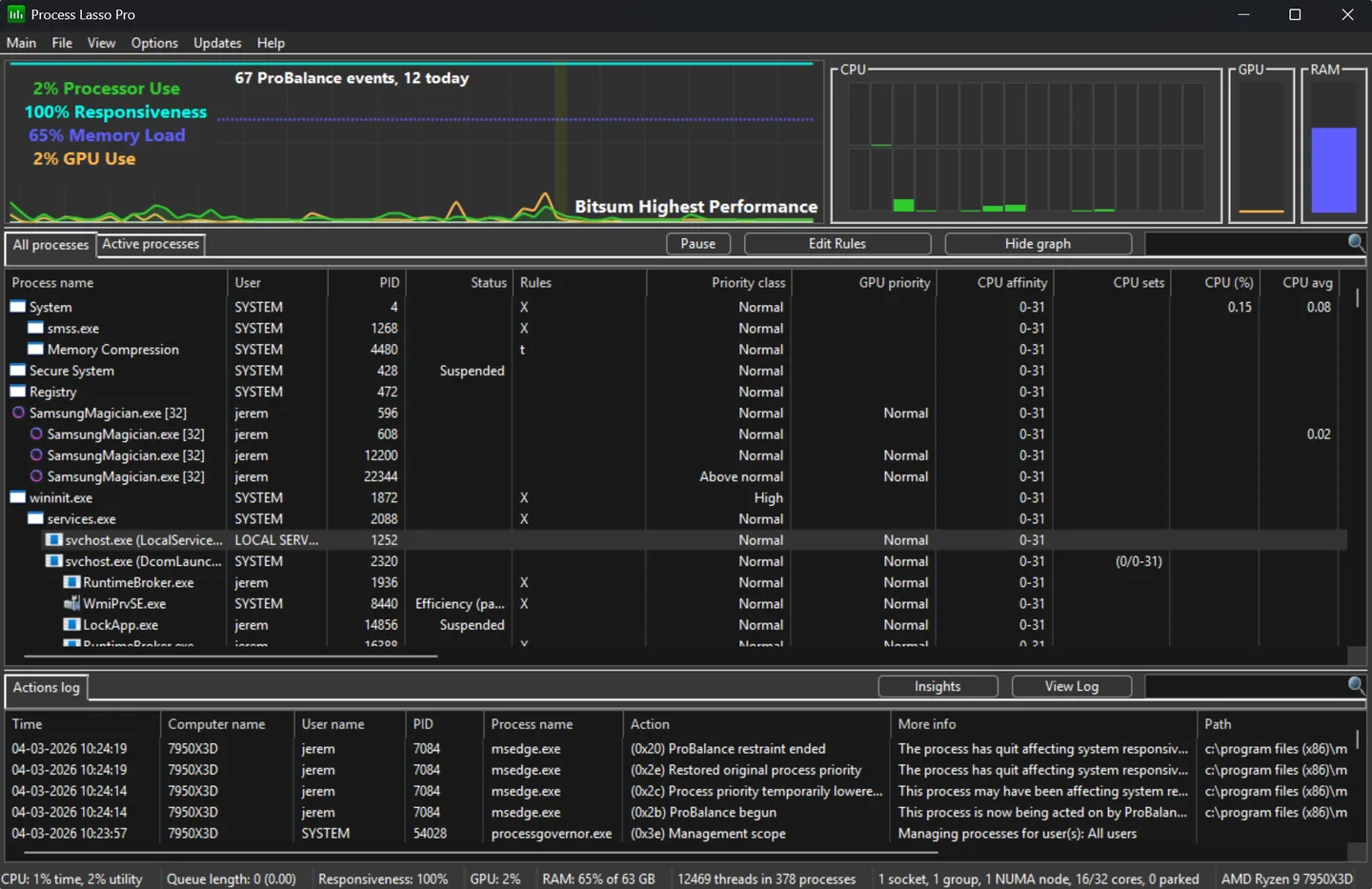
Process Lasso manages how Windows processes use CPU resources. It combines a live process list and activity graphs with rules for priorities, CPU affinities and CPU Sets. ProBalance automates priority adjustments when background activity puts pressure on responsiveness, while persistent rules let you reuse process settings instead of changing them each time an application starts.
The free edition includes ProBalance, Performance Mode and priority, affinity and CPU Sets rules. Advanced tools such as CPU Limiter and Watchdog are trial-only without Pro, and automatic updates require Pro. The free edition displays a startup reminder; commercial use requires a license within 30 days of deployment.
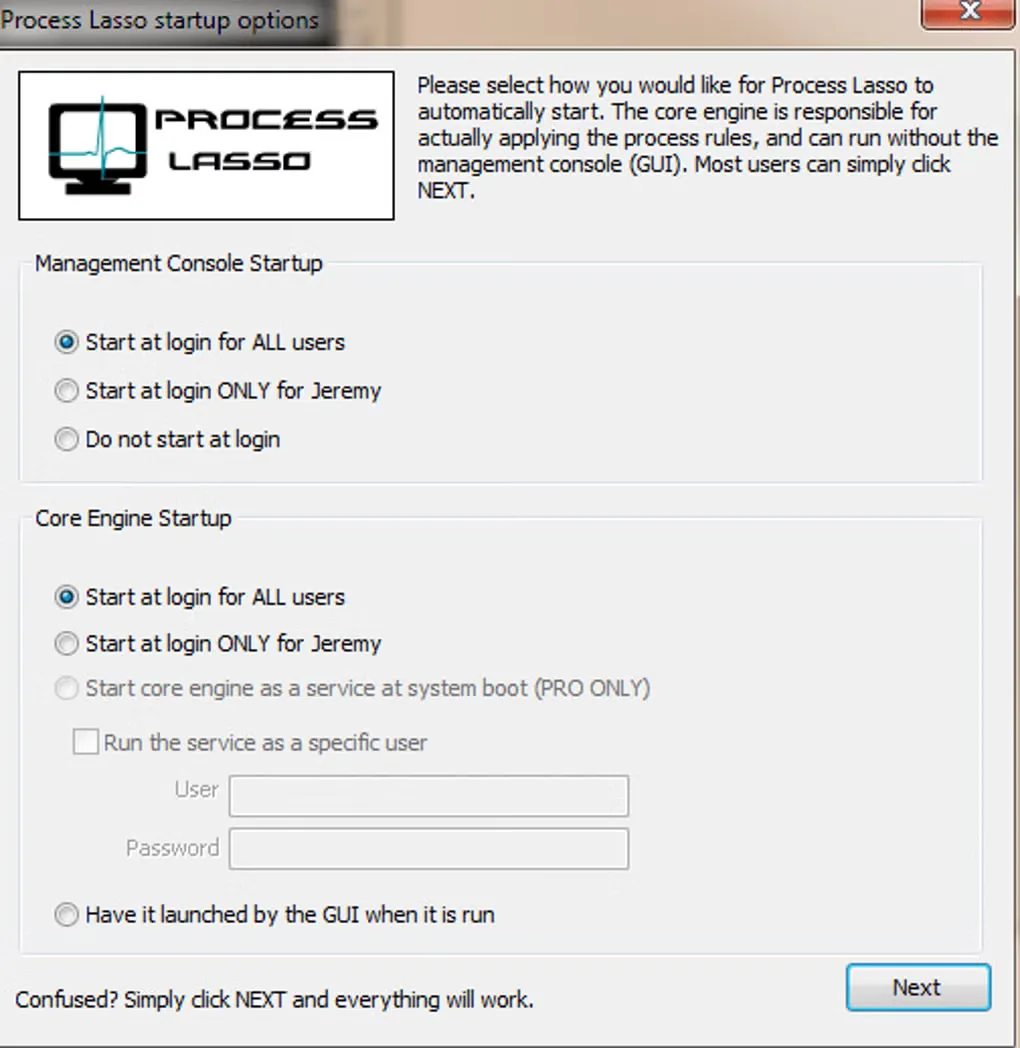
This entry links to the publisher’s stable x86-64 EXE installer for Windows 10, Windows 11 and Windows Server. Separate x86-32 and ARM64 builds are available from Bitsum. Screenshots show the publisher’s v18 Pro main window and an older startup-options dialog from the Softonic gallery; they are interface illustrations, not a test of the linked installer.
What it offers
- Automate process priority adjustments with ProBalance when background CPU activity affects responsiveness.
- Save process CPU priority, CPU affinity and CPU Sets rules.
- Inspect the live process list, CPU and GPU activity graphs, memory load and actions log.
- Use Performance Mode to switch to the Bitsum Highest Performance power plan for games.
Good to know
- CPU Limiter and Watchdog are trial-only without Pro; automatic updates also require Pro.
- The free edition shows a startup reminder. Commercial use requires a license within 30 days of deployment.
Product images
Sources
References used for this listing. Retrieval dates do not indicate hands-on testing.
- Download Process Lasso 18.4.0.48 (Official) ↗Retrieved
- Process Lasso Free vs Pro: License Terms and Features ↗Retrieved
- Process Lasso Screenshots ↗Retrieved
- Process Lasso - Download ↗Retrieved
More in utilities
View category ↗
1.1.1.1 with WARP 2026.8.2115.0
Encrypt traffic from your Mac to Cloudflare’s network with WARP, or use DNS-only mode for encrypted DNS queries to the 1.1.1.1 resolver.
1.1.1.1 with WARP 2026.8.2115.0
Encrypt traffic between your Windows PC and Cloudflare, or use encrypted DNS only, with the free 1.1.1.1 with WARP app.

3uTools 9.12.005
Manage iPhone and iPad photos, music, apps and backups from Windows with 3uTools, a free utility that also includes device checks and firmware flashing tools.