

Development Windows
Processing for Windows
Write code to create interactive graphics with Processing, a free, open-source sketchbook and programming environment for visual art on Windows.
- Operating system
- Windows
- Architecture
- x64
- Download package
- MSI installer
This link is the publisher-listed Windows x64 package. Minimum Windows version was not established; no claim of x86 or ARM64 compatibility is made.
Link checked · Download guidance
What is Processing?
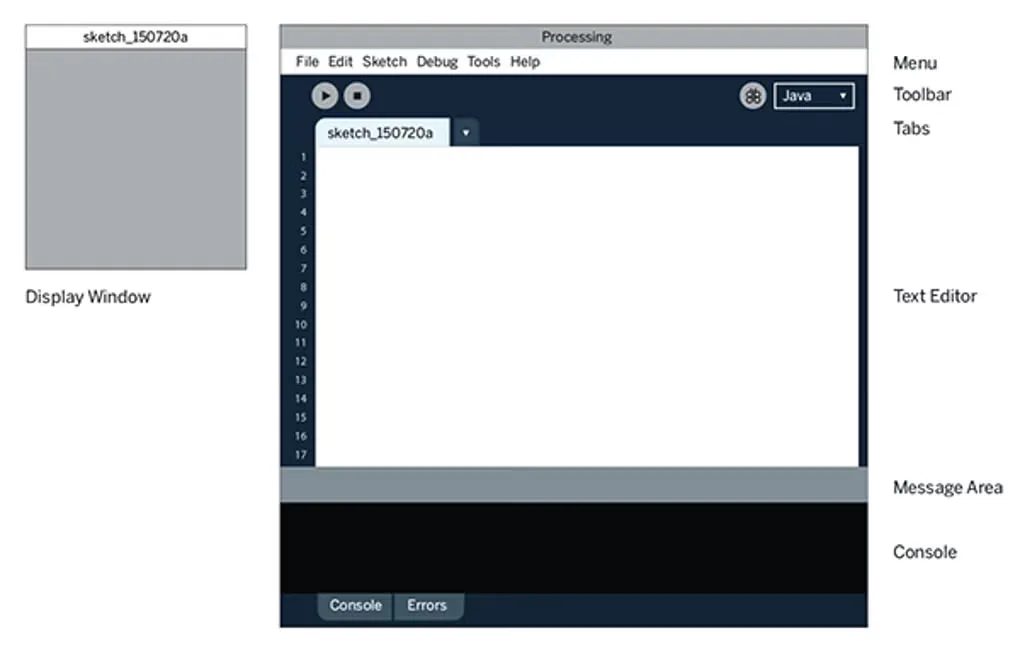
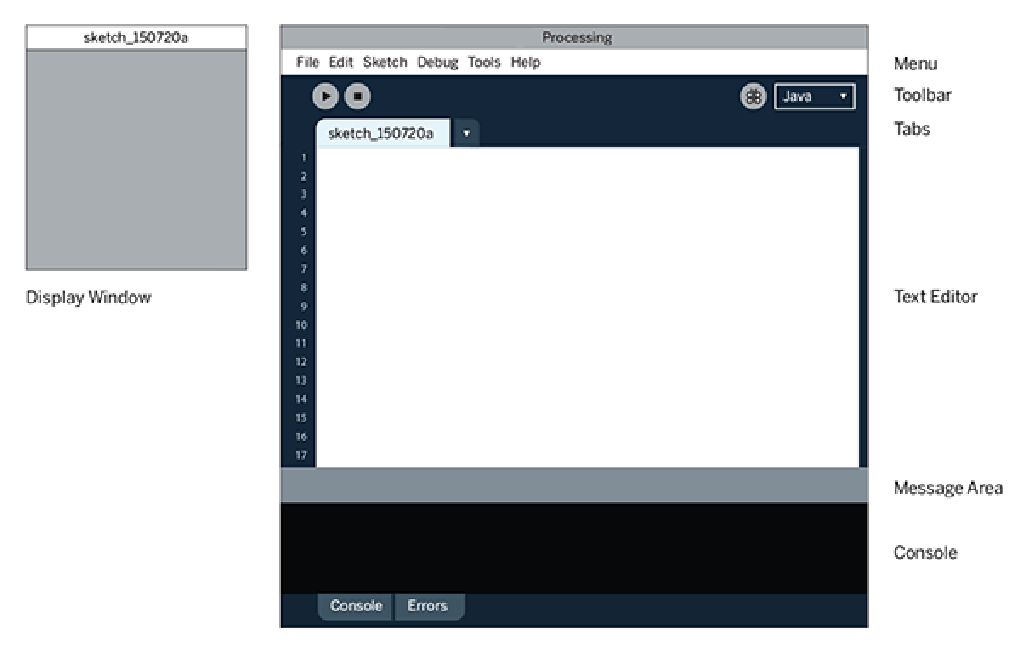
Processing turns short programs, called sketches, into visual output. It suits learning programming through drawing, exploring animation and building interactive artwork. The Processing Development Environment combines a code editor, Run and Stop controls, an output console and a separate display window for your sketch. Java mode is the default.
Start with two-dimensional shapes, then use the P3D renderer for three-dimensional geometry, camera control, lighting and materials. Contributed libraries, tools and modes extend the core environment; the built-in debugger lets you pause at breakpoints and inspect variables. Sketches can be exported as applications rather than shared only as source code.
This is a code-based workflow: you write and correct syntax rather than compose artwork entirely through visual controls. The accelerated P2D and P3D renderers also depend on an OpenGL-compatible graphics card. The linked download is the publisher's Processing 4.5.7 Windows x64 MSI installer. The gallery image illustrates the IDE layout from the Windows source listing; it is not evidence of the exact 4.5.7 appearance.
What it offers
- Write sketches in a text editor and run them in a separate display window.
- Create 2D graphics or use P3D for 3D geometry, lighting and camera control.
- Extend the environment with contributed libraries, tools and programming modes.
- Pause sketches at breakpoints and step through code with the debugger.
- Export sketches as applications for sharing.
Good to know
- Creating sketches requires code and correct syntax; this is not a code-free visual art editor.
- Accelerated P2D and P3D rendering requires an OpenGL-compatible graphics card.
Product images
Sources
References used for this listing. Retrieval dates do not indicate hands-on testing.
- Processing - Download — Windows source listing and gallery ↗Retrieved
- Download Processing / Processing.org ↗Retrieved
- Environment (IDE) / Processing.org ↗Retrieved
- Getting Started — Casey Reas and Ben Fry / Processing.org ↗Retrieved
- Release Processing 4.5.7 — processing/processing4 ↗Retrieved
- Processing 4 — project identity and License & Copyright ↗Retrieved
More in development
View category ↗
010 Editor 17.0
Inspect and edit binary files on Mac with 010 Editor, a paid text and hex editor with Binary Templates, file comparison and a 30-day trial.
010 Editor 17.0
Inspect and edit binary files with 010 Editor for Windows, a text and hex editor with Binary Templates, file comparison and scripting. Includes a 30-day trial.
10x Editor
Edit and navigate C++ projects on Windows with a built-in parser, workspace search and Visual Studio project support. A paid license is required after the 30-day trial.