

Utilities Windows
ProduKey for Windows
View stored product IDs and license keys for supported Windows, Office and server products with ProduKey, a free portable utility from NirSoft.
- Operating system
- Windows; publisher explicitly lists Windows 10 and older versions
- Architecture
- x64 (64-bit Windows)
- Download package
- Portable ZIP archive
Selected link is the separate x64 build. A 32-bit ZIP and setup package are also listed. Windows 11 and current Office compatibility are not established here; recovery depends on the product and license type.
Link checked · Download guidance
What is ProduKey?
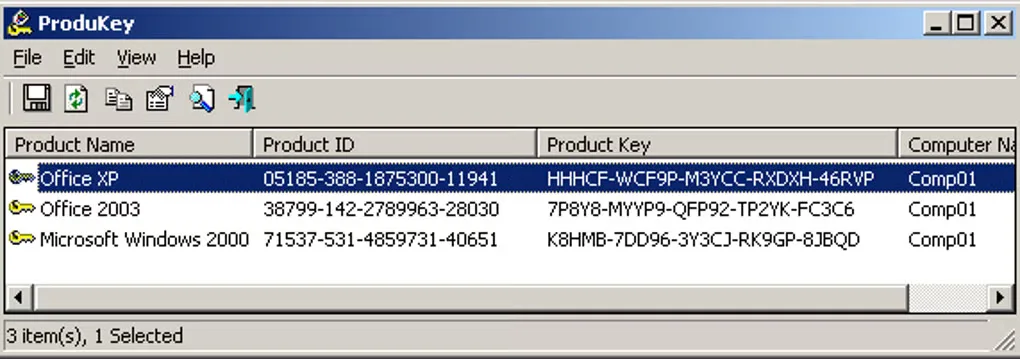
ProduKey displays product IDs and stored product keys for supported Microsoft software. It can help you record a key before reinstalling a licensed copy of Windows or Office, provided that the installation stores a recoverable key. The main window lists products and their key information; command-line options can export the results to formats including CSV, HTML and JSON.
The publisher also documents reading keys from external Windows installations and remote computers. Remote access requires administrator privileges, and some external-installation features have narrower Windows support than the utility itself. The selected download is the publisher's x64 ZIP package, which can be extracted without an installation process.
Recovery is not universal. NirSoft lists Office 2003, 2007 and 2010 among supported products, but Office 2000 and earlier do not expose a product-key value. Windows 7 and 8 volume licenses are excluded, and not all Windows 10 license types are supported. If a key is not stored in the Registry, ProduKey cannot recover it through that source. The publisher also warns that antivirus software or a browser may flag or block the utility; this entry does not independently establish its safety.
What it offers
- Display product IDs and stored keys for supported Windows, Microsoft Office, Exchange Server and SQL Server installations.
- Read key information from the running system or supported external Windows installations.
- Read remote-computer key information when the required administrator access is available.
- Export key lists through command-line options to CSV, HTML, XML, JSON or text files.
- Use a portable ZIP package without a separate installation process.
Good to know
- Windows 7 and 8 Microsoft Volume Licensing keys are not supported; Windows 10 recovery does not work with every license type.
- Keys that are not stored in the Registry may be unavailable. Office 2000 and earlier do not provide a recoverable Product Key value.
- Remote reads require administrator privileges; reading another Windows installation has additional operating-system restrictions documented by NirSoft.
- Antivirus software or browsers may flag or block ProduKey. No independent security or runtime compatibility test was performed for this entry.
Product images
Sources
References used for this listing. Retrieval dates do not indicate hands-on testing.
More in utilities
View category ↗
1.1.1.1 with WARP 2026.8.2115.0
Encrypt traffic from your Mac to Cloudflare’s network with WARP, or use DNS-only mode for encrypted DNS queries to the 1.1.1.1 resolver.
1.1.1.1 with WARP 2026.8.2115.0
Encrypt traffic between your Windows PC and Cloudflare, or use encrypted DNS only, with the free 1.1.1.1 with WARP app.

3uTools 9.12.005
Manage iPhone and iPad photos, music, apps and backups from Windows with 3uTools, a free utility that also includes device checks and firmware flashing tools.