

Utilities Windows
ProfiCAD for Windows
Draw electrical schematics and wiring diagrams with ProfiCAD for Windows. Use the free Home edition for hobby projects or a paid license for commercial drawing and reporting tools.
- Operating system
- Windows
- Architecture
- 64-bit (version 14)
- Download package
- EXE installer
Publisher version 14 installer. Minimum Windows version and exact installer patch were not established; no installation or runtime testing was performed.
Link checked · Download guidance
What is ProfiCAD?
ProfiCAD is a Windows drawing application for electrical and electronic diagrams, control circuits and other technical documentation. Its symbol library and symbol editor help you assemble schematics, while scale drawing and dimensioning also support floor plans. It is aimed at documenting a design rather than laying out a printed circuit board or building a 3D model.
The free Home edition supports creating, saving and printing drawings, but projects are limited to three pages. Creating or modifying commercial documents requires a paid license; Home may be used commercially only to open, view and print documents made by others. Bills of materials, netlists, wire and cable lists, and cross-references are among the paid-edition features. The publisher also advertises a 30-day full-version trial.
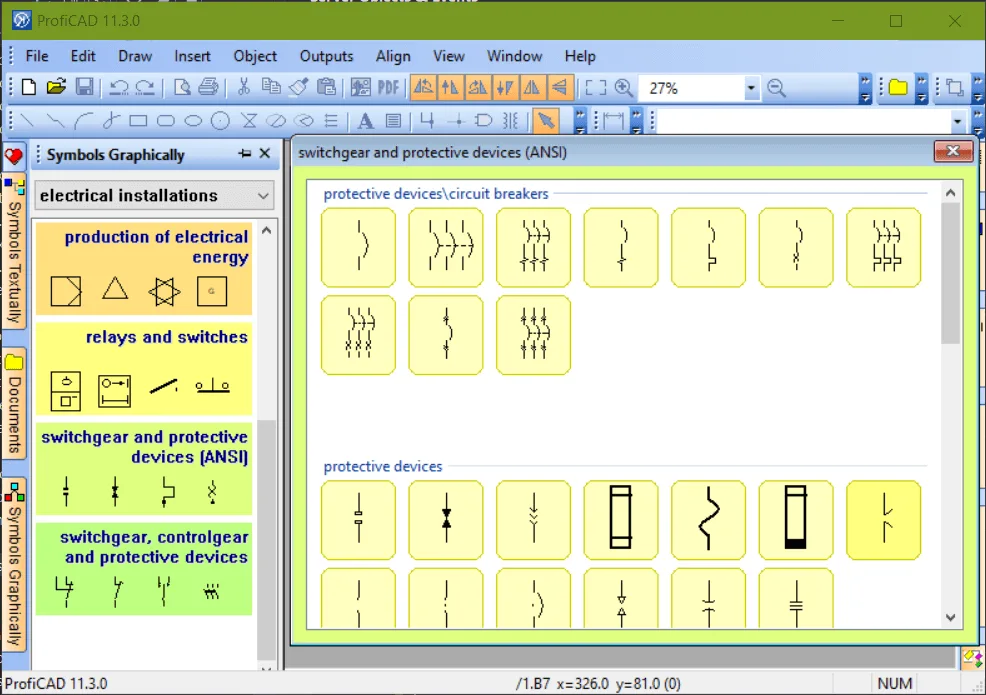
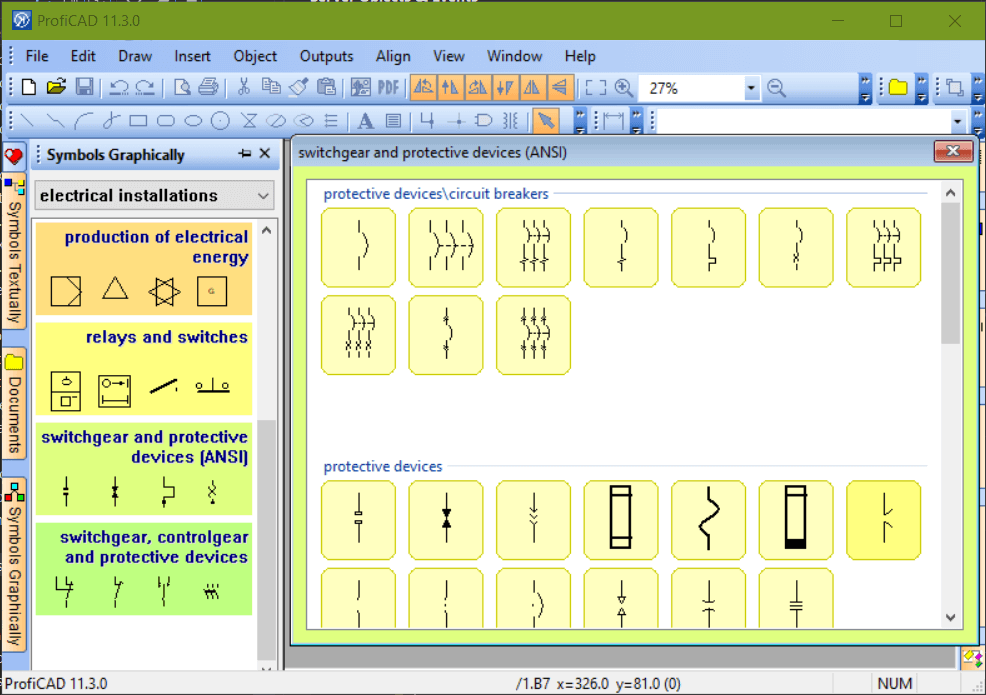
This entry links directly to the publisher's version 14 EXE installer, which the release notes identify as a 64-bit application. The screenshot is an older publisher-provided example labeled ProfiCAD 11.3.0; it illustrates the symbol palettes, not the appearance of version 14.
What it offers
- Draw electrical and electronic schematics, control circuits, and pneumatic or hydraulic diagrams.
- Choose from the publisher's library of over 2,000 symbols or create custom symbols with the symbol editor.
- Use scale drawing, dimensioning and layers for technical plans.
- Generate bills of materials, netlists and wire or cable lists with the paid edition.
- Use cross-references between wires and related component symbols with the paid edition.
Good to know
- The free Home edition limits projects to three pages and excludes bills of materials, netlists, wire and cable lists, and cross-references.
- Creating or modifying commercial documents requires a paid license; the Home commercial-use exception is limited to opening, viewing and printing third-party documents.
- The publisher does not position ProfiCAD as a PCB-layout tool, a 3D modeler or a full-featured DWG/DXF editor.
Product images
Sources
References used for this listing. Retrieval dates do not indicate hands-on testing.
More in utilities
View category ↗
1.1.1.1 with WARP 2026.8.2115.0
Encrypt traffic from your Mac to Cloudflare’s network with WARP, or use DNS-only mode for encrypted DNS queries to the 1.1.1.1 resolver.
1.1.1.1 with WARP 2026.8.2115.0
Encrypt traffic between your Windows PC and Cloudflare, or use encrypted DNS only, with the free 1.1.1.1 with WARP app.

3uTools 9.12.005
Manage iPhone and iPad photos, music, apps and backups from Windows with 3uTools, a free utility that also includes device checks and firmware flashing tools.