
Utilities Windows
Project Timer
Track project hours from the Windows notification area, assign hourly rates and turn recorded work into reports and invoices with Project Timer's free desktop client.
- Operating system
- Windows; exact supported Windows versions not established by the publisher pages consulted
- Architecture
- x64
- Download package
- EXE installer
The publisher links a separate 32-bit installer. No installation or runtime compatibility testing was performed.
Link checked · Download guidance
What is Project Timer?
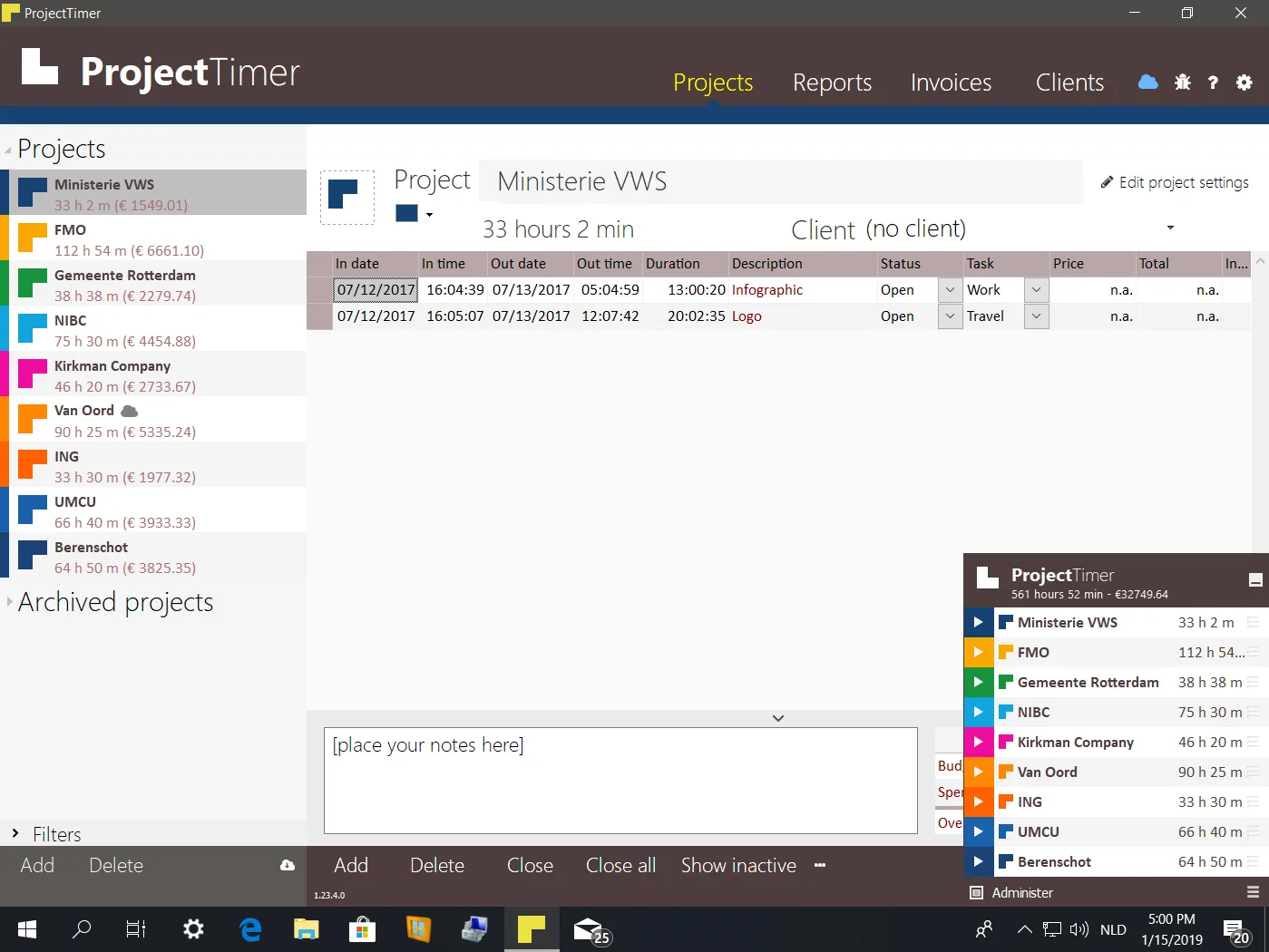
Project Timer records time spent on projects from the Windows taskbar notification area. Color-coded timers identify the active project, while activities can have their own hourly rates. It suits freelancers and small businesses that need to account for billable work rather than simply count down to an alarm.
You can add, remove or correct activities after recording them, then filter reports by client, user, project, task, status or period. The publisher also describes export for use in Excel and invoice creation with customizable branding, alongside invoice payment tracking.
The desktop client is free according to the publisher. Cloud synchronization and team collaboration require a separate per-user Cloud subscription; they are not included as free desktop features. This entry links to the publisher's x64 EXE, not the separate 32-bit package. The main screenshot is an older publisher illustration and does not establish the appearance of version 4.3.0.0.
What it offers
- Start project timers from the Windows notification area and distinguish projects by color.
- Assign hourly prices to activities and view project time and earnings totals.
- Add, remove and edit recorded activities when hours need correcting.
- Filter time reports by client, user, project, task, status and reporting period; export data for use in Excel.
- Create branded invoices from recorded project work and track payment status.
Good to know
- Cloud synchronization and team collaboration require a separate per-user Cloud subscription.
- The linked installer is x64; the publisher offers a separate download for 32-bit Windows.
Product images
Sources
References used for this listing. Retrieval dates do not indicate hands-on testing.
More in utilities
View category ↗
1.1.1.1 with WARP 2026.8.2115.0
Encrypt traffic from your Mac to Cloudflare’s network with WARP, or use DNS-only mode for encrypted DNS queries to the 1.1.1.1 resolver.
1.1.1.1 with WARP 2026.8.2115.0
Encrypt traffic between your Windows PC and Cloudflare, or use encrypted DNS only, with the free 1.1.1.1 with WARP app.


3uTools 9.12.005
Manage iPhone and iPad photos, music, apps and backups from Windows with 3uTools, a free utility that also includes device checks and firmware flashing tools.