

Utilities Windows
PureSync for Windows
Compare folders, synchronize files and schedule backups on Windows with PureSync. Personal is free for private use; business use requires Professional.
- Operating system
- Windows 11 and 10; Windows Server 2025, 2022, 2019 and 2016
- Architecture
- Not specified on the publisher pages consulted
- Download package
- EXE installer
The shared installer starts as Personal; using a Professional feature offers a 30-day evaluation. CPU architecture was not independently verified.
Link checked · Download guidance
What is PureSync?
PureSync keeps folders in step and backs up files on Windows. Its comparison view shows proposed copies and deletions before synchronization, with controls for changing direction or working on selected files. Filters let you narrow a job by criteria such as file size or date.
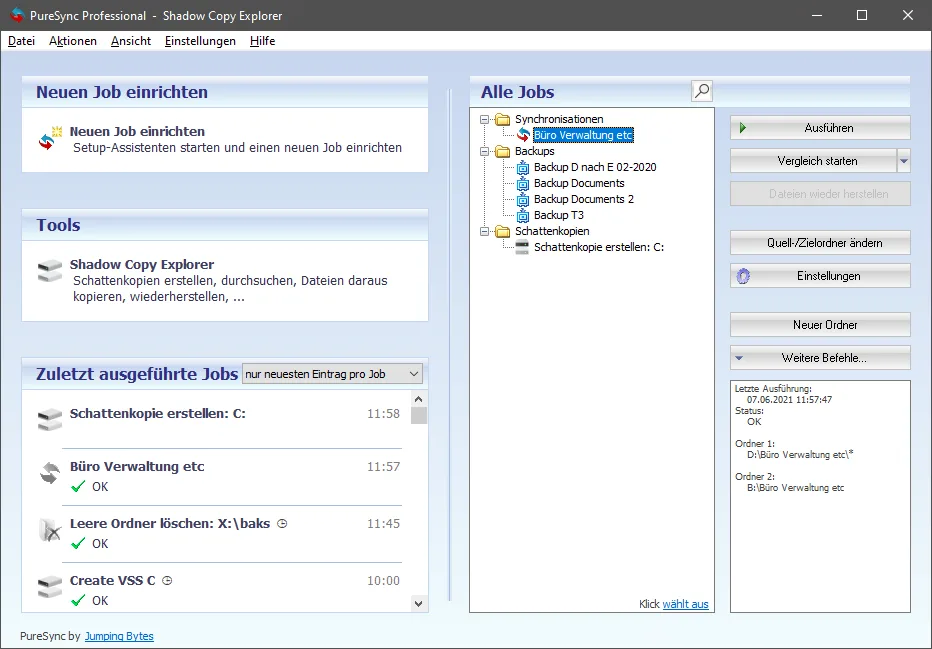
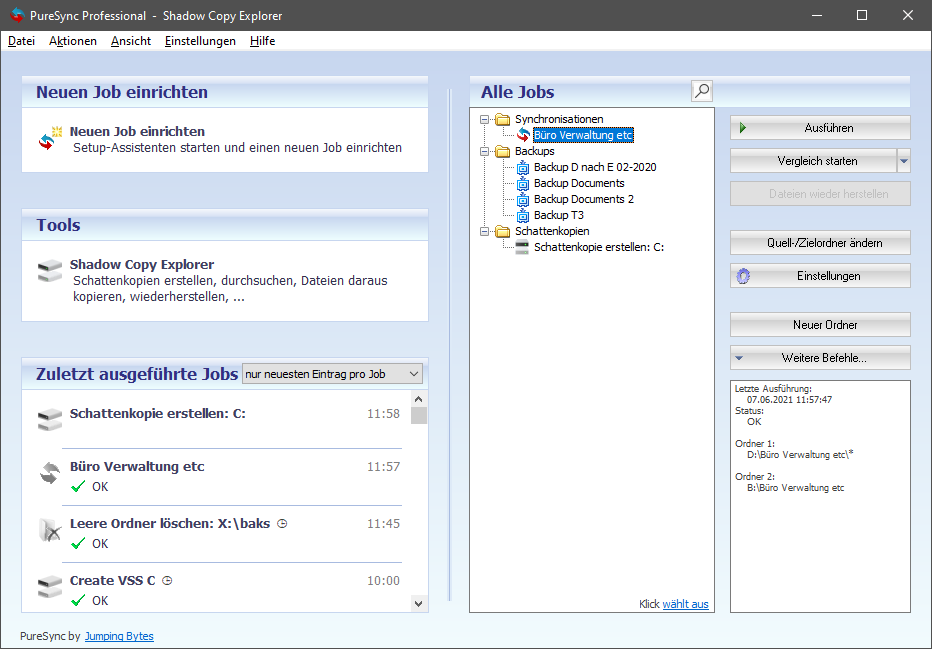
For recurring work, you can schedule backups or trigger them when a drive connects. The product also includes camera photo copying, file transfer between computers and registry comparisons. The publisher's screenshot below shows a German-language job dashboard from its PureSync 7 press materials; it is not presented as the current 8.6.1 interface.
The installer starts as PureSync Personal. It is free only for private use and is limited to ten jobs. Business or mixed private/business use requires a Professional license. Professional also adds FTP, copying opened or locked files, compression, encryption and additional automation triggers. Using a Professional feature prompts a 30-day evaluation; afterward the program returns to Personal. The publisher notes that automatic jobs require the user to be logged on.
What it offers
- Preview copies and deletions in a comparison view, change copy direction and synchronize selected files.
- Back up files and folders, with filters for size, date and other criteria.
- Run scheduled jobs or start them when a drive connects, while the user is logged on.
- Copy new camera photos, transfer files between computers and compare registry data.
- Professional adds FTP, copying opened or locked files, compression and encryption.
Good to know
- Personal is free for private use only and supports at most ten jobs; business or mixed use requires a Professional license.
- FTP, copying opened or locked files, compression, encryption and certain automation triggers are Professional features, not Personal features.
- Automatic synchronization and backup require the user to be logged on, according to the publisher.
Product images
Sources
References used for this listing. Retrieval dates do not indicate hands-on testing.
- Download - PureSync ↗Retrieved
- Editions - PureSync ↗Retrieved
- System requirements - Support - PureSync ↗Retrieved
- Compare View - Features - PureSync ↗Retrieved
- PureSync7 - Press - PureSync ↗Retrieved
- Legal Information - PureSync ↗Retrieved
- Press - PureSync ↗Retrieved
More in utilities
View category ↗
1.1.1.1 with WARP 2026.8.2115.0
Encrypt traffic from your Mac to Cloudflare’s network with WARP, or use DNS-only mode for encrypted DNS queries to the 1.1.1.1 resolver.
1.1.1.1 with WARP 2026.8.2115.0
Encrypt traffic between your Windows PC and Cloudflare, or use encrypted DNS only, with the free 1.1.1.1 with WARP app.

3uTools 9.12.005
Manage iPhone and iPad photos, music, apps and backups from Windows with 3uTools, a free utility that also includes device checks and firmware flashing tools.