

Utilities Windows
PyMOL for Windows
Explore 3D molecular structures, render scientific figures and build animations with PyMOL for Windows. The publisher's packaged edition requires a license.
- Operating system
- 64-bit Windows 11
- Architecture
- x86-64 (x64)
- Download package
- EXE installer
Publisher lists Windows 11 for PyMOL 3.0+. This bundle includes Python 3.10. A separate Windows ZIP archive is also offered; this link selects the EXE installer.
Link checked · Download guidance
What is PyMOL?
PyMOL is a molecular visualization system for viewing and explaining the three-dimensional structures of proteins, nucleic acids and other molecules. Use different representations, labels and interaction views to focus on a structure's details, then create ray-traced images with depth and shadows for scientific figures. Python-based development supports more customized workflows.
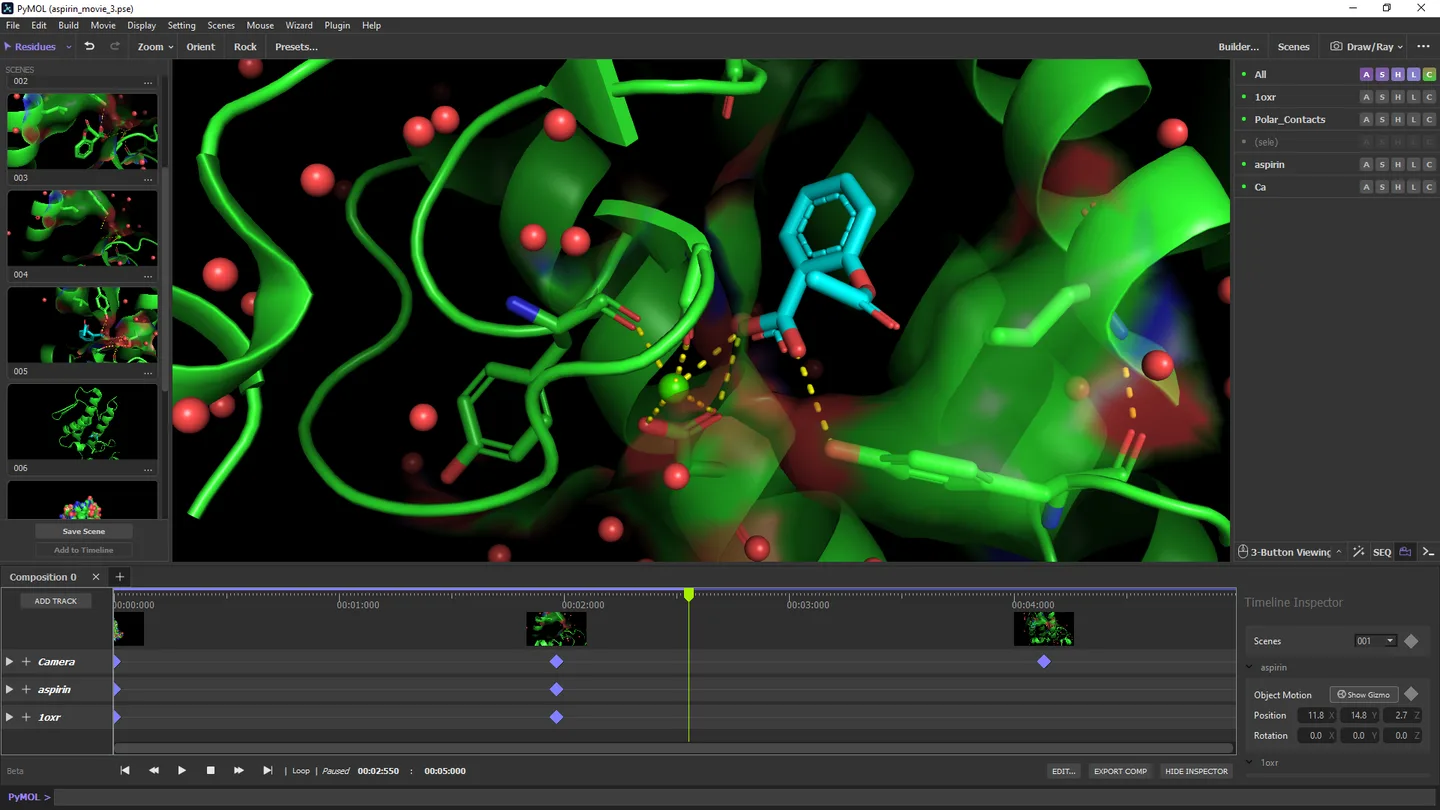
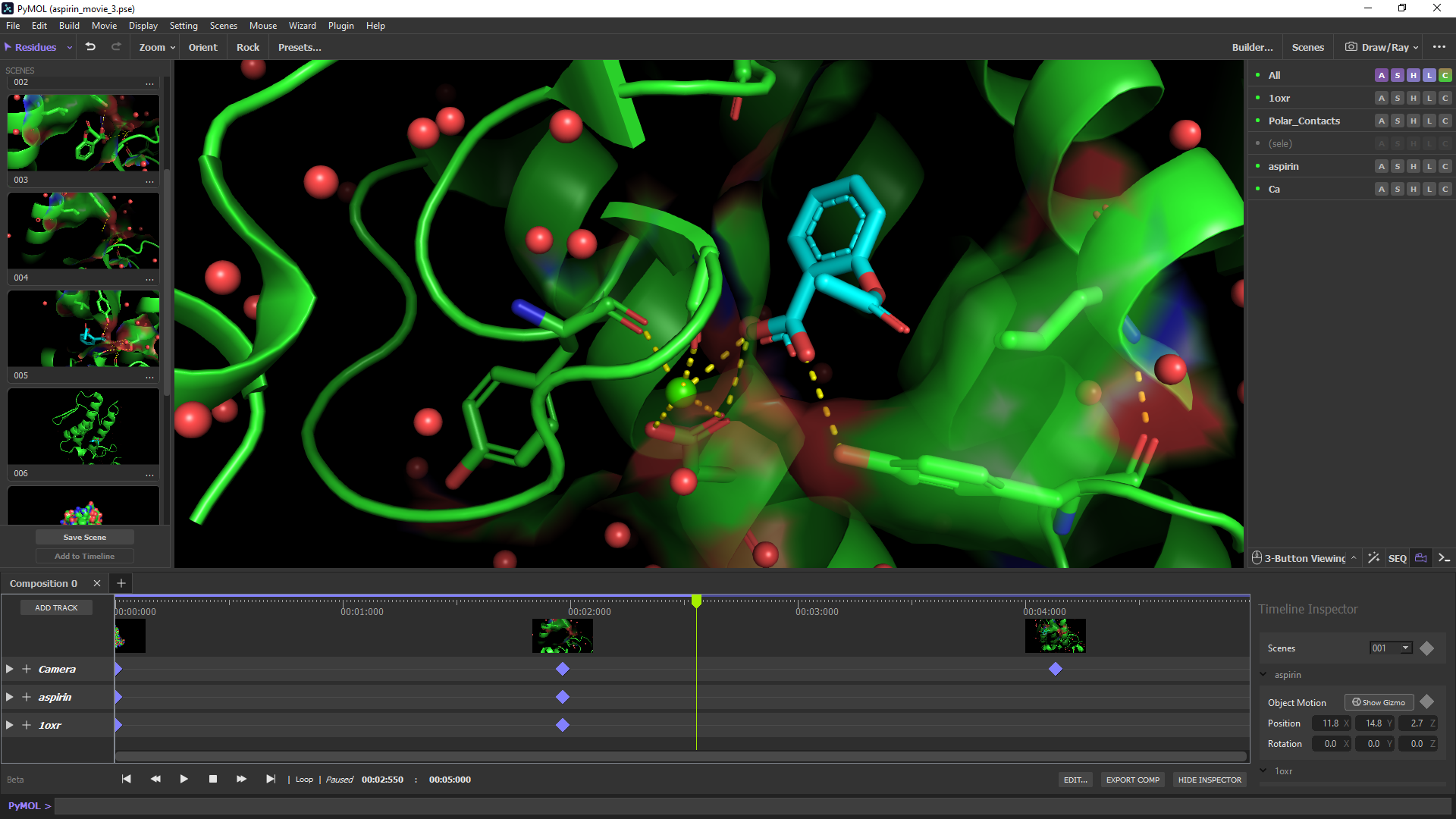
The Scenes panel stores workspace snapshots with thumbnails so you can return to a useful view. Add scenes to the Timeline to construct movies that communicate changes in a molecular system. The Contents panel provides controls for loaded objects and selections, including showing or hiding representations and applying colors.
This entry links to Schrödinger's Windows x86-64 EXE installer for PyMOL 3.1.9, whose bundle includes Python 3.10. The publisher lists 64-bit Windows 11 for PyMOL 3.0 and later. Although much of PyMOL's source code is available under a permissive license, this packaged product is commercial and requires a license file. No-cost educational subscriptions are available to eligible full-time students and educators, with limited support obligations. The publisher also notes that Timeline actions cannot be undone.
What it offers
- Visualize three-dimensional structures of proteins, nucleic acids and other molecules.
- Highlight molecular details with representations, labels and interaction views.
- Render ray-traced images with depth and shadowing for scientific figures.
- Store workspace snapshots in the Scenes panel and use scenes to build Timeline movies.
- Customize workflows through Python-based development.
Good to know
- The publisher's packaged edition requires a license file; availability of open-source code does not make this installer an unrestricted free edition.
- Timeline actions are not undoable, according to the publisher's known-issues list.
Product images
Sources
References used for this listing. Retrieval dates do not indicate hands-on testing.
- PyMOL — publisher downloads and open-source philosophy ↗Retrieved
- PyMOL 3 — Schrödinger product features ↗Retrieved
- PyMOL Support — installation, operating systems and known issues ↗Retrieved
- Buy PyMOL — commercial and educational subscriptions ↗Retrieved
- PyMOL - Download — Windows discovery and gallery ↗Retrieved
More in utilities
View category ↗
1.1.1.1 with WARP 2026.8.2115.0
Encrypt traffic from your Mac to Cloudflare’s network with WARP, or use DNS-only mode for encrypted DNS queries to the 1.1.1.1 resolver.
1.1.1.1 with WARP 2026.8.2115.0
Encrypt traffic between your Windows PC and Cloudflare, or use encrypted DNS only, with the free 1.1.1.1 with WARP app.

3uTools 9.12.005
Manage iPhone and iPad photos, music, apps and backups from Windows with 3uTools, a free utility that also includes device checks and firmware flashing tools.