
Development macOS
Python for macOS
Write and run Python programs on macOS with the open-source interpreter, the bundled IDLE editor and shell, and Python Launcher.
- Operating system
- macOS 10.15 Catalina or later
- Architecture
- universal2: Apple Silicon and Intel (64-bit)
- Download package
- PKG installer
Publisher package for Python 3.15.2. Administrator privileges required; follow the documented Install Certificates.command step.
Link checked · Download guidance
What is Python?
Python for Mac provides the interpreter and standard library for writing scripts and developing applications. The python.org distribution includes IDLE, a basic development environment with an interactive shell, code editor and debugger. You can run scripts in Terminal or open them through Python Launcher from Finder. The included Tk toolkit supports graphical applications through tkinter.
This entry links to the Python 3.15.2 macOS PKG installer. Its universal2 build runs natively on Apple Silicon and Intel Macs, with macOS 10.15 or later required for this release. The publisher documents an administrator-level installation and a separate Install Certificates.command step for SSL root certificates.
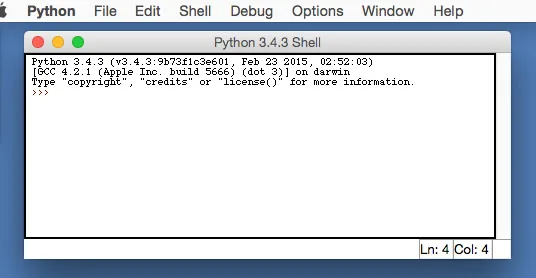
Scripts launched from Finder may behave differently from the same scripts run in Terminal because Finder does not provide the usual shell environment. If a program depends on variables set in a shell profile, run it in that configured shell. The screenshot is a historical Python 3.4.3 IDLE shell on macOS, included to illustrate the application rather than the appearance of version 3.15.2.
What it offers
- Run Python scripts from Terminal or through Python Launcher in Finder.
- Use IDLE’s interactive shell, syntax-colored editor, completion and breakpoint debugger.
- Build graphical interfaces with tkinter and the bundled macOS-native Tk toolkit.
- Use a universal2 distribution for native execution on Apple Silicon and Intel Macs.
Good to know
- The python.org macOS installation requires an administrator account and a separate certificate-installation step.
- Finder-launched scripts do not inherit the usual shell-profile environment and can behave differently from Terminal-launched scripts.
Product images
Sources
References used for this listing. Retrieval dates do not indicate hands-on testing.
- Python for Mac - Download ↗Retrieved
- Python Releases for macOS | Python.org ↗Retrieved
- Python Release Python 3.15.2 | Python.org ↗Retrieved
- Using Python on macOS — Python 3.15.2 documentation ↗Retrieved
- IDLE — Python editor and shell — Python 3.15.2 documentation ↗Retrieved
- About Python | Python.org ↗Retrieved
- Legal Statements | Python Software Foundation ↗Retrieved
- TkDocs Tutorial — Case Study: IDLE Modernization ↗Retrieved
More in development
View category ↗

010 Editor 17.0
Inspect and edit binary files on Mac with 010 Editor, a paid text and hex editor with Binary Templates, file comparison and a 30-day trial.
010 Editor 17.0
Inspect and edit binary files with 010 Editor for Windows, a text and hex editor with Binary Templates, file comparison and scripting. Includes a 30-day trial.
10x Editor
Edit and navigate C++ projects on Windows with a built-in parser, workspace search and Visual Studio project support. A paid license is required after the 30-day trial.