

Utilities macOS
QGIS for macOS
Create maps, edit geographic layers and analyze spatial data with QGIS, a free, open-source GIS for Mac. This download is the 3.44.15 long-term release.
- Operating system
- macOS
- Architecture
- Intel x64 and Apple silicon (publisher-stated support)
- Download package
- DMG disk image
Publisher lists support for Intel and Apple silicon but pairs “High Sierra” with “10.14” inconsistently. A precise minimum macOS version and native architecture of this DMG are not independently established.
Link checked · Download guidance
What is QGIS?
QGIS brings geographic data into a desktop workspace for map creation, editing and analysis. Use its cartographic styling and layout tools to prepare maps for print, edit points, lines and polygons, or combine processing tools into repeatable analysis workflows. It is useful when a map needs more than a static image: layers, geometry and data sources remain part of the project.
This entry links to the official macOS DMG for QGIS 3.44.15 Solothurn LTR, rather than the separate 4.2 release branch. The publisher recommends the long-term release when stability matters more than newer features. After downloading the DMG, the documented installation method is to drag QGIS into Applications.
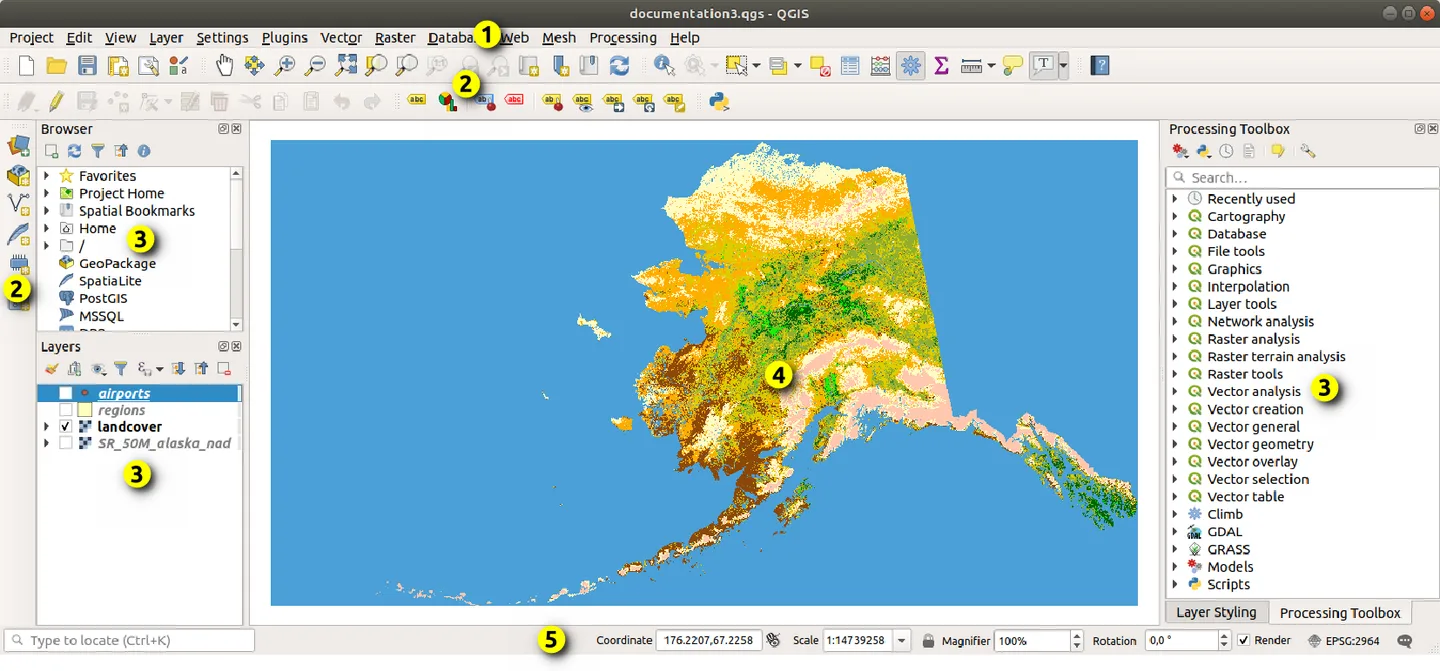
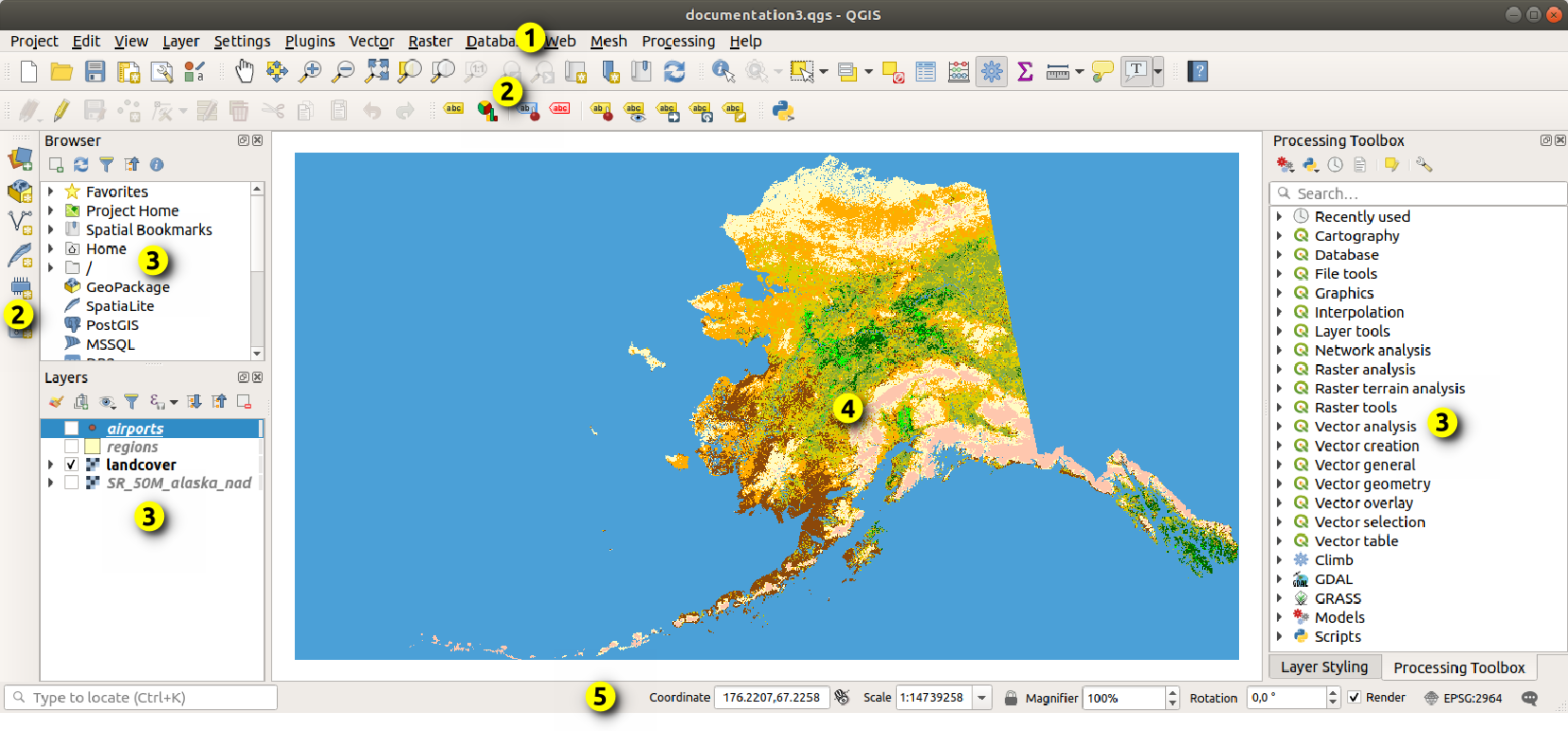
Some tools depend on the active layer and its editing state: the Edit menu requires editing mode. The screenshot is the publisher’s annotated desktop example with Alaska sample data, not a capture of this Mac package; window decorations and menu placement can differ on macOS.
What it offers
- Style maps and arrange print layouts, atlases and reports.
- Create and edit geographic points, lines, polygons and meshes.
- Combine processing tools into reproducible visual analysis workflows.
- Work with multiple data sources and formats, with plugins for additional capabilities.
Good to know
- This download is the 3.44.15 LTR branch, not the separate 4.2 branch with newer features.
- Edit-menu tools require editing mode; available geometry tools depend on the selected layer.
Product images
Sources
References used for this listing. Retrieval dates do not indicate hands-on testing.
- QGIS for Mac - Download ↗Retrieved
- QGIS — Spatial without Compromise ↗Retrieved
- QGIS Installers — macOS binary packages ↗Retrieved
- Download QGIS — long-term macOS release ↗Retrieved
- QGIS 3.44 User Guide — QGIS GUI ↗Retrieved
- QGIS 3.44 documentation — Preamble and license ↗Retrieved
More in utilities
View category ↗
1.1.1.1 with WARP 2026.8.2115.0
Encrypt traffic from your Mac to Cloudflare’s network with WARP, or use DNS-only mode for encrypted DNS queries to the 1.1.1.1 resolver.
1.1.1.1 with WARP 2026.8.2115.0
Encrypt traffic between your Windows PC and Cloudflare, or use encrypted DNS only, with the free 1.1.1.1 with WARP app.

3uTools 9.12.005
Manage iPhone and iPad photos, music, apps and backups from Windows with 3uTools, a free utility that also includes device checks and firmware flashing tools.