

Utilities Windows
QGIS for Windows
Create maps, edit geographic layers and analyze spatial data with QGIS, a free, open-source desktop GIS. This entry links to the publisher's Windows standalone MSI installer.
- Operating system
- Windows; exact minimum OS version not established from the publisher pages consulted
- Architecture
- 64-bit
- Download package
- Standalone MSI installer
Publisher states that Windows executables have been 64-bit only since QGIS 3.20. Optional projection grids are not included in this selected package.
Link checked · Download guidance
What is QGIS?
QGIS is a desktop geographic information system for turning spatial data into maps and analysis. It brings map viewing, layer editing and cartographic styling into one workspace. Use its layout designer to prepare print maps, or combine processing tools into repeatable visual analysis workflows. Plugins extend the available tools for specific geospatial tasks.
The linked download is the publisher's QGIS 4.2.3 standalone Windows MSI, not the OSGeo4W network installer or a development build. The standalone package supports installation without an internet connection once downloaded, but an upgrade requires downloading a complete installer again. Optional projection grids are excluded from this package; some coordinate transformations may require a separate grid download. The publisher also offers a Long Term Release branch for users who prioritize stability.
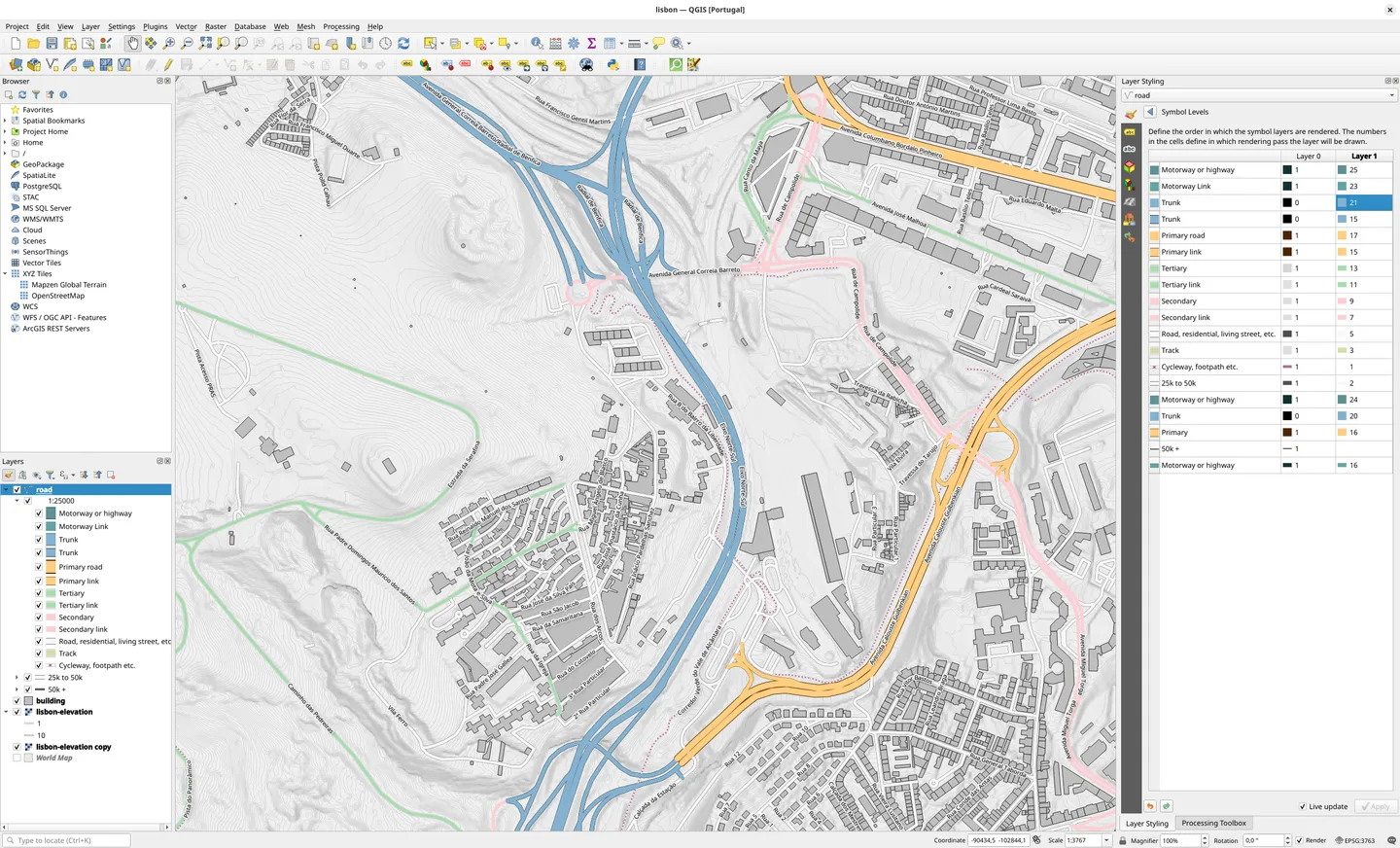
The screenshot is a publisher-hosted QGIS desktop example showing a Lisbon map with elevation contours, OpenStreetMap layers and styling controls. It illustrates the cross-platform interface, not a verified capture of this Windows installer or version 4.2.3.
What it offers
- Style geographic layers and compose print maps with the layout designer.
- Create and edit points, lines, polygons and meshes using digitizing and geometry tools.
- Analyze spatial data and combine processing tools into reproducible visual workflows.
- Extend analysis capabilities through a third-party plugin ecosystem.
Good to know
- The selected standalone installer excludes optional projection grids; QGIS may request a separate download when a coordinate transformation needs them.
- Upgrading a standalone installation requires downloading the complete installer again; the separate OSGeo4W installer supports component-based updates.
Product images
Sources
References used for this listing. Retrieval dates do not indicate hands-on testing.
- QGIS - Download — Windows discovery page ↗Retrieved
- Spatial without Compromise — QGIS official features and license ↗Retrieved
- QGIS Installers — Windows standalone and OSGeo4W options ↗Retrieved
- Download QGIS — Windows MSI and architecture ↗Retrieved
- Basic QGIS map project — screenshot uploaded by Tim Sutton ↗Retrieved
More in utilities
View category ↗
1.1.1.1 with WARP 2026.8.2115.0
Encrypt traffic from your Mac to Cloudflare’s network with WARP, or use DNS-only mode for encrypted DNS queries to the 1.1.1.1 resolver.
1.1.1.1 with WARP 2026.8.2115.0
Encrypt traffic between your Windows PC and Cloudflare, or use encrypted DNS only, with the free 1.1.1.1 with WARP app.

3uTools 9.12.005
Manage iPhone and iPad photos, music, apps and backups from Windows with 3uTools, a free utility that also includes device checks and firmware flashing tools.