

Utilities Windows
QOwnNotes for Windows
Write and organize plain-text Markdown notes with QOwnNotes for Windows, a free, open-source editor with preview, tags and optional Nextcloud or ownCloud integration.
What is QOwnNotes?
QOwnNotes keeps your notes as plain-text Markdown files on your computer. You can open existing text files, organize notes with tags and subfolders, search their contents and view formatted Markdown beside the editor. It suits people who want editable local files rather than notes tied to one proprietary format.
Nextcloud and ownCloud integration is optional. Synchronizing note files across devices requires a separate file-sync service or client; QOwnNotes is not itself the Nextcloud or ownCloud sync client. Server note-version and trash access can also require an additional server app.
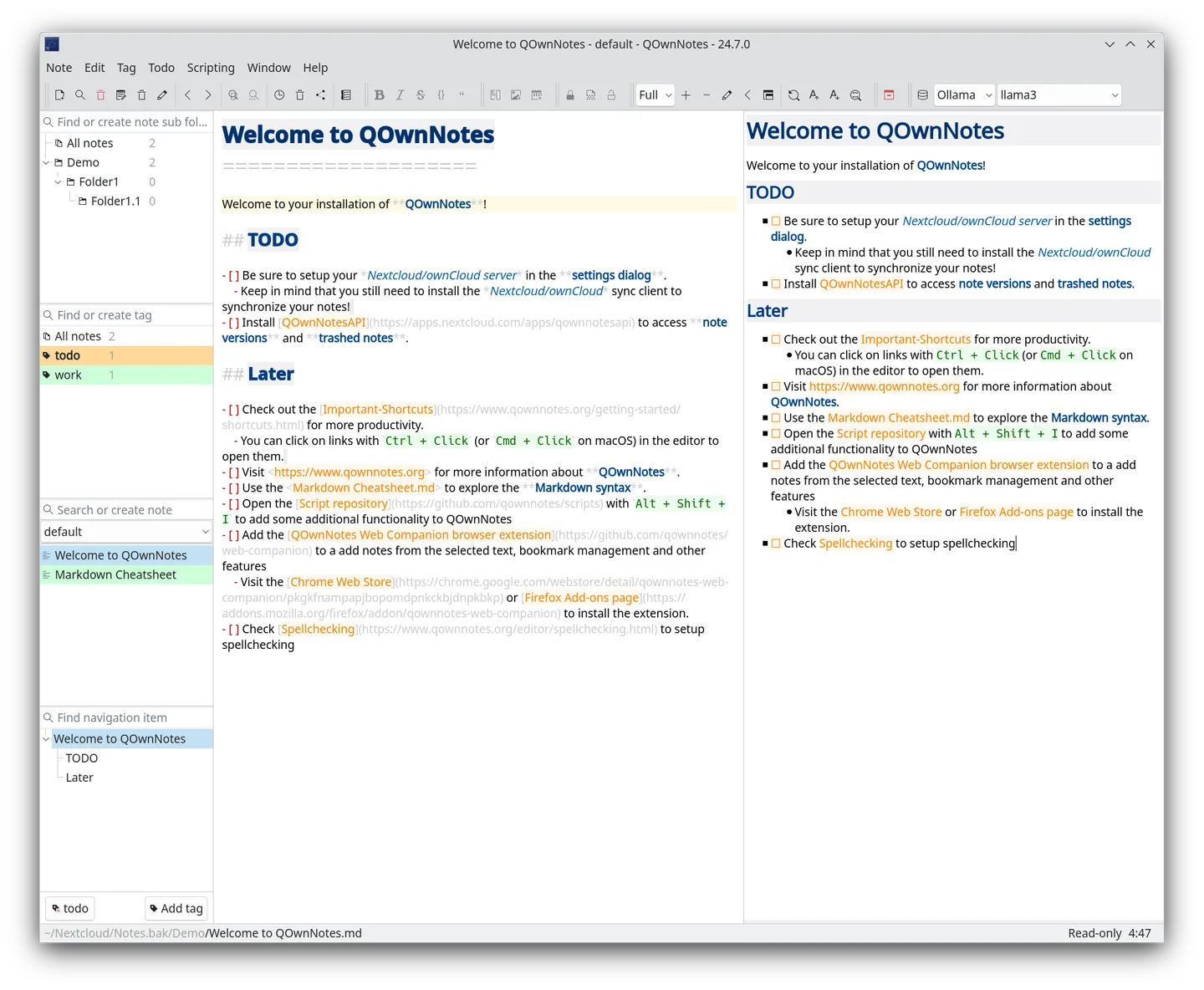
This download is the publisher's Windows ZIP package for version 26.10.13, built with Qt 6. Extract it to a folder and run QOwnNotes.exe without an installer. The current Windows build requires Windows 10 or newer. For automatic updates, use a folder your user account can write to. The publisher screenshot illustrates an older 24.7.0 desktop interface, not the exact appearance of this release or a verified Windows capture.
What it offers
- Edit existing plain-text and Markdown files with syntax highlighting and a formatted preview.
- Organize notes with hierarchical tags, subfolders and multiple note folders.
- Search note contents with matching text highlighted in the notes.
- Customize dockable panels, toolbars, keyboard shortcuts and dark-mode appearance.
- Optionally connect to Nextcloud or ownCloud for additional note features and use a separate service to sync files.
Good to know
- The current Qt 6 Windows package requires Windows 10 or newer; the older Qt 5.7 legacy build is no longer updated.
- Cross-device file synchronization needs a separate sync service or client; server version-history and trash features may require the QOwnNotes Nextcloud app or a supported legacy server app.
- The automatic updater needs write access to the extracted application folder; protected Program Files folders may not provide it.
Product images
Sources
References used for this listing. Retrieval dates do not indicate hands-on testing.
- QOwnNotes — publisher homepage ↗Retrieved
- Install on Microsoft Windows — QOwnNotes ↗Retrieved
- Overview — QOwnNotes features and appearance ↗Retrieved
- pbek/QOwnNotes — official repository and README ↗Retrieved
- Release v26.10.13 — official GitHub release ↗Retrieved
- Release v26.10.13 — actual downloadable assets ↗Retrieved
More in utilities
View category ↗
1.1.1.1 with WARP 2026.8.2115.0
Encrypt traffic from your Mac to Cloudflare’s network with WARP, or use DNS-only mode for encrypted DNS queries to the 1.1.1.1 resolver.
1.1.1.1 with WARP 2026.8.2115.0
Encrypt traffic between your Windows PC and Cloudflare, or use encrypted DNS only, with the free 1.1.1.1 with WARP app.

3uTools 9.12.005
Manage iPhone and iPad photos, music, apps and backups from Windows with 3uTools, a free utility that also includes device checks and firmware flashing tools.