
Utilities Windows
QtScrcpy for Windows
Mirror and control Android devices from Windows with QtScrcpy, a free, open-source desktop app with USB and wireless connections, screen recording and custom key mappings.
- Operating system
- Windows; Android 5.0 or newer on the connected device, per the project README
- Architecture
- x64
- Download package
- ZIP archive
Selected download is the Windows x64 archive. A separate x86 archive is available. Enable ADB debugging on the Android device; the README says Windows archives include ADB.
Link checked · Download guidance
What is QtScrcpy?
QtScrcpy displays an Android device's screen on your Windows desktop and lets you operate it with a mouse and keyboard. Its graphical controls bring device selection, connection settings and recording options into one application. You can connect more than one device, capture screenshots or record a screen while working from the computer.
The project also supports custom keyboard and mouse mappings for touch actions, file transfer by dragging files into a mirrored device window, and group control of connected phones. These are features of QtScrcpy itself; the publisher's separately promoted QuickMirror and QuickAssistant are different applications.
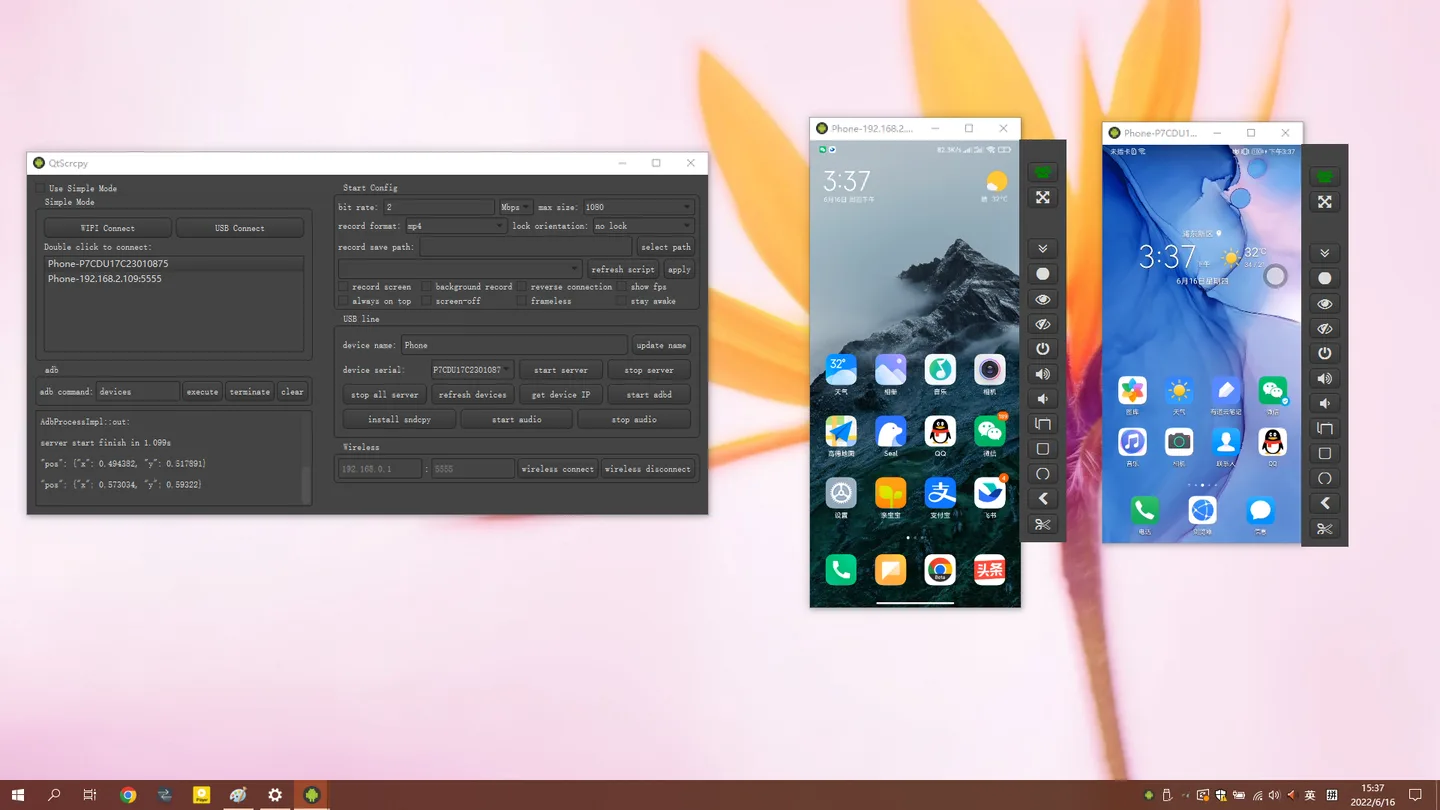
The linked download is the publisher's version 4.2.1 Windows x64 ZIP archive, not an Android app or an installer. The project says its prebuilt Windows archives include dependencies such as ADB. The Android device still needs ADB debugging enabled; root access is not required. For the README's wireless setup, first connect over USB and keep the phone and computer on the same local network. The publisher screenshot below illustrates the Windows control panel and two mirrored devices, but predates the layout changes documented for version 4.2.1.
What it offers
- Display Android screens and control devices with a computer mouse and keyboard.
- Connect through USB or use the documented wireless connection setup.
- Record a device screen and capture PNG screenshots.
- Use custom key-mapping scripts to translate keyboard and mouse input into touch actions.
- Connect multiple devices, use group control and drag files into a mirrored device window to transfer them.
Good to know
- The Android device must have ADB debugging enabled; the project README specifies Android 5.0 or newer.
- The documented wireless setup starts with a USB connection and requires the phone and computer to share a local network.
- The README's sndcpy-based device-audio forwarding requires Android 10 or newer.
Product images
Sources
References used for this listing. Retrieval dates do not indicate hands-on testing.
More in utilities
View category ↗
1.1.1.1 with WARP 2026.8.2115.0
Encrypt traffic from your Mac to Cloudflare’s network with WARP, or use DNS-only mode for encrypted DNS queries to the 1.1.1.1 resolver.
1.1.1.1 with WARP 2026.8.2115.0
Encrypt traffic between your Windows PC and Cloudflare, or use encrypted DNS only, with the free 1.1.1.1 with WARP app.

3uTools 9.12.005
Manage iPhone and iPad photos, music, apps and backups from Windows with 3uTools, a free utility that also includes device checks and firmware flashing tools.