
Utilities Windows
QNAP QuDedup Extract Tool
Restore files and folders from QNAP HBS .qdff backups on Windows. Preview backup contents and select a saved version before extracting the data you need.
- Operating system
- Windows 7, 10 and 11 (publisher listing)
- Architecture
- Not specified by the cited publisher catalog
- Download package
- EXE installer
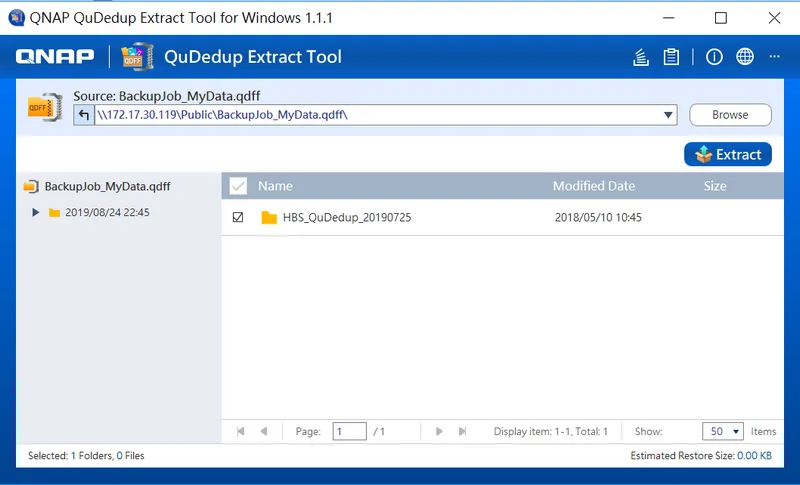
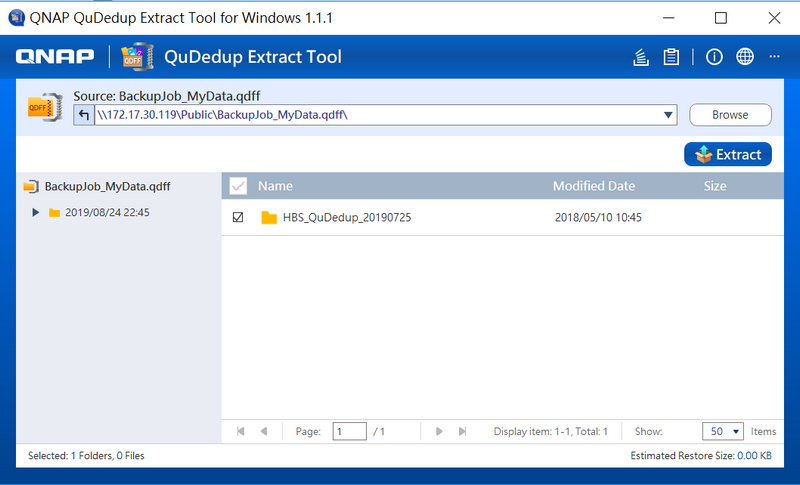
Windows package linked from QNAP Utilities. Publisher tutorial screenshot shows Windows version 1.1.1; it is illustrative, not evidence of the selected build running.
Link checked · Download guidance
What is QNAP QuDedup Extract Tool?
QNAP QuDedup Extract Tool opens the .qdff backup folders created when QuDedup is enabled in Hybrid Backup Sync (HBS). It is useful when you have copied a deduplicated backup from a remote NAS or cloud storage to a Windows computer and need ordinary files back. You can inspect the backup contents, choose a saved version and restore individual files or selected folders instead of recovering everything.
QNAP documents a folder-based workflow: open the tool, use Browse file to select the .qdff folder, choose the version and items to recover, then click Extract and pick a destination folder. The conflict policy matters: Replace All overwrites existing destination files with matching names, while Skip All leaves those files in place. The Background Tasks window shows extraction status.
This is a specialized QNAP backup extractor, not a general-purpose ZIP utility or a duplicate-file cleaner. You need the .qdff backup folder produced by HBS with QuDedup enabled. QNAP lists Windows 7, 10 and 11 for its Windows utility; the selected download is the 1.1.7.25269 EXE package. The publisher tutorial screenshot illustrates the older Windows 1.1.1 interface, not a hands-on test of the linked build.
What it offers
- Restore deduplicated .qdff backup folders created by QNAP Hybrid Backup Sync.
- Preview backup contents and choose a saved version before extraction.
- Recover individual files or selected folders.
- Choose Replace All or Skip All when destination filenames conflict.
- View extraction progress in Background Tasks.
Good to know
- Requires a QNAP HBS backup stored as a .qdff folder; it is not a general archive extractor or duplicate-file cleaner.
- Replace All overwrites existing destination files with the same names; choose the conflict policy deliberately.
Product images
Sources
References used for this listing. Retrieval dates do not indicate hands-on testing.
More in utilities
View category ↗
1.1.1.1 with WARP 2026.8.2115.0
Encrypt traffic from your Mac to Cloudflare’s network with WARP, or use DNS-only mode for encrypted DNS queries to the 1.1.1.1 resolver.
1.1.1.1 with WARP 2026.8.2115.0
Encrypt traffic between your Windows PC and Cloudflare, or use encrypted DNS only, with the free 1.1.1.1 with WARP app.

3uTools 9.12.005
Manage iPhone and iPad photos, music, apps and backups from Windows with 3uTools, a free utility that also includes device checks and firmware flashing tools.