
Development Windows
QuestPDF Companion
Preview QuestPDF documents on Windows, inspect their layout hierarchy and measure spacing while developing PDF output in C#.
Version 2026.2.2 · Direct publisher file
Link checked · Download guidance
What is QuestPDF Companion?
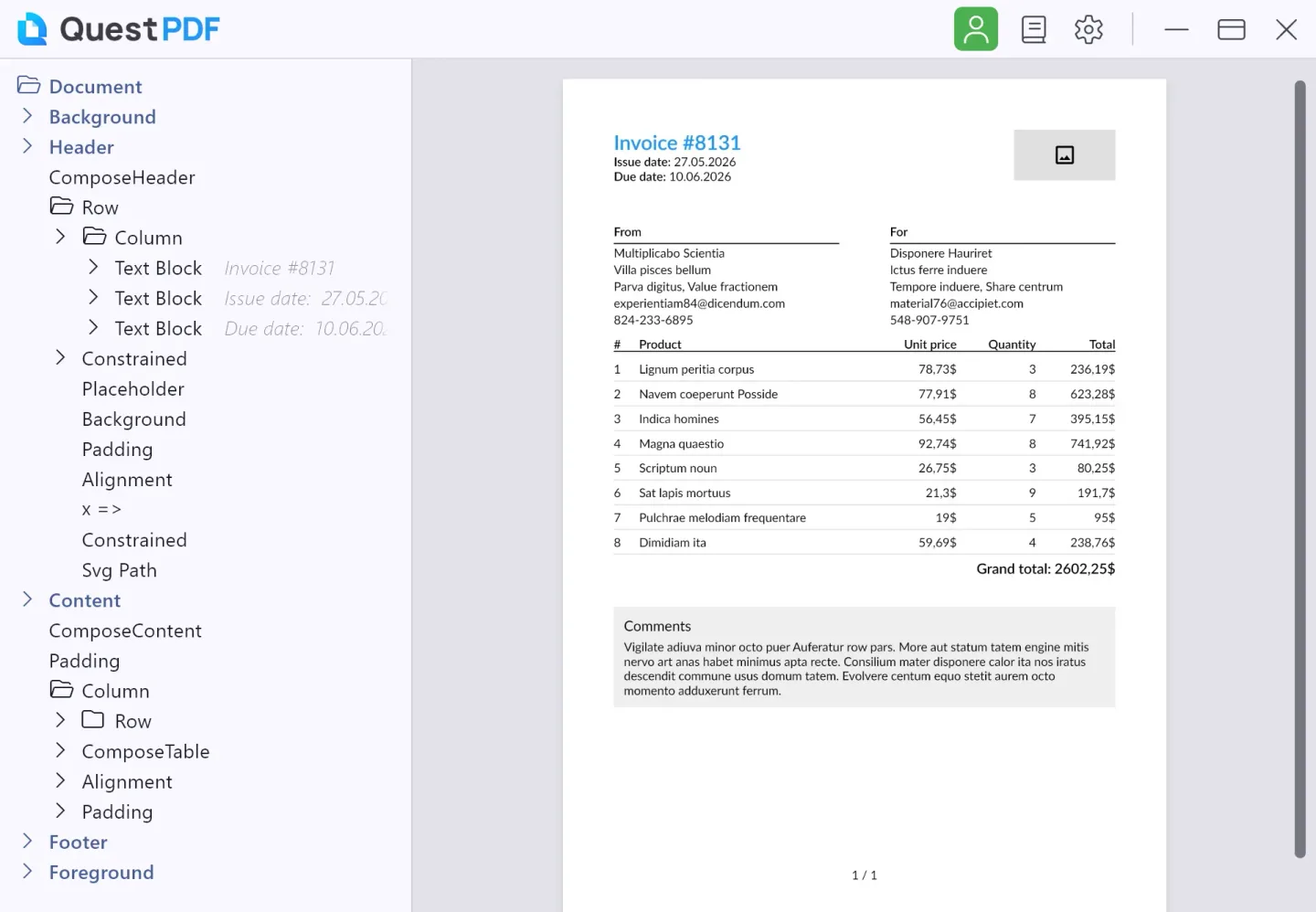
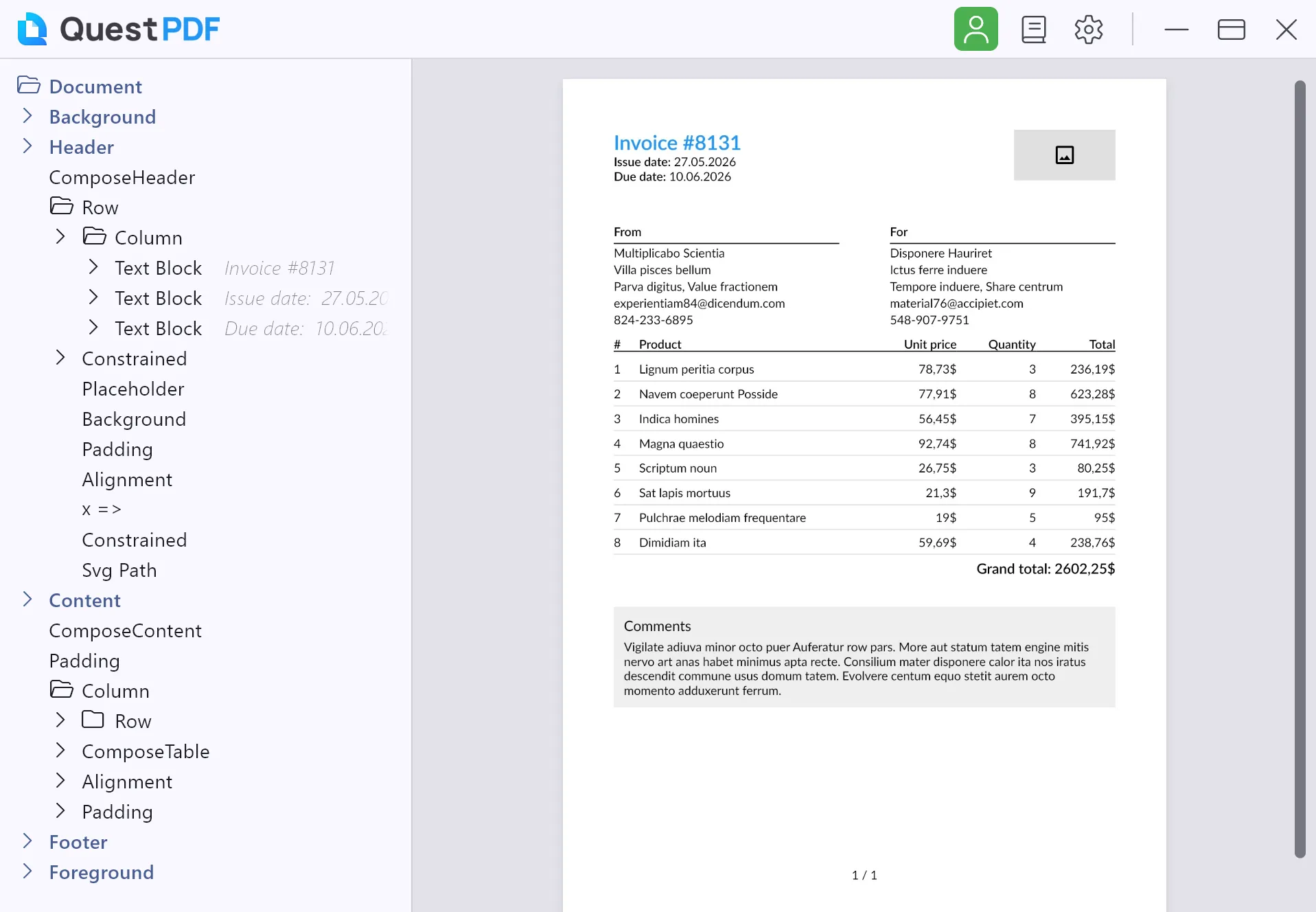
QuestPDF Companion is a desktop preview and debugging tool for developers building documents with the QuestPDF C# library. It displays the generated document beside a navigable tree of its layout elements, so you can inspect an invoice, report or other code-defined page without treating the PDF as a finished black box. This is the Companion application, not the QuestPDF library package.
Connect a document from your project by importing QuestPDF.Companion and calling document.ShowInCompanion(). The publisher documents hot-reload workflows for Visual Studio, JetBrains Rider and dotnet watch: changes in your document implementation can refresh the preview as you work. Select an element through the tree or by double-clicking the preview to examine its configuration, position and size. A magnifier, coordinate picker and horizontal or vertical measurements help investigate spacing and alignment; Ctrl+F searches the document content.
When generation fails, the Companion can show runtime exception details and layout-wrap or overflow information. Ctrl+click can navigate from the preview to the relevant implementation in your editor. That navigation becomes less precise after hot reload, and complex documents can reduce hot-reload performance. The publisher recommends dotnet watch --no-hot-reload when accurate code navigation matters more than hot-reload updates.
This entry links to the Windows MSIX package for Companion 2026.2.2 listed on the official download page. That table specifies QuestPDF library 2024.10.0 or newer; application and library version numbers do not need to match. The publisher also warns that the Companion may not cover every feature of newer library versions. The consulted download page does not state an exact minimum Windows build or CPU architecture. Check the QuestPDF license terms that apply to your organisation and library release; a downloadable application is not proof of unrestricted free commercial use.
What it offers
- Preview documents produced by your QuestPDF project with documented hot-reload integration.
- Navigate the document hierarchy and inspect selected elements, including position and size.
- Use zoom, a magnifier, coordinate picking and horizontal or vertical measurements.
- Search document content and navigate from the preview to implementation in a code editor.
- Inspect runtime exceptions and layout issues; choose a light or dark theme.
Good to know
- Requires integration with a QuestPDF project using library 2024.10.0 or newer; this download is the Companion, not the library.
- Hot reload can reduce code-navigation accuracy, and complex documents can slow preview updates.
- Companion 2026.2.2 may not support every feature of newer QuestPDF library releases.
- Exact minimum Windows build and package CPU architecture were not stated on the consulted official download page.
Product images
Sources
References used for this listing. Retrieval dates do not indicate hands-on testing.
- Companion App: Downloads | QuestPDF ↗Retrieved
- Companion App | QuestPDF ↗Retrieved
- Companion: Features | QuestPDF ↗Retrieved
- Companion App: Warning Messages | QuestPDF ↗Retrieved
- QuestPDF.CompanionApp LICENSE.md — licensing guide ↗Retrieved
- Pricing | QuestPDF ↗Retrieved
More in development
View category ↗
010 Editor 17.0
Inspect and edit binary files on Mac with 010 Editor, a paid text and hex editor with Binary Templates, file comparison and a 30-day trial.
010 Editor 17.0
Inspect and edit binary files with 010 Editor for Windows, a text and hex editor with Binary Templates, file comparison and scripting. Includes a 30-day trial.
10x Editor
Edit and navigate C++ projects on Windows with a built-in parser, workspace search and Visual Studio project support. A paid license is required after the 30-day trial.