

Utilities Windows
Quick CPU for Windows
Monitor CPU temperatures, clocks and core usage, adjust Windows power plans and tune supported processor settings with Quick CPU for Windows.
- Operating system
- Windows 10 and Windows 11 (publisher-tested)
- Architecture
- x64 (publisher-tested systems)
- Download package
- MSI installer
Requires .NET Framework 4.7.2 or later. Advanced controls depend on CPU support. Publisher's currentversion download URL may change; no installer was downloaded or run.
Link checked · Download guidance
What is Quick CPU?
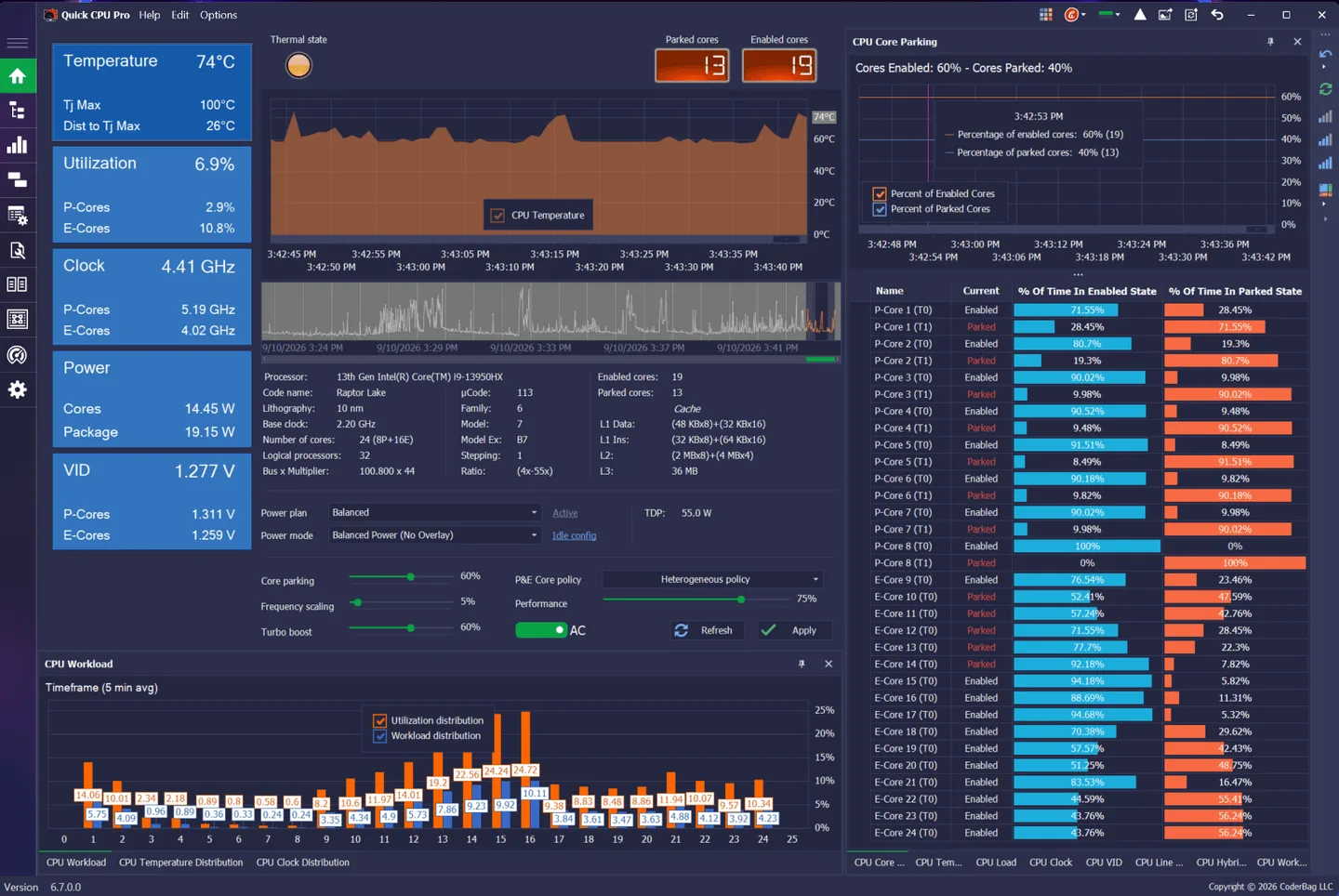
Quick CPU brings processor monitoring and power-management controls into one Windows application. It displays temperature, frequency, voltage, power and core-usage information so you can examine how an Intel or AMD processor behaves under load. Core-parking, frequency-scaling and turbo-boost controls sit alongside tools for creating, comparing and switching Windows power plans. The publisher also documents CPU stress and stability testing with per-core or per-thread load selection.
The free edition includes monitoring, performance tuning, memory management and power-plan tools. Pro adds features such as report export, extra themes and a dedicated chart-only view. The publisher screenshot shown here depicts Quick CPU Pro 6.7.0.0; its appearance and edition-specific tools can differ from the free edition.
This entry links to the publisher's MSI package. CoderBag lists version 6.7.0.0, released September 10, 2026, and testing on Windows 10 and 11 x64 with .NET Framework 4.7.2 or later required. Advanced controls depend on the processor: Speed Shift and FIVR controls are Intel-specific. Changing processor settings can cause instability or crashes, so this is a tuning tool for experienced users, not a guaranteed performance improvement.
What it offers
- Monitor CPU temperature, clock frequency, voltage, power and core usage.
- Adjust core parking, frequency scaling and supported turbo-boost policies.
- Create, activate, clone, compare and export Windows power plans.
- Use the documented stress-testing module to select individual CPU cores or threads for load testing.
- Monitor system activity from customizable system-tray displays.
Good to know
- Advanced settings vary by processor; Speed Shift and FIVR controls are available for Intel CPUs rather than every Intel or AMD system.
- Processor adjustments can cause instability or crashes; the tool is intended for experienced users.
- Report export, additional themes and a dedicated chart-only view require a paid Pro edition.
- .NET Framework 4.7.2 or later is required; the publisher's tested-on list covers Windows 10 and 11 x64.
Product images
Sources
References used for this listing. Retrieval dates do not indicate hands-on testing.
More in utilities
View category ↗
1.1.1.1 with WARP 2026.8.2115.0
Encrypt traffic from your Mac to Cloudflare’s network with WARP, or use DNS-only mode for encrypted DNS queries to the 1.1.1.1 resolver.
1.1.1.1 with WARP 2026.8.2115.0
Encrypt traffic between your Windows PC and Cloudflare, or use encrypted DNS only, with the free 1.1.1.1 with WARP app.

3uTools 9.12.005
Manage iPhone and iPad photos, music, apps and backups from Windows with 3uTools, a free utility that also includes device checks and firmware flashing tools.