

Utilities Windows
QuickLook for Windows
Preview selected files in Windows File Explorer with a press of Space. QuickLook is a free, open-source viewer for images, documents, media and code, with plugins for additional formats.
Version 4.5.0 · Direct publisher file
Link checked · Download guidance
What is QuickLook?
QuickLook adds a spacebar preview to Windows File Explorer. Select a file and press Space to view it in a preview window instead of opening its usual application. Press Space or Esc to close the preview. It is useful when browsing a folder of images, checking a document or reading a text file before deciding what to open.
The publisher lists support for images, PDF documents, text, Markdown, audio, video and archives, with plugins extending the available formats. This entry links to the publisher's QuickLook 4.5.0 MSI installer. The publisher recommends the MSI distribution and documents support for previewing selected files in Open and Save dialogs; its Microsoft Store distribution does not offer that dialog support.
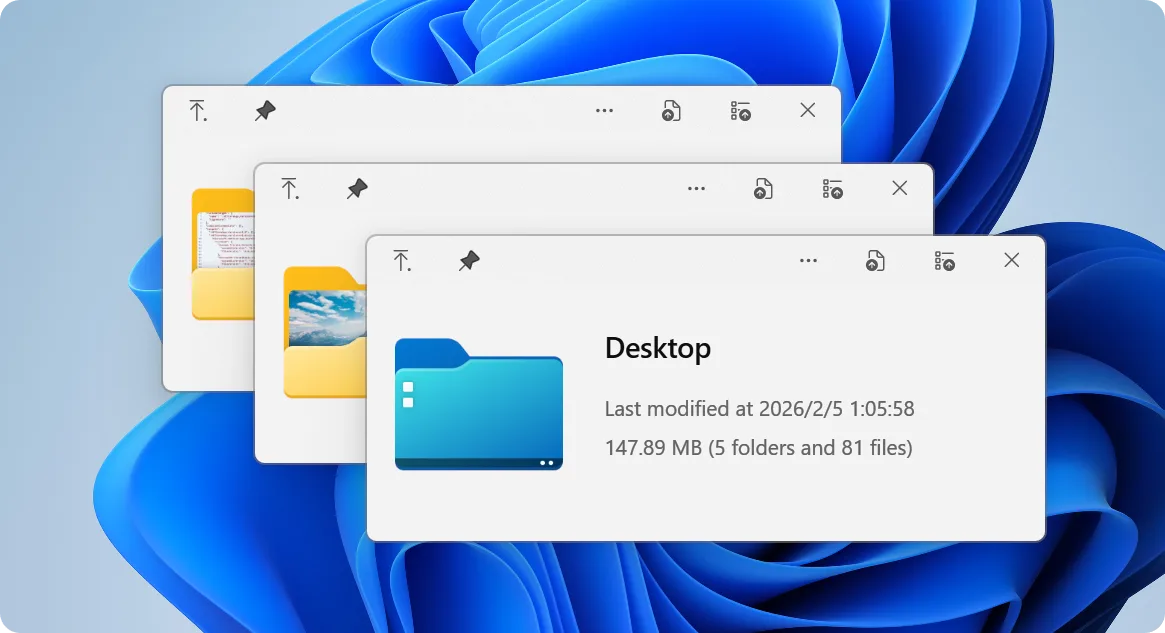
Video previews have a specific compatibility caveat: the 4.5.0 release notes warn that older GPUs or a missing current Visual C++ Redistributable may cause playback failures. Format support also depends on the available viewer plugins. The screenshot is a publisher-provided view of QuickLook's folder-preview interface, not evidence of an installation or performance test.
What it offers
- Press Space on a selected file in File Explorer to open a preview; close it with Space or Esc.
- Preview supported images, PDF documents, text, Markdown, audio, video and archives.
- Extend format support with additional viewer plugins.
- Use the MSI distribution to preview selected files in Open and Save dialogs.
Good to know
- The 4.5.0 release notes warn of possible video playback failures on older GPUs or without the current Visual C++ Redistributable.
- Available preview formats depend on viewer support and installed plugins; not every format is built in.
- The Microsoft Store distribution does not preview selected files in Open and Save dialogs.
Product images
Sources
References used for this listing. Retrieval dates do not indicate hands-on testing.
More in utilities
View category ↗
1.1.1.1 with WARP 2026.8.2115.0
Encrypt traffic from your Mac to Cloudflare’s network with WARP, or use DNS-only mode for encrypted DNS queries to the 1.1.1.1 resolver.
1.1.1.1 with WARP 2026.8.2115.0
Encrypt traffic between your Windows PC and Cloudflare, or use encrypted DNS only, with the free 1.1.1.1 with WARP app.

3uTools 9.12.005
Manage iPhone and iPad photos, music, apps and backups from Windows with 3uTools, a free utility that also includes device checks and firmware flashing tools.