

Utilities Windows
QuickMemoryTestOK for Windows
Check RAM for errors and observe your PC under high memory load with QuickMemoryTestOK, a free Windows utility with adjustable test runs and a portable option.
- Operating system
- Windows 11, 10, 8.1 and 7; Windows Server editions also listed by publisher
- Architecture
- Publisher lists x86 and x64 support; selected ZIP architecture is not specified in PAD metadata
- Download package
- ZIP archive; publisher's primary download
Portable use is documented. Archive contents and executable architecture were not inspected; only HEAD was used to verify this download.
Link checked · Download guidance
What is QuickMemoryTestOK?
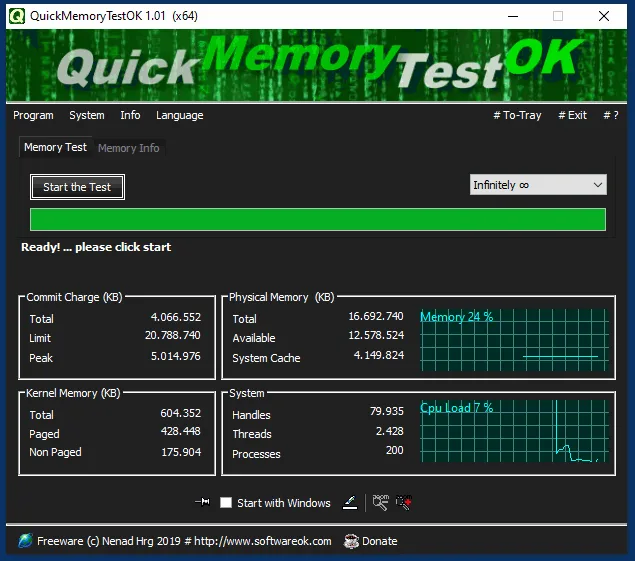
QuickMemoryTestOK checks your computer's RAM by writing data and reading it back to look for differences. Its Windows interface combines test controls with memory-use information, so you can follow the test alongside the system's memory status. The publisher lists Windows 11, 10, 8.1 and 7, along with Windows Server editions.
You can adjust the number of test passes, stop a running test or pause it to observe how the PC behaves while memory remains occupied. This makes it useful for investigating suspected RAM errors or examining behavior under high memory load. The program can run without a conventional installation; the publisher documents a local QuickMemoryTestOK.ini file for portable settings.
A run without reported errors is not a definitive diagnosis of an unstable PC. The publisher advises investigating other hardware or software causes if instability continues. The screenshot is the publisher's older version 1.01 interface, not a capture of version 5.55.
What it offers
- Check RAM using write-and-read comparisons and display detected invalid bytes.
- Adjust test passes and stop a test when needed.
- Pause and resume testing to observe the PC under high RAM load.
- View memory status and system activity in the same interface.
- Use the portable option, with a local INI file for portable settings.
Good to know
- No reported RAM errors does not explain every cause of system instability; the publisher recommends checking other hardware and software if problems continue.
- Portable settings require QuickMemoryTestOK.ini in the program's working directory; the default settings location is in AppData.
Product images
Sources
References used for this listing. Retrieval dates do not indicate hands-on testing.
- QuickMemoryTestOK 5.55 — official product page ↗Retrieved
- QuickMemoryTestOK — publisher PAD metadata ↗Retrieved
- How do I uninstall the memory test? — portable settings instructions ↗Retrieved
- QuickMemoryTestOK — License Agreement ↗Retrieved
- Just test the RAM under Windows 11, 10, 8.1, ... and Serven! — publisher screenshot ↗Retrieved
More in utilities
View category ↗
1.1.1.1 with WARP 2026.8.2115.0
Encrypt traffic from your Mac to Cloudflare’s network with WARP, or use DNS-only mode for encrypted DNS queries to the 1.1.1.1 resolver.
1.1.1.1 with WARP 2026.8.2115.0
Encrypt traffic between your Windows PC and Cloudflare, or use encrypted DNS only, with the free 1.1.1.1 with WARP app.

3uTools 9.12.005
Manage iPhone and iPad photos, music, apps and backups from Windows with 3uTools, a free utility that also includes device checks and firmware flashing tools.