

Utilities Windows
R-Drive Image for Windows
Back up Windows disks and partitions as image files, clone a drive, or recover files from an existing image with R-Drive Image. A fully functional 30-day trial is available.
- Operating system
- Windows 11, 10, 8.1, 8, 7, Vista, XP, 2000; Windows Server 2025, 2022, 2019, 2016, 2012, 2008, 2003
- Architecture
- Intel-compatible; publisher includes 64-bit Windows editions
- Download package
- EXE installer
Administrator privileges required. Publisher does not identify the selected EXE as a separate x64-only or ARM64 package.
Link checked · Download guidance
What is R-Drive Image?
R-Drive Image makes image backups of disks and partitions while Windows is running. Use it to preserve a system before a storage change, copy a disk to another drive, or retrieve individual files from a saved image. Image files can be compressed and encrypted, and the scheduler can run recurring backup jobs without starting each one manually.
You do not have to restore an entire disk to recover a few files: images can be mounted as read-only virtual drives for access from Windows. Restoring a system partition or another locked partition uses the startup version rather than an ordinary live restore. Plan the recovery route before relying on a backup.
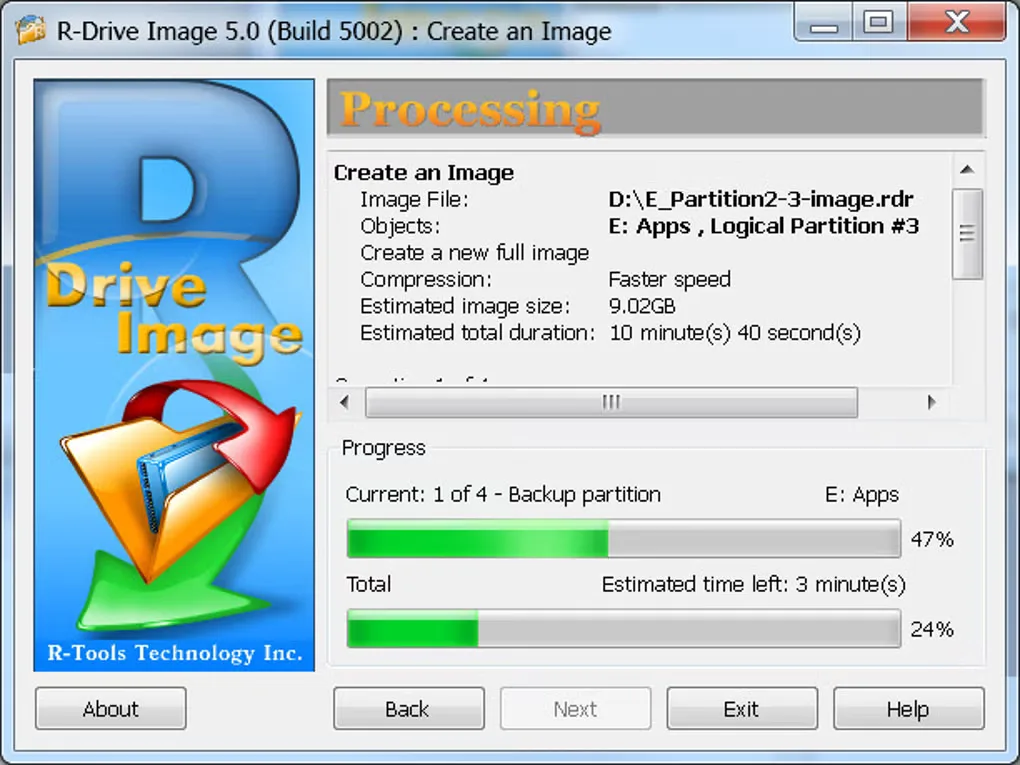
The publisher offers a fully functional 30-day trial, not a permanently free backup license. Administrative privileges are required to install and run the program. The download page lists version 7.3 build 7314; the screenshot retained from Softonic shows the older 5.0 interface and is included as a historical illustration, not a preview of the current release.
What it offers
- Create compressed, encrypted disk and partition image backups while Windows is running.
- Clone disks or copy partitions to another drive.
- Mount saved images as read-only virtual drives to access individual files.
- Schedule unattended backup jobs and check image files for errors.
- Create startup media for recovery of system and other locked partitions.
Good to know
- The fully functional trial lasts 30 days; continued backup use requires a paid license.
- Administrative privileges are required for installation and use.
- System and other locked partitions require the startup version for restoration.
- Creating VMDK or VDI images requires a Corporate, Technician, Commercial or OEM kit license.
Product images
Sources
References used for this listing. Retrieval dates do not indicate hands-on testing.
More in utilities
View category ↗
1.1.1.1 with WARP 2026.8.2115.0
Encrypt traffic from your Mac to Cloudflare’s network with WARP, or use DNS-only mode for encrypted DNS queries to the 1.1.1.1 resolver.
1.1.1.1 with WARP 2026.8.2115.0
Encrypt traffic between your Windows PC and Cloudflare, or use encrypted DNS only, with the free 1.1.1.1 with WARP app.

3uTools 9.12.005
Manage iPhone and iPad photos, music, apps and backups from Windows with 3uTools, a free utility that also includes device checks and firmware flashing tools.