

Utilities Windows
R-Studio Data Recovery for Windows
Scan disks for deleted files, inspect recoverable content and work with disk images or virtual RAID in R-Studio for Windows. The demo cannot recover files larger than 1024 KB.
- Operating system
- Windows 11/10/8.1/8/7/Vista/XP/2000; Windows Server 2025/2022/2019/2016/2012/2008/2003
- Architecture
- 32-bit and 64-bit Windows on Intel-compatible systems
- Download package
- EXE installer
Publisher lists 32-bit and 64-bit Windows support. Administrator privileges are required; this entry links to the standard Windows demo, not the separate Emergency or Agent utilities.
Link checked · Download guidance
What is R-Studio Data Recovery?
R-Studio is a Windows data-recovery application for finding files on damaged, deleted or reformatted partitions. It supports Windows file systems including NTFS, ReFS, FAT and exFAT, alongside several Mac, Linux and Unix file systems. When file-system information is badly damaged, its known-file-type scan searches for file signatures instead.
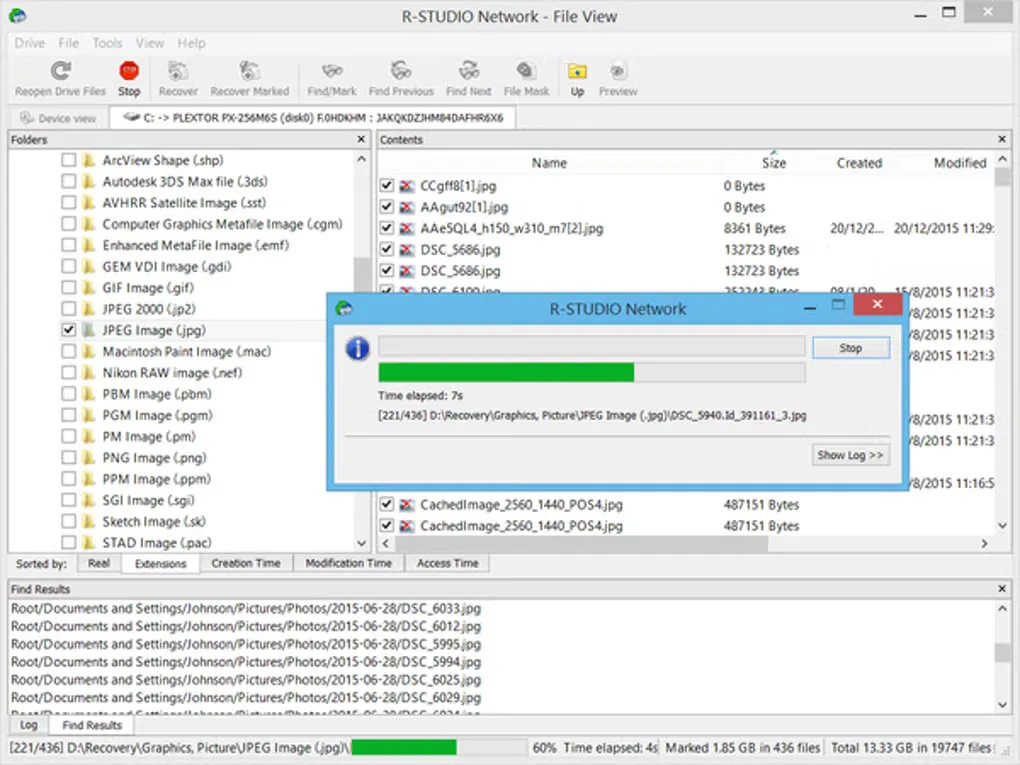
You can preview supported files before choosing what to recover, create a disk image for subsequent recovery work, or assemble a virtual RAID from its component drives. These are recovery tools rather than a promise that every missing file can be restored. The supplied screenshot shows an older Windows R-Studio Network interface, not a verified view of the current build.
The publisher offers a demo that cannot recover files larger than 1024 KB; a paid license is needed to recover larger files. Installation and use require administrator privileges. Do not install the application, save an image or write recovered files to the logical disk containing the lost data: those writes can overwrite the content you are trying to retrieve.
What it offers
- Recover files from supported damaged, deleted or reformatted partitions, including NTFS, ReFS, FAT and exFAT volumes.
- Search for known file signatures when a file system is badly damaged or unsupported.
- Preview supported image, video, audio and document formats before recovery.
- Create disk images and process them as recovery sources instead of repeatedly scanning the original disk.
- Assemble virtual RAID configurations from component disks for recovery analysis.
Good to know
- The demo cannot recover files larger than 1024 KB; recovery of larger files requires a paid license.
- Administrator privileges are required to install and run the Windows utilities.
- Do not write the installer, disk images or recovered files to the logical disk containing the lost data, because this can overwrite it.
Product images
Sources
References used for this listing. Retrieval dates do not indicate hands-on testing.
More in utilities
View category ↗
1.1.1.1 with WARP 2026.8.2115.0
Encrypt traffic from your Mac to Cloudflare’s network with WARP, or use DNS-only mode for encrypted DNS queries to the 1.1.1.1 resolver.
1.1.1.1 with WARP 2026.8.2115.0
Encrypt traffic between your Windows PC and Cloudflare, or use encrypted DNS only, with the free 1.1.1.1 with WARP app.

3uTools 9.12.005
Manage iPhone and iPad photos, music, apps and backups from Windows with 3uTools, a free utility that also includes device checks and firmware flashing tools.