

Utilities Windows
R-Undelete for Windows
Recover deleted files from Windows disks, USB drives and memory cards with R-Undelete. Its free Home mode covers FAT and exFAT recovery; larger NTFS and ReFS files require the paid edition.
- Operating system
- Windows 11, 10, 8.1, 8, 7, Vista and XP, as listed by the publisher
- Architecture
- Intel-compatible platform; installer bitness not specified on the download page
- Download package
- EXE installer
Publisher lists at least 256 MB RAM and requires administrative privileges. A separate disk or destination is needed for recovered files and images.
Link checked · Download guidance
What is R-Undelete?
R-Undelete searches local storage for deleted or lost files, including files removed from the Recycle Bin and files on damaged or formatted partitions. Its wizard-style workflow is aimed at users who need file recovery without the more specialized tools in R-Studio. You can scan by known file signatures, sort found files by type and preview supported documents, pictures and media before choosing what to recover.
The free Home mode is useful for FAT and exFAT storage, such as camera memory cards and external USB devices. It is not unrestricted free recovery for every Windows disk: the publisher limits free NTFS and ReFS recovery by file size, with files under 256 KB supported. Use the paid edition for larger files on those file systems.
R-Undelete can create disk images and work from them instead of repeatedly reading the original drive. The publisher warns against installing the program or saving images and recovered files on the same logical disk as the lost files. Choose a different destination to avoid writing over data you are trying to recover. Administrative privileges are required to install and run the program.
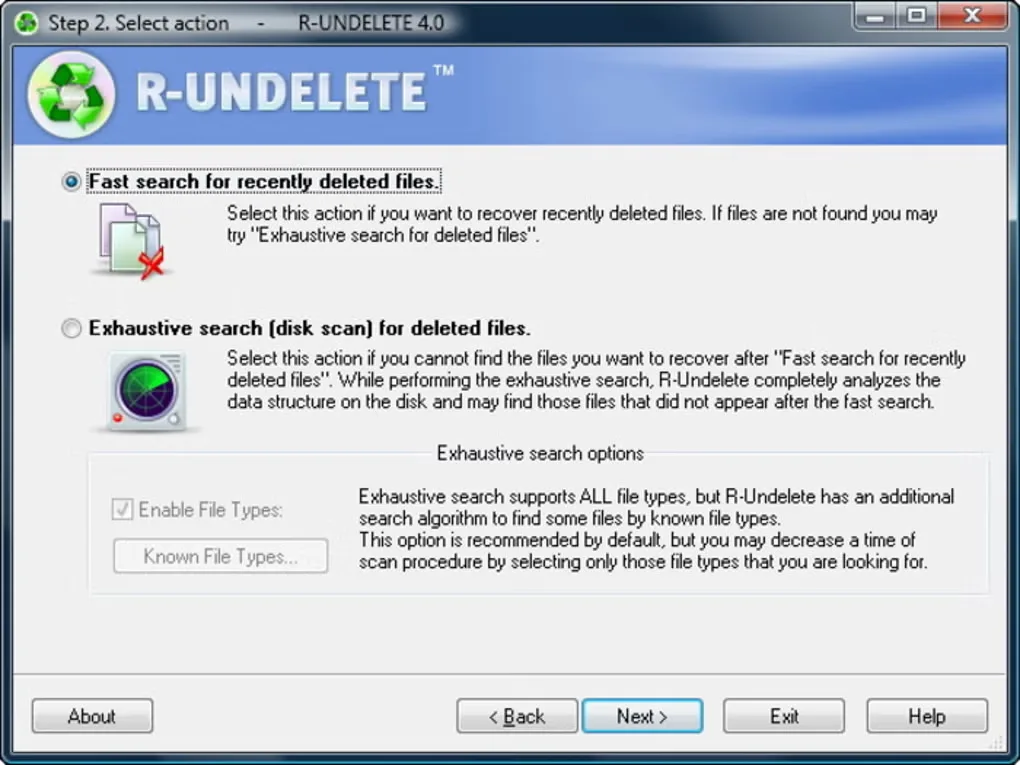
The screenshot shows the older R-Undelete 4.0 search-action wizard from Softonic's gallery, not the interface of the linked 7.0 build.
What it offers
- Search for deleted files on local HDDs, SSDs, USB storage and memory cards.
- Scan damaged or formatted partitions and search by known file signatures.
- Sort found files by type, name, path, size or date.
- Preview supported documents, images, video and audio before recovery; media playback requires the appropriate codecs.
- Create disk images and use those images as recovery sources.
Good to know
- Home mode provides free FAT/exFAT recovery, but NTFS and ReFS recovery is size-limited; the publisher describes support for files under 256 KB. Larger files require the paid edition.
- Damaged RAID reconstruction, hexadecimal editing and network recovery are not included; the publisher reserves these specialized capabilities for R-Studio.
- Requires administrative privileges. Do not install or save recovered files or disk images on the logical disk containing the lost files.
Product images
Sources
References used for this listing. Retrieval dates do not indicate hands-on testing.
More in utilities
View category ↗
1.1.1.1 with WARP 2026.8.2115.0
Encrypt traffic from your Mac to Cloudflare’s network with WARP, or use DNS-only mode for encrypted DNS queries to the 1.1.1.1 resolver.
1.1.1.1 with WARP 2026.8.2115.0
Encrypt traffic between your Windows PC and Cloudflare, or use encrypted DNS only, with the free 1.1.1.1 with WARP app.

3uTools 9.12.005
Manage iPhone and iPad photos, music, apps and backups from Windows with 3uTools, a free utility that also includes device checks and firmware flashing tools.