
Utilities macOS
Rclone Browser
Browse rclone cloud remotes, queue file transfers and save repeatable jobs through a macOS desktop interface. Requires a separate rclone installation.
- Operating system
- macOS 10.9 and later according to the publisher’s historical build target
- Architecture
- Not specified in the inspected macOS release metadata
- Download package
- DMG disk image
Release 1.8.0 uses Qt 5.14.1. Separate rclone required; mounting requires FUSE for macOS. Current macOS and Apple silicon compatibility not verified.
Link checked · Download guidance
What is Rclone Browser?
Rclone Browser gives the rclone command-line tool a desktop interface for managing remote files. Open several remotes in tabs, browse their folder trees and upload or download files without composing each command yourself. It uses rclone’s configuration, including encrypted remotes, rather than maintaining a separate set of cloud connections.
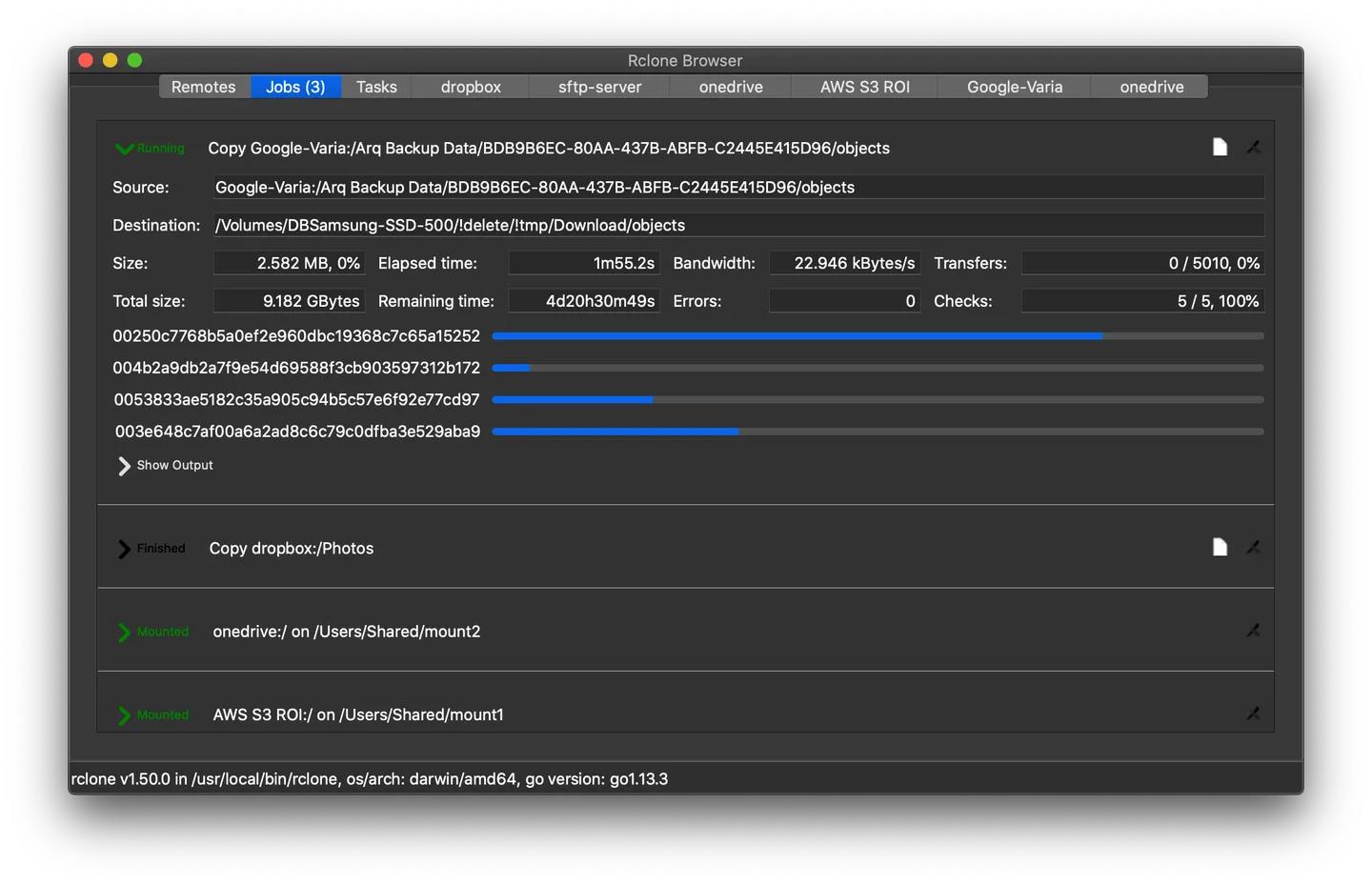
The Jobs view tracks background transfers, while saved tasks let you return to work you want to run again. Folder creation, renaming, deletion, folder-size calculation and file-list export are also available. Mounting a remote on macOS is an additional workflow that requires FUSE for macOS.
This entry links to the publisher’s version 1.8.0 DMG, released on February 17, 2020. The publisher describes the Mac build as targeting macOS 10.9 and later; that historical build target is not evidence of compatibility with current macOS or Apple silicon. The application and its dependencies were not installed or tested for this entry. Set up rclone separately before relying on the GUI for transfers.
What it offers
- Browse multiple rclone remotes in separate tabs, including encrypted remotes.
- Upload and download files with background job progress.
- Create folders, rename or delete remote items, calculate folder sizes and export file lists.
- Save transfer jobs as tasks to run or edit later.
- Use the remote directory tree and configurable default rclone options.
- Mount and unmount remote folders on macOS with the additional FUSE dependency.
Good to know
- Requires the separate rclone command-line tool and its remote configuration.
- The linked 1.8.0 release dates from 2020; current macOS and Apple silicon compatibility have not been verified here.
- Mounting remote folders on macOS requires FUSE for macOS.
Product images
Sources
References used for this listing. Retrieval dates do not indicate hands-on testing.
More in utilities
View category ↗
1.1.1.1 with WARP 2026.8.2115.0
Encrypt traffic from your Mac to Cloudflare’s network with WARP, or use DNS-only mode for encrypted DNS queries to the 1.1.1.1 resolver.
1.1.1.1 with WARP 2026.8.2115.0
Encrypt traffic between your Windows PC and Cloudflare, or use encrypted DNS only, with the free 1.1.1.1 with WARP app.

3uTools 9.12.005
Manage iPhone and iPad photos, music, apps and backups from Windows with 3uTools, a free utility that also includes device checks and firmware flashing tools.