
Utilities Windows
Rclone Browser
Browse rclone cloud remotes, transfer files and save repeatable jobs through a Windows graphical interface. Rclone Browser is free, open-source software.
- Operating system
- Windows 7 and later, according to the publisher's historical installer compatibility statement
- Architecture
- x64 (64-bit x86)
- Download package
- EXE installer
Selected download is the 64-bit installer; a separate 32-bit installer is listed. Uses rclone; Windows mounting requires WinFsp. Current Windows 11 compatibility was not independently tested.
Link checked · Download guidance
What is Rclone Browser?
Rclone Browser gives rclone a desktop interface for browsing remote storage and managing files. It suits people who already use rclone remotes but prefer folder trees, tabs and transfer controls to entering each command. This entry covers the kapitainsky fork and its Windows 64-bit installer, not the separate rclone command-line application.
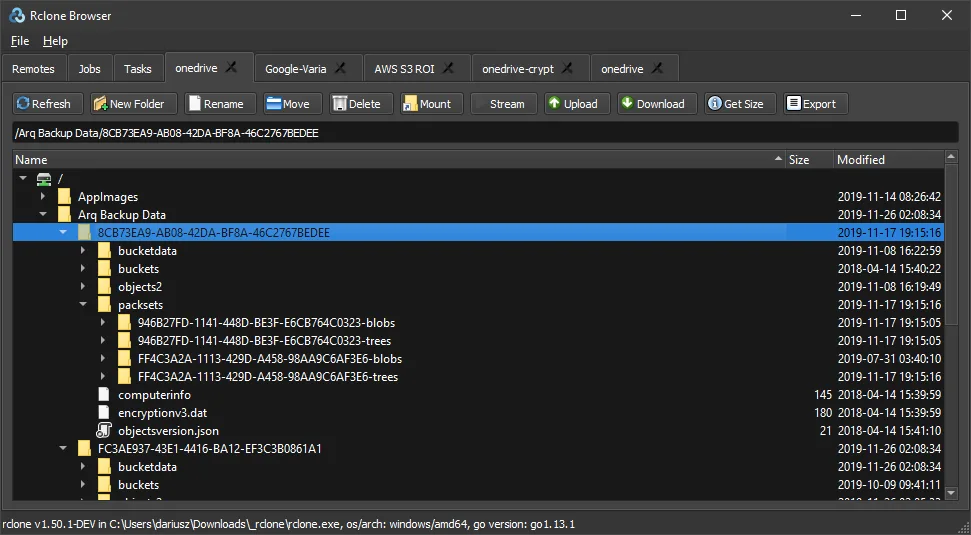
Open several remotes in separate tabs, including encrypted remotes, and use the existing rclone configuration. You can upload and download files, create folders, rename or delete items, and run multiple transfer jobs in the background. Jobs can be saved as tasks for later use or editing. The publisher also documents dark mode and portable configuration storage.
The interface relies on rclone and its configuration; it is not an independent cloud-storage service. Mounting a remote on Windows additionally requires WinFsp. The linked release is version 1.8.0, published on February 17, 2020. The publisher states Windows 7 onward compatibility for its x86-based Windows installers, but that historical statement is not a current Windows 11 compatibility test.
What it offers
- Browse multiple rclone remotes in separate tabs, including encrypted remotes.
- Upload, download, rename and delete files or folders through graphical controls.
- Run multiple transfer jobs in the background and save jobs as reusable tasks.
- Reuse rclone.conf, with support for custom configuration locations and encrypted configuration files.
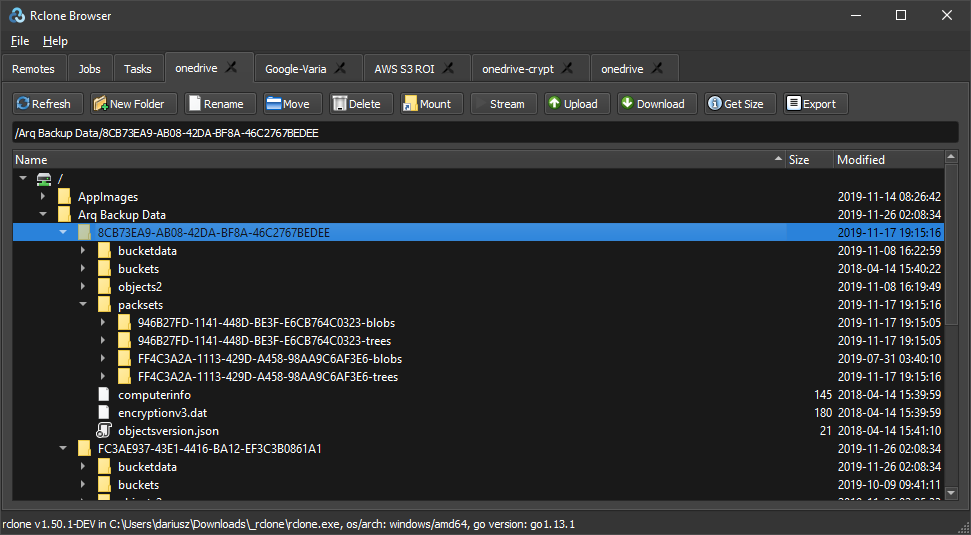
- Use dark mode or portable configuration storage alongside the application executable.
Good to know
- Requires a usable rclone executable and configuration; the graphical interface does not replace the rclone engine.
- Mounting remote folders on Windows requires WinFsp in addition to rclone.
- The selected 1.8.0 release dates from 2020; current Windows and rclone-version compatibility has not been tested for this entry.
Product images
Sources
References used for this listing. Retrieval dates do not indicate hands-on testing.
- Rclone Browser - Download — protected normal-browser observation ↗Retrieved
- Rclone Browser — publisher README, features and Windows screenshots ↗Retrieved
- Release Rclone Browser 1.8.0 — publisher release notes ↗Retrieved
- Rclone Browser 1.8.0 — publisher asset catalog ↗Retrieved
- Rclone Browser — MIT License ↗Retrieved
More in utilities
View category ↗
1.1.1.1 with WARP 2026.8.2115.0
Encrypt traffic from your Mac to Cloudflare’s network with WARP, or use DNS-only mode for encrypted DNS queries to the 1.1.1.1 resolver.
1.1.1.1 with WARP 2026.8.2115.0
Encrypt traffic between your Windows PC and Cloudflare, or use encrypted DNS only, with the free 1.1.1.1 with WARP app.

3uTools 9.12.005
Manage iPhone and iPad photos, music, apps and backups from Windows with 3uTools, a free utility that also includes device checks and firmware flashing tools.