

Utilities Windows
Rclone for Windows
Copy, sync and move files between Windows and cloud storage with Rclone, a free command-line tool with an optional browser-based interface.
- Operating system
- Windows 10 or later; Windows Server 2016 or later
- Architecture
- x64 (Intel/AMD 64-bit)
- Download package
- ZIP archive containing portable rclone.exe
This link is the Windows amd64 package. Separate x86 and ARM64 downloads are offered. Mounting cloud storage requires WinFsp.
Link checked · Download guidance
What is Rclone?
Rclone manages files on cloud services such as Google Drive, OneDrive, Dropbox and Amazon S3. Use it to copy changed files, mirror a folder to a remote destination, or transfer data between supported storage providers. Its command-line interface also fits scripts, while the optional rclone gui command opens a browser-based dashboard for remotes, mounts and transfers.
The Windows download is a ZIP archive containing the portable rclone.exe executable, rather than a graphical installer. Extract it and run rclone.exe config from Command Prompt or PowerShell to configure storage connections. Windows cloud-drive mounting requires the separate WinFsp utility.
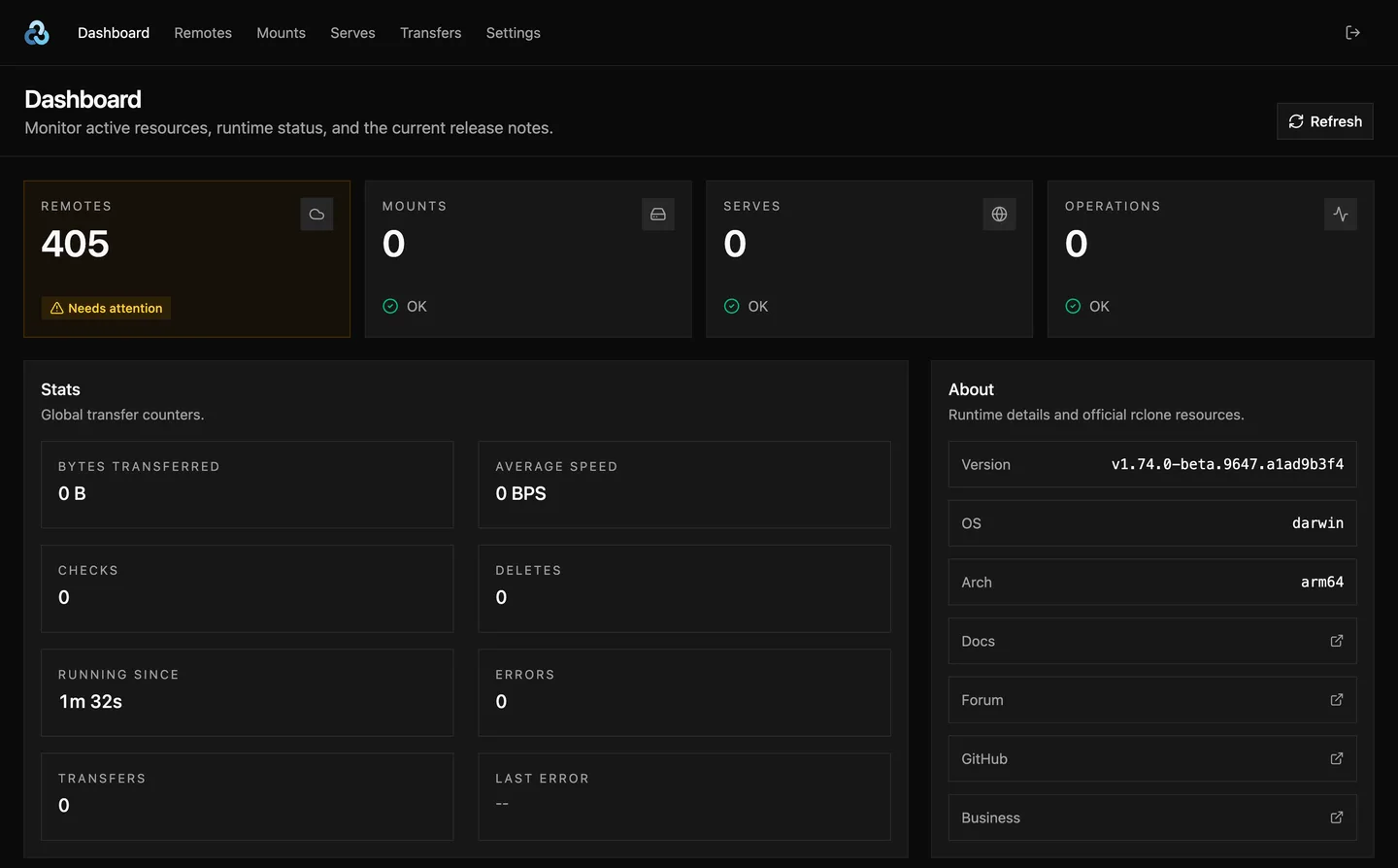
Choose sync deliberately: it makes the destination match the source and can delete destination files. Preview changes with --dry-run, or use copy when destination-only files must stay. The screenshot illustrates the cross-platform Web GUI from the publisher repository; its About panel shows a macOS ARM64 beta session, not this Windows release.
What it offers
- Copy, move and sync files between local storage and supported cloud services.
- Connect to providers including Google Drive, OneDrive, Dropbox and Amazon S3.
- Use the crypt backend to encrypt files stored on a supported remote.
- Open the optional browser-based GUI with rclone gui to manage remotes, mounts and transfers.
- Preview command changes with --dry-run before applying them.
Good to know
- The sync command can delete destination files to match the source; preview changes or use copy when deletions are not wanted.
- Cloud-drive mounting on Windows requires the separate third-party WinFsp utility.
Product images
Sources
References used for this listing. Retrieval dates do not indicate hands-on testing.
- Rclone — cloud storage features ↗Retrieved
- Install — Windows portable executable and WinFsp requirement ↗Retrieved
- Rclone downloads — release v1.75.2 ↗Retrieved
- Rclone License — MIT ↗Retrieved
- rclone gui — optional bundled browser interface ↗Retrieved
- rclone sync — destination deletion warning ↗Retrieved
- rclone/rclone-web — official Web UI and screenshot ↗Retrieved
- rclone-web MIT License ↗Retrieved
More in utilities
View category ↗
1.1.1.1 with WARP 2026.8.2115.0
Encrypt traffic from your Mac to Cloudflare’s network with WARP, or use DNS-only mode for encrypted DNS queries to the 1.1.1.1 resolver.
1.1.1.1 with WARP 2026.8.2115.0
Encrypt traffic between your Windows PC and Cloudflare, or use encrypted DNS only, with the free 1.1.1.1 with WARP app.


3uTools 9.12.005
Manage iPhone and iPad photos, music, apps and backups from Windows with 3uTools, a free utility that also includes device checks and firmware flashing tools.