

Utilities Windows
Recuva for Windows
Recover deleted pictures, documents and other files from Windows drives, USB sticks and memory cards with Recuva, free for home use.
- Operating system
- Windows 10, 8.1, 7, Vista and XP, as listed by the publisher
- Architecture
- 32-bit and 64-bit Windows
- Download package
- EXE installer (Recuva Free)
Windows RT excluded. Windows 11 is not named in the publisher's requirements. Home use only; this is the standard installer, not a portable package.
Link checked · Download guidance
What is Recuva?
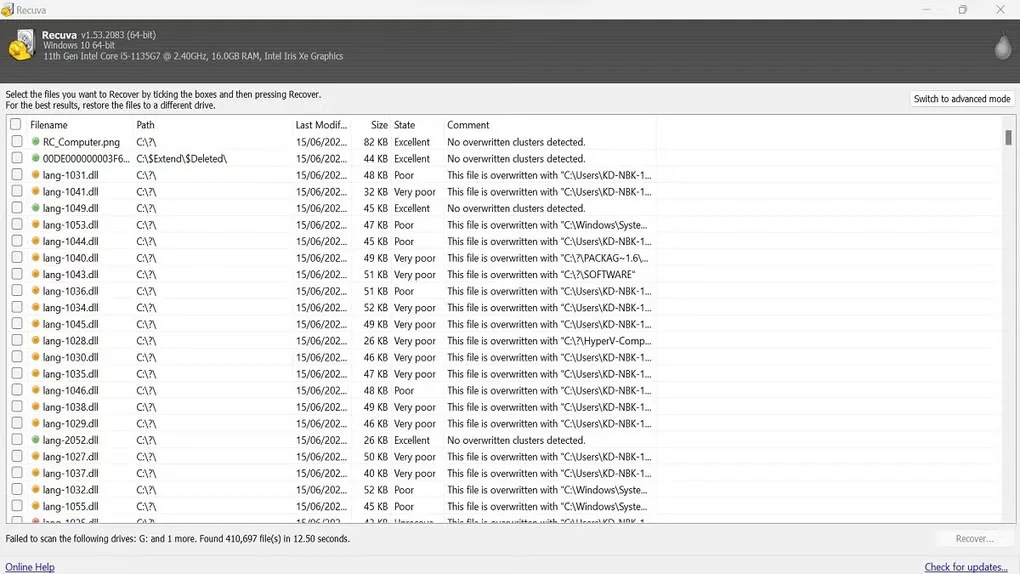
Recuva searches for deleted files on Windows computers and removable storage. It can look for photos, music, documents, videos and other file types on hard drives, USB sticks and camera memory cards. A deep scan mode searches for traces of files that are harder to find; the publisher also lists recovery from damaged or newly formatted drives. These are recovery capabilities, not a promise that a particular lost file can be restored.
The linked EXE is the publisher's standard Recuva Free installer for Windows. Free and Professional are for home use only. Virtual hard drive support, automatic updates and premium support belong to the paid Professional edition, not the free download. The publisher lists Windows 10, 8.1, 7, Vista and XP in both 32-bit and 64-bit versions, excluding Windows RT; its requirements page does not name Windows 11.
What it offers
- Search for deleted pictures, documents, music, videos and other file types.
- Recover files from supported rewritable storage, including USB sticks, memory cards and external hard drives.
- Use deep scan to search for traces of harder-to-find deleted files.
- Attempt file recovery from damaged or newly formatted drives.
Good to know
- Recuva Free and Professional are for home use only; business use requires a separate offering.
- Virtual hard drive support, automatic updates and premium support require the paid Professional edition.
- Windows RT tablet editions are excluded from the publisher's stated system requirements.
Product images
Sources
References used for this listing. Retrieval dates do not indicate hands-on testing.
- Recuva — official recovery features and editions ↗Retrieved
- Recuva — official free download, edition limits and requirements ↗Retrieved
- Recuva — official version history ↗Retrieved
- Recuva — official standard download page ↗Retrieved
- Recuva standard page — publisher download configuration ↗Retrieved
- Recuva standard installer — bounded HEAD proof ↗Retrieved
- Recuva - Download — Windows screenshot gallery ↗Retrieved
More in utilities
View category ↗
1.1.1.1 with WARP 2026.8.2115.0
Encrypt traffic from your Mac to Cloudflare’s network with WARP, or use DNS-only mode for encrypted DNS queries to the 1.1.1.1 resolver.
1.1.1.1 with WARP 2026.8.2115.0
Encrypt traffic between your Windows PC and Cloudflare, or use encrypted DNS only, with the free 1.1.1.1 with WARP app.

3uTools 9.12.005
Manage iPhone and iPad photos, music, apps and backups from Windows with 3uTools, a free utility that also includes device checks and firmware flashing tools.