

Development Windows
Red Panda C++ for Windows
Write, compile and debug C and C++ programs with Red Panda C++, an open-source IDE. This Windows download bundles MinGW64 11.5.0.
- Operating system
- Windows; an exact supported Windows-version range was not established
- Architecture
- x64 (win64)
- Download package
- EXE installer with MinGW64 11.5.0
Separate win32, portable and NoCompiler packages are listed by the publisher.
Link checked · Download guidance
What is Red Panda C++?
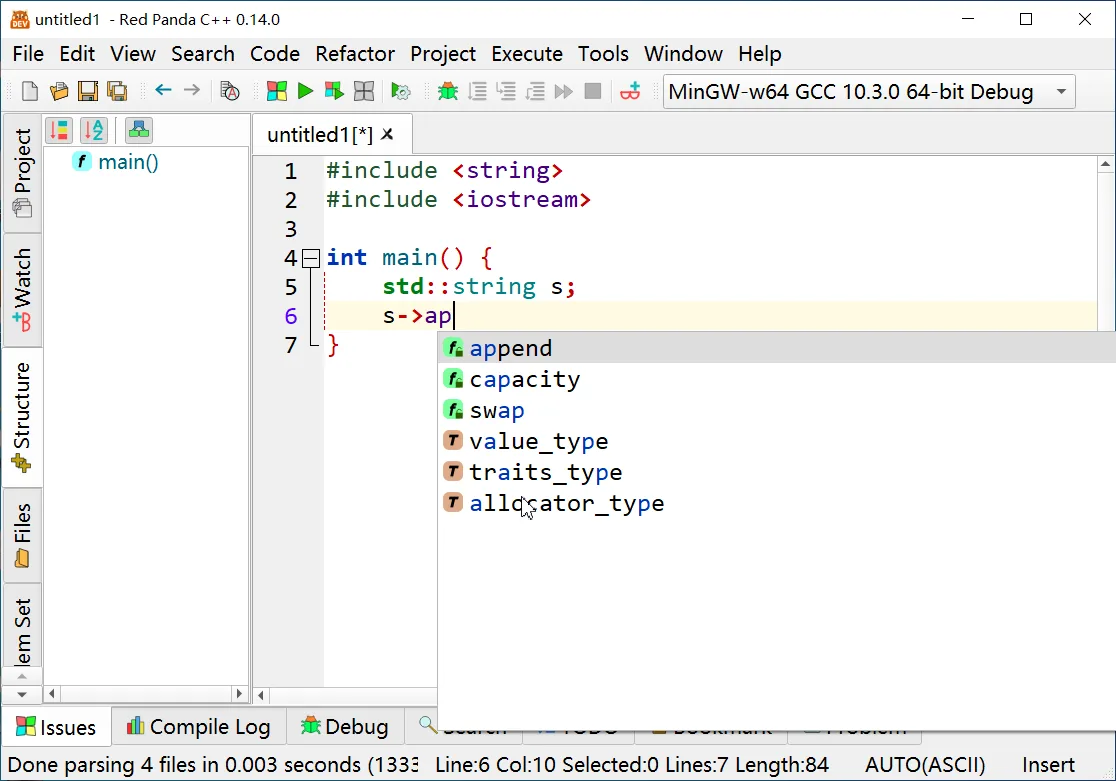
Red Panda C++ brings source editing, compilation and debugging into one desktop IDE for C and C++. Previously called Red Panda Dev-C++ 7, it includes code-completion suggestions, syntax checking while you edit, symbol renaming and search across files. It is a practical fit for writing small programs or working through programming exercises without switching between a separate editor and debugger.
The debugger provides local-variable, call-stack and memory views. A Problem Set feature can run a program against predefined input and expected output, while themes, editor color schemes and high-DPI support let you adjust the workspace. The publisher also documents GNU Assembly and NASM support.
The linked version 3.4 package is the 64-bit Windows EXE installer with MinGW64 11.5.0. It is not the 32-bit build: the publisher offers separate win32 downloads, portable archives and packages labelled NoCompiler. Choose a package that matches your system and whether you need the bundled toolchain. The screenshot is a publisher gallery image of version 0.14.0, not a capture of version 3.4.
What it offers
- Code completion, syntax checking while editing and symbol renaming.
- Search and replace across files, with code folding and automatic indentation.
- Debugging views for local variables, call stacks and memory.
- Problem sets that compare program output with predefined expected results.
- High-DPI support, themes and editor color schemes.
Good to know
- The linked installer is a win64 package; 32-bit Windows requires a separate win32 download.
- The publisher gallery screenshot shows version 0.14.0, so interface details may differ from version 3.4.
Product images
Sources
References used for this listing. Retrieval dates do not indicate hands-on testing.
More in development
View category ↗

010 Editor 17.0
Inspect and edit binary files on Mac with 010 Editor, a paid text and hex editor with Binary Templates, file comparison and a 30-day trial.
010 Editor 17.0
Inspect and edit binary files with 010 Editor for Windows, a text and hex editor with Binary Templates, file comparison and scripting. Includes a 30-day trial.
10x Editor
Edit and navigate C++ projects on Windows with a built-in parser, workspace search and Visual Studio project support. A paid license is required after the 30-day trial.