

Utilities Windows
RedCrab Calculator for Windows
Arrange formulas freely on a worksheet, calculate in natural mathematical notation and illustrate results with RedCrab Calculator, a portable Windows math application.
- Operating system
- Windows 7, 8.x, 10 and 11, as listed by the publisher for version 8.x
- Architecture
- Not specified in the consulted publisher sources
- Download package
- Portable ZIP archive
Publisher-stated compatibility; not installation-tested. This is classic RedCrab 8.3, not the separate RedcrabX application.
Link checked · Download guidance
What is RedCrab Calculator?
RedCrab Calculator combines calculations with a worksheet you can lay out freely. Place algebraic formulas in natural mathematical notation rather than working within spreadsheet cells, then add text and images to explain the calculation. Numeric result formats, charts and a 2D plot tool help present the output alongside the working.
This entry links to the publisher's classic RedCrab 8.3 ZIP archive. The publisher describes the calculator as portable: it can start without installation, run from external storage and keep its settings in its start directory. Its manual documents worksheet tools, custom functions and calculation with units of measurement.
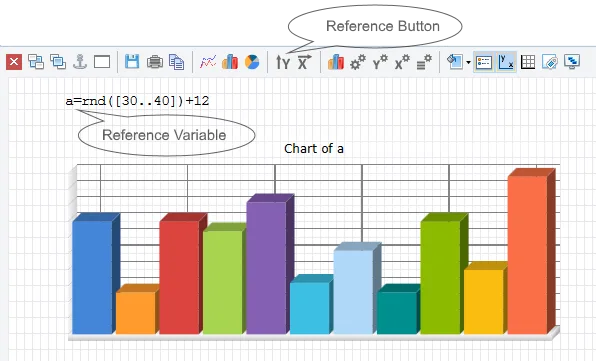
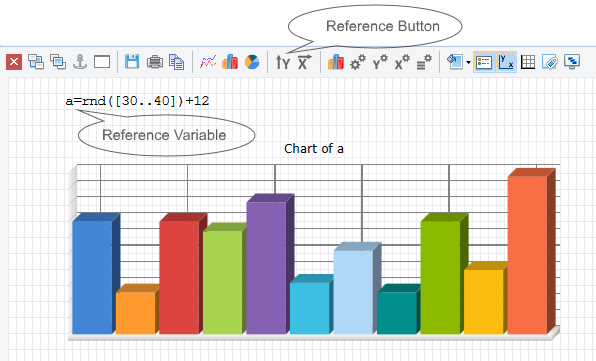
Version 8.3 is listed among older versions. RedcrabX is a separate application with a redesigned interface and some older features removed; its trial terms and newer features should not be assumed to apply to this classic download. The screenshot is an annotated chart example from the publisher's classic calculator manual, not a verified capture of version 8.3 running today.
What it offers
- Place algebraic formulas freely on a worksheet in natural mathematical notation.
- Display results in different numeric formats and visualize them with charts or 2D plots.
- Add text boxes and images to document calculations or prepare a presentation worksheet.
- Define custom mathematical functions and calculate with units of measurement.
- Use a portable application that stores settings in its start directory and can run from external storage.
Good to know
- The linked 8.3 package is an older classic release, not RedcrabX. The publisher says RedcrabX is a separate application and removes some classic features.
Product images
Sources
References used for this listing. Retrieval dates do not indicate hands-on testing.
More in utilities
View category ↗
1.1.1.1 with WARP 2026.8.2115.0
Encrypt traffic from your Mac to Cloudflare’s network with WARP, or use DNS-only mode for encrypted DNS queries to the 1.1.1.1 resolver.
1.1.1.1 with WARP 2026.8.2115.0
Encrypt traffic between your Windows PC and Cloudflare, or use encrypted DNS only, with the free 1.1.1.1 with WARP app.

3uTools 9.12.005
Manage iPhone and iPad photos, music, apps and backups from Windows with 3uTools, a free utility that also includes device checks and firmware flashing tools.