

Utilities Windows
RegCool for Windows
Edit the Windows registry, compare snapshots and work with offline .REG and .HIVE files using RegCool, a registry editor with search, bookmarks and backup tools.
- Operating system
- Windows 11, 10, 8, 7 and Vista, as listed by the publisher
- Architecture
- 32-bit and 64-bit versions listed; installer architecture not specified
- Download package
- EXE installer
This link is RegCool.exe. Separate portable x32 and x64 ZIP packages are available from the publisher; compatibility was not independently tested.
Link checked · Download guidance
What is RegCool?
RegCool is a Windows registry editor for finding and changing keys and values, comparing registry contents, and working with offline files. It adds search and replace, bookmarks with notes, saved undo history and multiple local or remote registry windows to the familiar registry-tree workflow. These tools suit administrators and users who need to inspect specific configuration entries rather than browse the registry one key at a time.
Its RegShot feature compares two registry snapshots to help identify changes between captures. You can also compare registry keys, back up and restore the registry, and edit .REG or .HIVE files outside the active system registry. The publisher offers an EXE installer and separate 32-bit and 64-bit portable ZIP packages; the download linked here is the installer.
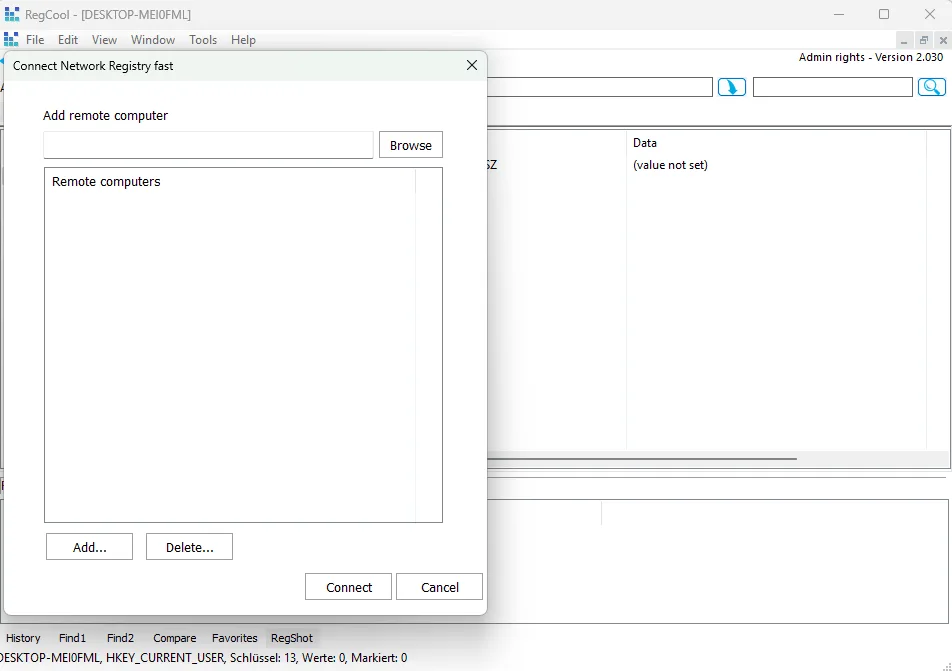
Registry editing requires care: the publisher warns that incorrect changes can seriously damage the computer and recommends backing up important data first. Search-and-replace does not replace binary values. The publisher's gallery image shown here depicts an older interface labeled Version 2.030, not the current download's version.
What it offers
- Search registry keys, values and data with wildcard and regular-expression support.
- Open multiple local or remote registry windows and bookmark keys with notes.
- Compare registry keys or use RegShot to compare two registry snapshots.
- Edit .REG and .HIVE files offline, with registry backup and restore tools.
- Undo and redo changes with history that can be saved to disk.
Good to know
- Incorrect registry edits can seriously damage the computer; back up important data before making changes.
- Search-and-replace does not replace binary values.
- The documented offline-registry mode does not implement viewing or editing key security information.
Product images
Sources
References used for this listing. Retrieval dates do not indicate hands-on testing.
More in utilities
View category ↗
1.1.1.1 with WARP 2026.8.2115.0
Encrypt traffic from your Mac to Cloudflare’s network with WARP, or use DNS-only mode for encrypted DNS queries to the 1.1.1.1 resolver.
1.1.1.1 with WARP 2026.8.2115.0
Encrypt traffic between your Windows PC and Cloudflare, or use encrypted DNS only, with the free 1.1.1.1 with WARP app.


3uTools 9.12.005
Manage iPhone and iPad photos, music, apps and backups from Windows with 3uTools, a free utility that also includes device checks and firmware flashing tools.