
Utilities macOS
Remote Mouse
Use a phone or tablet as a wireless mouse, keyboard and trackpad for your Mac. Remote Mouse pairs a mobile app with a Mac desktop helper.
- Operating system
- macOS 11.0 or later
- Architecture
- Not specified by the publisher for this DMG
- Download package
- DMG disk image
Requires the companion mobile app and macOS Accessibility and Automation permissions. Wi-Fi pairing uses the same network; Bluetooth is also documented.
Link checked · Download guidance
What is Remote Mouse?
Remote Mouse lets you control a Mac from a phone or tablet instead of reaching for a physical mouse and keyboard. The mobile app provides pointing, typing and multi-touch trackpad controls, with additional panels for media playback and presentations. The Mac download is the desktop helper, not a standalone phone remote: it works together with the companion mobile app.
The helper runs in the background with a menu bar icon. For a Wi-Fi connection, run the helper and connect both devices to the same network; the publisher also documents Bluetooth support. macOS requires Accessibility and Automation permissions before mouse and keyboard control will work. The current Mac download requires macOS 11.0 or later.
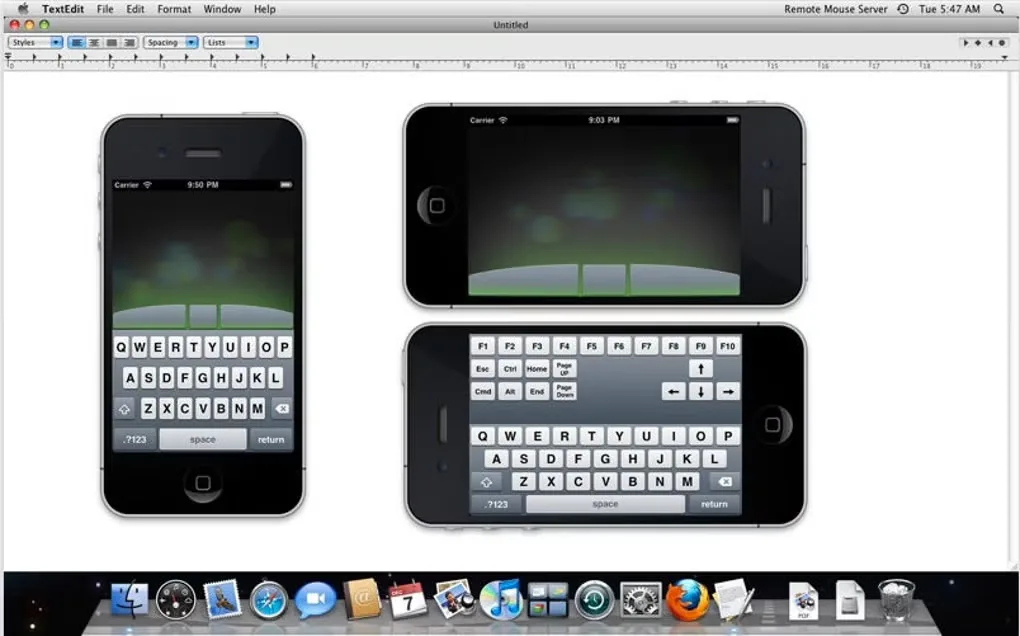
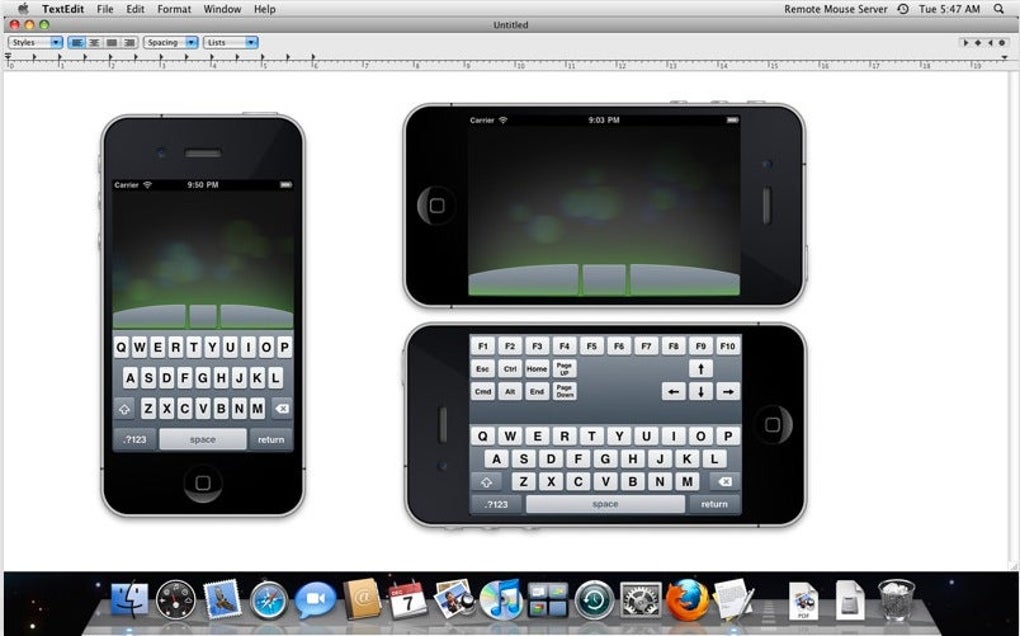
Softonic lists the Mac utility as free, while the publisher documents mobile Pro purchases and subscriptions. Do not assume every companion-app control is included at no cost. The screenshot is an older source-gallery demonstration of the mobile controls alongside a Mac desktop, not a preview of the current helper settings.
What it offers
- Use a phone or tablet for mouse movement, keyboard input and multi-touch trackpad gestures.
- Access purpose-built mobile panels for music, videos and presentations.
- Launch and switch computer applications from the mobile remote.
- Run the Mac helper in the background and access it from the menu bar.
Good to know
- Requires the companion mobile app as well as the Mac desktop helper; the Mac download alone is not a complete remote-control setup.
- Mouse and keyboard control on macOS requires Accessibility and Automation permissions.
- Wi-Fi pairing requires both devices on the same network and can be blocked by firewall settings; Bluetooth support depends on compatible hardware.
- The companion mobile app offers Pro purchases or subscriptions; not all controls should be assumed free.
Product images
Sources
References used for this listing. Retrieval dates do not indicate hands-on testing.
- Remote Mouse for Mac - Download ↗Retrieved
- Remote Mouse – Use Your Phone as a Wireless Mouse, Keyboard & Trackpad ↗Retrieved
- Downloads - Remote Mouse ↗Retrieved
- FAQ - Remote Mouse ↗Retrieved
More in utilities
View category ↗
1.1.1.1 with WARP 2026.8.2115.0
Encrypt traffic from your Mac to Cloudflare’s network with WARP, or use DNS-only mode for encrypted DNS queries to the 1.1.1.1 resolver.
1.1.1.1 with WARP 2026.8.2115.0
Encrypt traffic between your Windows PC and Cloudflare, or use encrypted DNS only, with the free 1.1.1.1 with WARP app.

3uTools 9.12.005
Manage iPhone and iPad photos, music, apps and backups from Windows with 3uTools, a free utility that also includes device checks and firmware flashing tools.