

Utilities Windows
RetroBat for Windows
Browse and launch your retro game collection on Windows with RetroBat, a free frontend with emulator configuration, themes and game metadata tools.
- Operating system
- Windows 8.1, 10 and 11 (64-bit)
- Architecture
- x64 (win64 package)
- Download package
- EXE setup installer
SSE2 CPU required; VC++ redistributables and DirectX listed as prerequisites. Modern Direct3D 11.1 / OpenGL 4.4 / Vulkan graphics support is needed for demanding emulators.
Link checked · Download guidance
What is RetroBat?
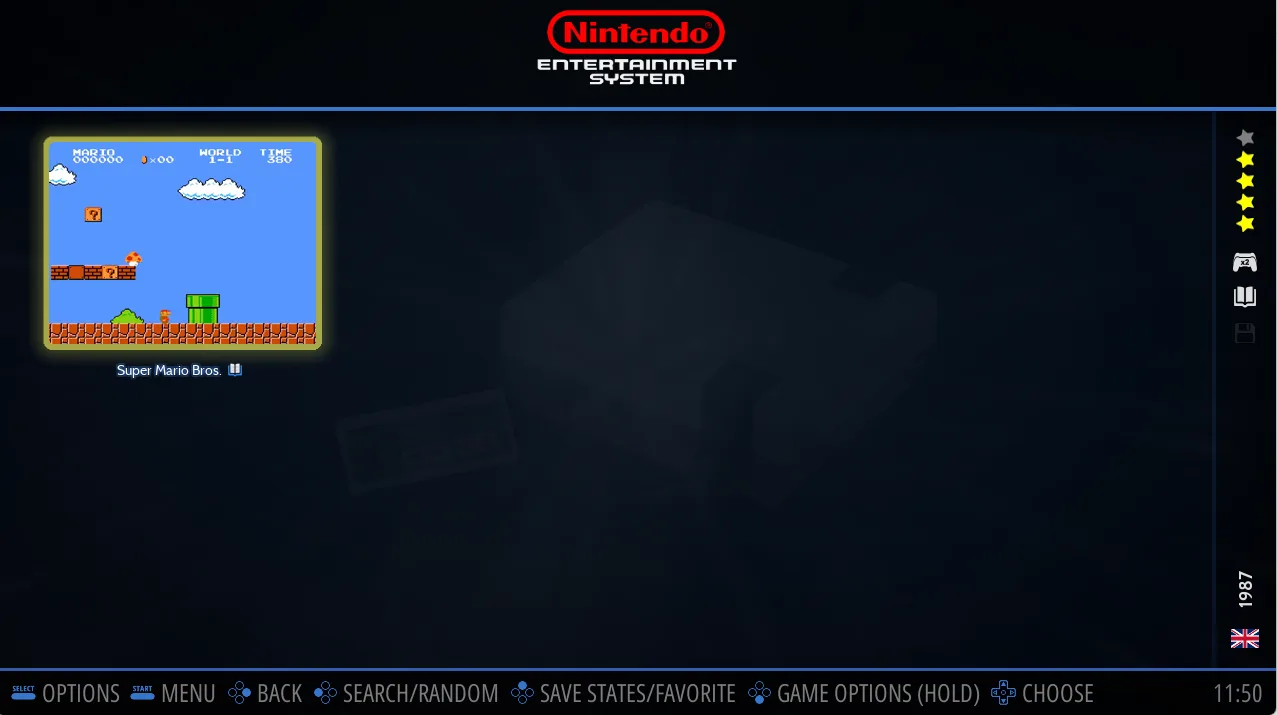
RetroBat brings your retro game collection into a controller-friendly Windows frontend built around EmulationStation. Browse systems, open a game list and launch a title without managing a separate launcher for each console. It suits a Windows PC used for retro gaming, including installations kept on an external drive or USB stick.
Add your own game files to the appropriate system folders, then refresh the game list. The integrated scraper can add artwork and game information; ScreenScraper requires its own account. Custom collections and downloadable themes let you organize and change the presentation of your library.
The installer bundles RetroArch, not every standalone emulator. Additional supported emulators are downloaded when needed, so an internet connection is required for that setup. Hardware requirements depend on the emulator: the publisher lists 64-bit Windows and SSE2 support, with modern graphics APIs needed for demanding systems. This is a frontend for your collection, not a supplied library of commercial games.
What it offers
- Browse systems and launch games through EmulationStation System View and Game View.
- Create custom game collections and download themes from within RetroBat.
- Scrape game artwork and metadata globally, per system or per game.
- Keep a portable installation on a PC, external hard drive or USB stick.
- Use bundled RetroArch and fetch additional supported emulators when required.
Good to know
- You must provide game files and place them in the correct system folders.
- Standalone emulators are not all bundled; fetching additional supported emulators requires an internet connection.
- ScreenScraper metadata retrieval requires a separate ScreenScraper account.
- Emulators for more demanding systems require suitable hardware and modern graphics API support.
Product images
Sources
References used for this listing. Retrieval dates do not indicate hands-on testing.
More in utilities
View category ↗
1.1.1.1 with WARP 2026.8.2115.0
Encrypt traffic from your Mac to Cloudflare’s network with WARP, or use DNS-only mode for encrypted DNS queries to the 1.1.1.1 resolver.
1.1.1.1 with WARP 2026.8.2115.0
Encrypt traffic between your Windows PC and Cloudflare, or use encrypted DNS only, with the free 1.1.1.1 with WARP app.


3uTools 9.12.005
Manage iPhone and iPad photos, music, apps and backups from Windows with 3uTools, a free utility that also includes device checks and firmware flashing tools.