
Utilities Windows
RidNacs
Find large files and folders with RidNacs, a freeware Windows disk-space analyzer with tree-view size bars, network-drive scanning and exportable results.
- Operating system
- Windows XP through Windows 11, according to the publisher
- Architecture
- Not specified by the inspected publisher catalog
- Download package
- EXE installer
The publisher also offers a separate portable ZIP. No installation or operating-system compatibility test was performed.
Link checked · Download guidance
What is RidNacs?
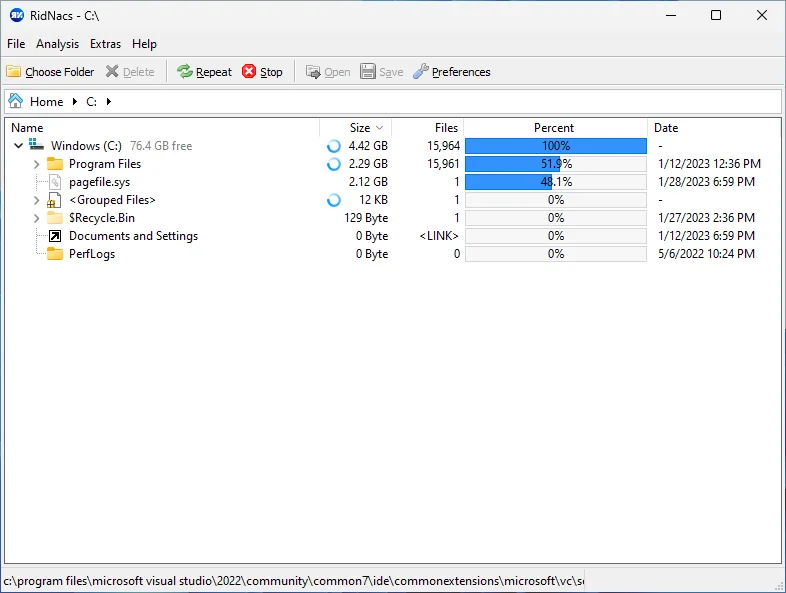
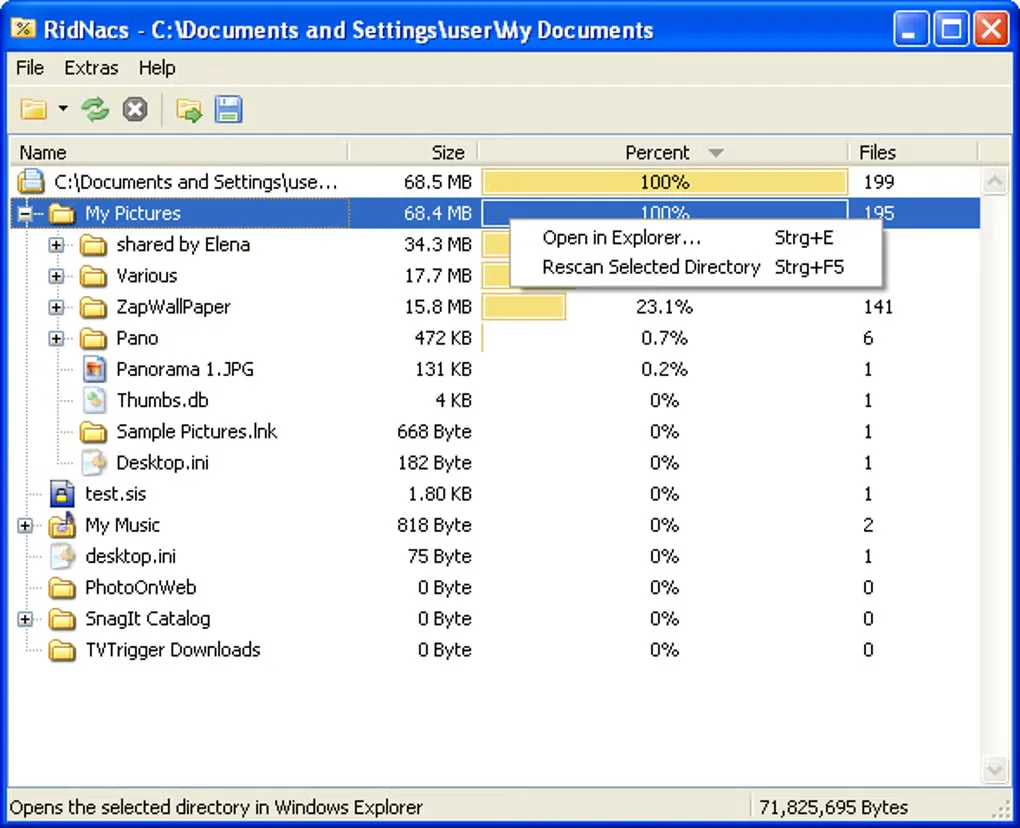
RidNacs shows where disk space is going on a Windows drive, network drive or individual folder. Its expandable tree lists files and directories alongside sizes and percentage bars, so you can follow a large folder down to the items inside it. It is useful when you need to decide what deserves attention before a manual cleanup, rather than browse each folder's properties separately.
The publisher lists XML, HTML, CSV and TXT exports for retaining scan results. Explorer context-menu integration starts an analysis from a folder or drive, while configurable grouping collects small files together. Files can also be opened or deleted from inside the program.
Pay attention to the incomplete-scan indicator: RidNacs marks directories that were not fully scanned, so their displayed results should not be treated as a complete inventory. Size alone does not establish whether a file is safe to remove. Review what an item belongs to before using the delete command.
The publisher's catalog lists RidNacs 3.0 as the current installer and portable release. The selected link is the installer; the portable ZIP is a separate option on the publisher's catalog. The public English changelog still stops at 2.0.3, so it does not explain what changed in 3.0. The screenshots are historical interface examples, not verification of the current installer or its exact appearance.
What it offers
- Analyze local drives, network drives or a single folder in an expandable tree with size and percentage columns.
- Export scan results as XML, HTML, CSV or TXT for later reference.
- Start a scan through the Windows Explorer context menu for a folder or drive.
- Group files below a configurable size and adjust percentage-bar skins.
- Open or delete files from the results and identify directories marked as incompletely scanned.
Good to know
- A directory marked as incompletely scanned is not a complete account of its contents.
- The publisher lists version 3.0, but its public English changelog only documents releases through 2.0.3.
- The linked installer's CPU architecture is not specified in the inspected publisher catalog.
Product images
Sources
References used for this listing. Retrieval dates do not indicate hands-on testing.
- RidNacs: Free Disk Space Usage Tool for Windows – SplashSoft ↗Retrieved
- RidNacs herunterladen – SplashSoft ↗Retrieved
- RidNacs Freeware License – SplashSoft ↗Retrieved
- RidNacs Change Log – SplashSoft ↗Retrieved
- RidNacs Screenshot Galerie – SplashSoft ↗Retrieved
- RidNacs - Download ↗Retrieved
More in utilities
View category ↗
SpaceSniffer 2.2.0.27
Find large files and folders with SpaceSniffer, a free portable Windows disk-space analyzer with a zoomable treemap, filters and text reports.

WizTree 4.33
Find large files and folders with WizTree, a Windows disk space analyzer with a visual treemap, file search and CSV exports. Free for personal use.

SpaceSharp 2.5.1
Find large files with SpaceSharp, a free Windows disk space analyzer that maps folders as a zoomable treemap and compares saved scans.

TreeSize Free 4.8.1
See which folders occupy your disk with TreeSize Free, a Windows disk-space analyzer with a treemap and PDF reports for private, non-commercial use.


Cleaner One Pro
Find junk files, duplicates and large files with Cleaner One Pro, a Windows disk-cleaning utility from Trend Micro with disk mapping and app-management tools.