

Utilities Windows
WizTree for Windows
Find large files and folders with WizTree, a Windows disk space analyzer with a visual treemap, file search and CSV exports. Free for personal use.
- Operating system
- Windows 11, 10, 8, 7, Vista, XP; Windows Server 2003 and later
- Architecture
- 32-bit and 64-bit; Windows ARM via Prism emulation
- Download package
- EXE installer
Publisher lists a separate portable ZIP. The linked package is the Windows installer, not a native ARM build.
Link checked · Download guidance
What is WizTree?
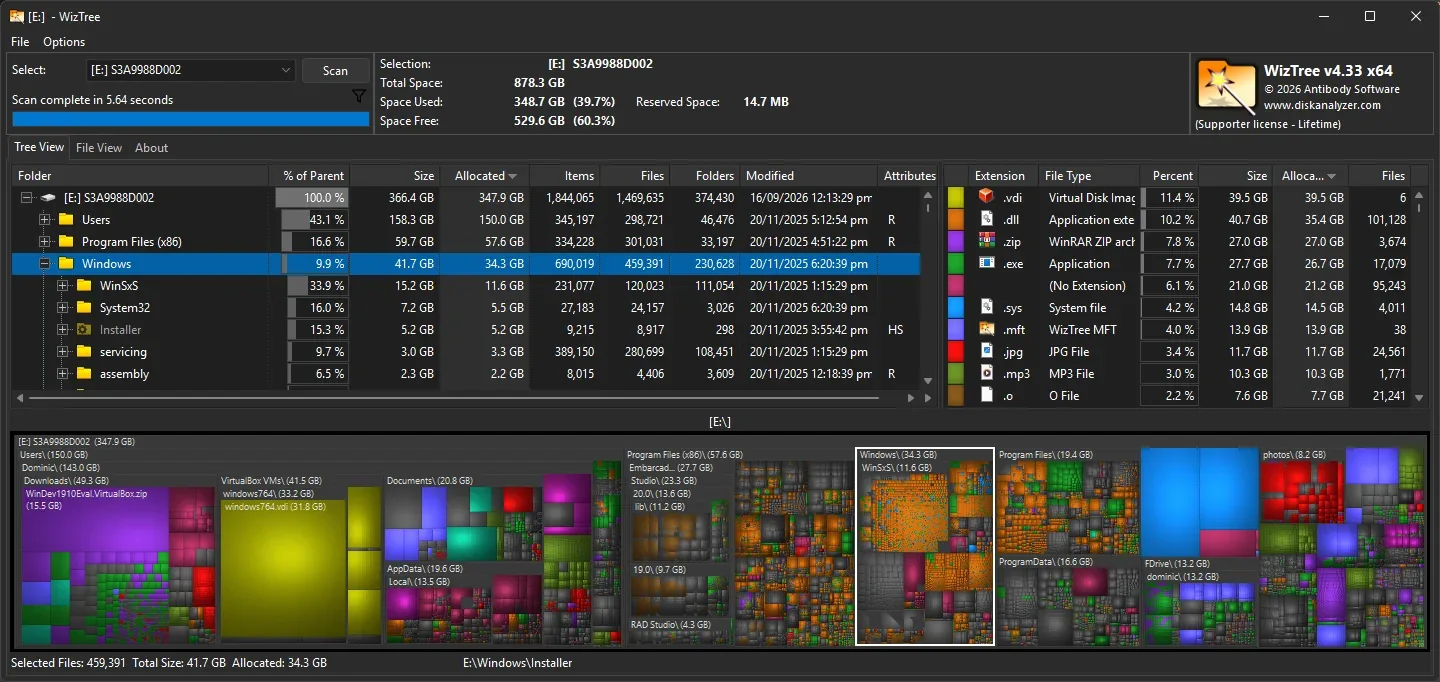
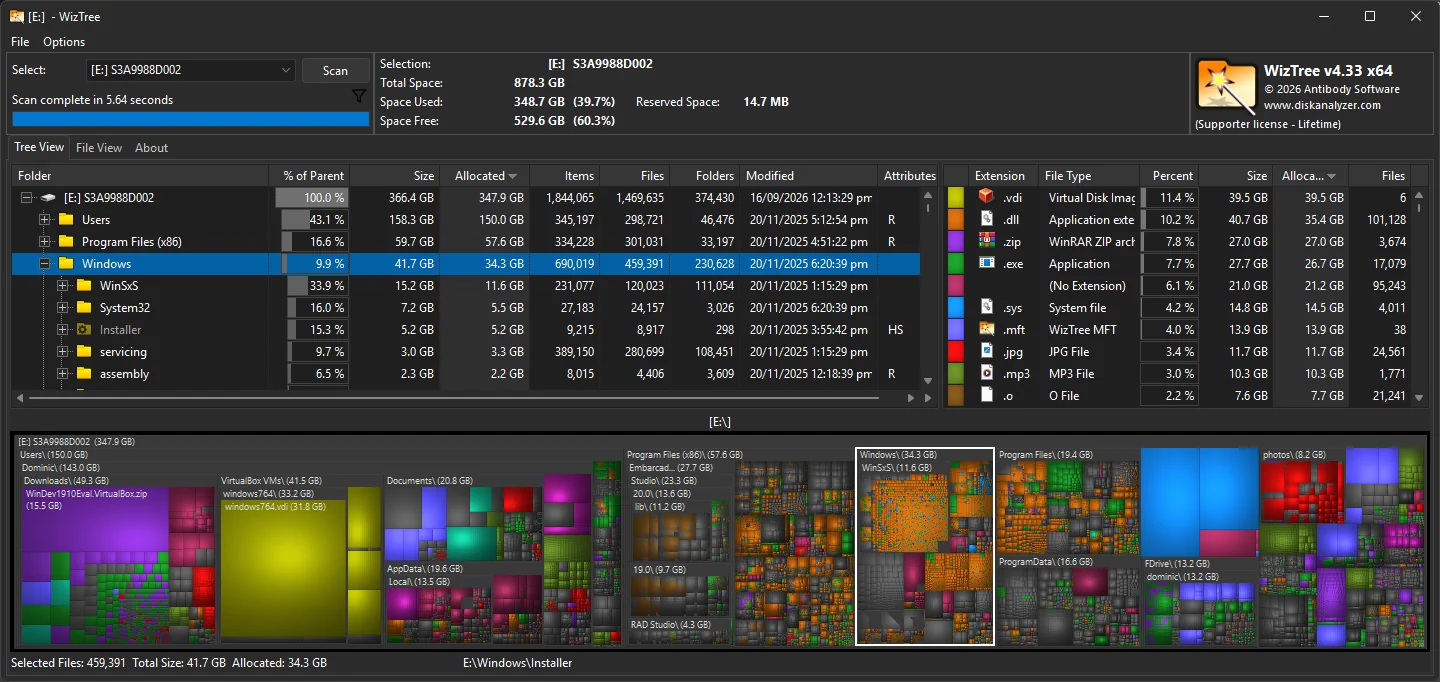
WizTree shows where disk space is going before you decide what to remove. Its folder tree and size-based treemap help distinguish a few large files from folders containing many smaller ones. The File View lists individual files by size, while name, type and wildcard filters help narrow the results. You can export file information to CSV and import it again for later inspection.
On NTFS drives, WizTree reads the Master File Table directly. It also scans other Windows-supported file systems, network drives, USB drives and individual folders, but the direct-MFT method is specific to NTFS. Treat the results as an inventory, not a recommendation to delete unfamiliar files: the publisher warns against removing files required by the operating system. Personal use is free; commercial use requires a paid license. The download here is the Windows EXE installer, not the separately offered portable ZIP.
What it offers
- Compare file and folder sizes using a folder tree and visual treemap.
- Find large files in a size-ordered File View and filter by name, type or wildcard.
- Scan NTFS, other Windows-supported file systems, network drives, USB drives or individual folders.
- Export file information to CSV and import saved CSV or MFT data for viewing.
Good to know
- Free use is personal-only; commercial environments require a paid supporter or enterprise license.
- Direct Master File Table scanning applies to NTFS drives, not other file systems or network shares.
- Large files are not necessarily disposable; removing files required by Windows can disrupt the PC.
Product images
Sources
References used for this listing. Retrieval dates do not indicate hands-on testing.
- Download WizTree — official Windows packages and license comparison ↗Retrieved
- About WizTree — disk analysis, supported scans and file tools ↗Retrieved
- WizTree EULA — publisher identity and license restrictions ↗Retrieved
- WizTree official homepage — NTFS method and icon origin ↗Retrieved
- WizTree official homepage — Windows screenshot provenance ↗Retrieved
More in utilities
View category ↗
1.1.1.1 with WARP 2026.8.2115.0
Encrypt traffic from your Mac to Cloudflare’s network with WARP, or use DNS-only mode for encrypted DNS queries to the 1.1.1.1 resolver.
1.1.1.1 with WARP 2026.8.2115.0
Encrypt traffic between your Windows PC and Cloudflare, or use encrypted DNS only, with the free 1.1.1.1 with WARP app.

3uTools 9.12.005
Manage iPhone and iPad photos, music, apps and backups from Windows with 3uTools, a free utility that also includes device checks and firmware flashing tools.