

Development Windows
RStudio IDE for Windows
Write R code, inspect data and create Quarto or R Markdown reports with RStudio Desktop, a free IDE for Windows 11. Install R separately before using it.
- Operating system
- Windows 11
- Architecture
- Not specified on the open-source download page
- Download package
- EXE installer (build 233)
Open-source Desktop edition. Install R separately. The publisher lists this release for Windows 11; CPU architecture is not stated on its download page.
Link checked · Download guidance
What is RStudio IDE?
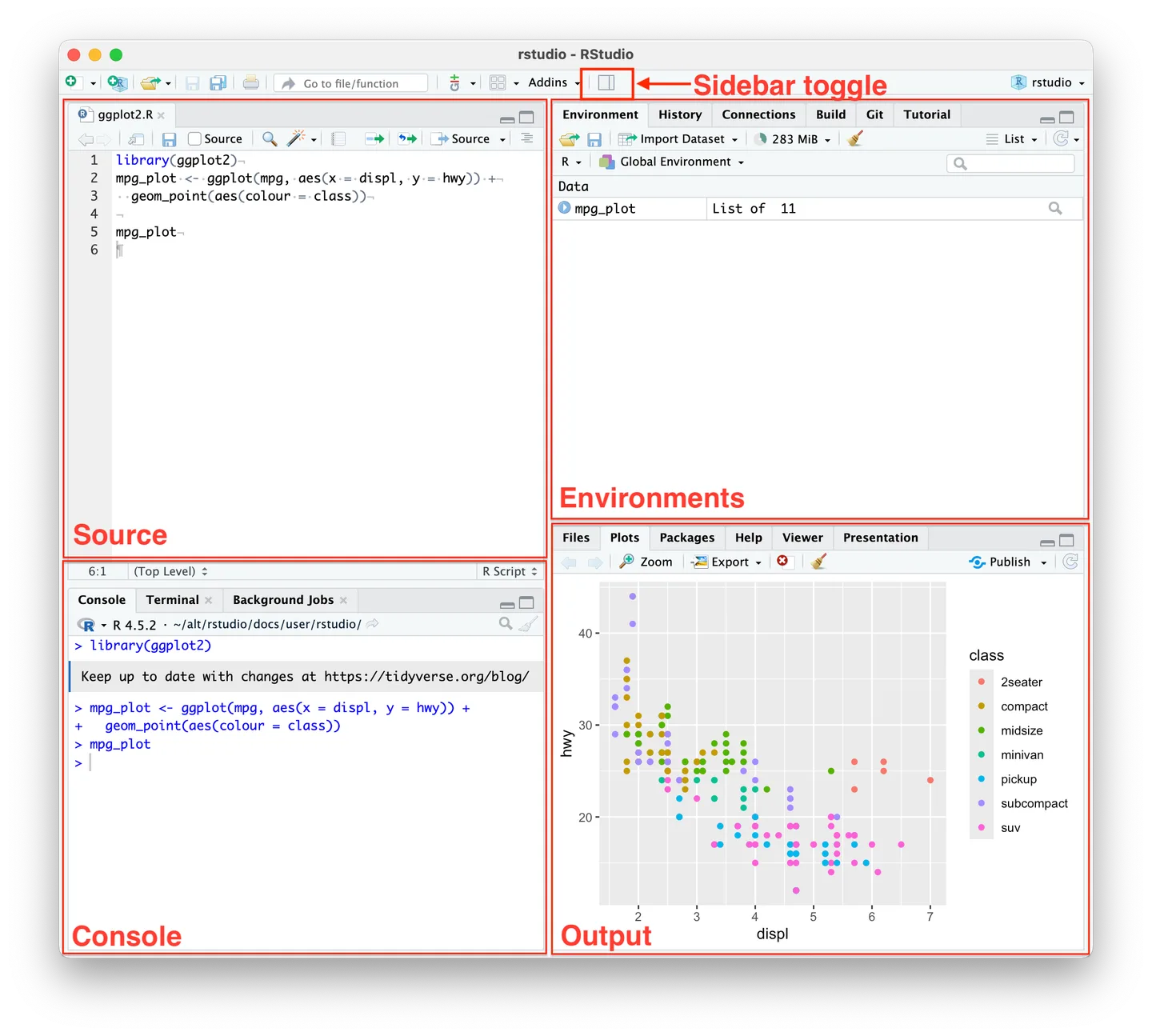
RStudio Desktop brings an R console, source editor, data viewer and plotting tools into one workspace. It is useful when an analysis involves switching between scripts, datasets and results: execute code from the editor, inspect session objects and use the debugger to investigate errors. Python support through reticulate lets R projects include Python work too.
Projects help organize separate working directories. For reports, the Visual Markdown Editor supports Quarto and R Markdown documents, so code and explanatory text can be edited in the same environment. Git integration and package-development tools support work beyond an individual script.
This entry links to the open-source RStudio Desktop 2026.10.0 Windows 11 EXE installer, not RStudio Server or the commercial Desktop Pro edition. RStudio is an IDE, not an R installation: install R separately. The core IDE is free under AGPL v3; the advertised Posit AI features require a separate subscription and are not included merely by downloading the free IDE.
What it offers
- Edit R scripts with syntax highlighting, code completion and direct execution from the source editor.
- Inspect data frames with sorting and filtering, view plots and track objects in the Environment pane.
- Use an interactive debugger and package-development tools when building or diagnosing R code.
- Organize work with Projects and Git integration.
- Author Quarto and R Markdown documents in the Visual Markdown Editor; use Python through reticulate.
Good to know
- R must be installed separately; the RStudio installer does not replace the R runtime.
- The linked release is listed for Windows 11. The publisher's open-source download page does not identify this package's CPU architecture or list Windows 10 support.
- Posit AI is a separate subscription; downloading the free IDE does not include ongoing access to those paid features.
Product images
Sources
References used for this listing. Retrieval dates do not indicate hands-on testing.
More in development
View category ↗

010 Editor 17.0
Inspect and edit binary files on Mac with 010 Editor, a paid text and hex editor with Binary Templates, file comparison and a 30-day trial.
010 Editor 17.0
Inspect and edit binary files with 010 Editor for Windows, a text and hex editor with Binary Templates, file comparison and scripting. Includes a 30-day trial.
10x Editor
Edit and navigate C++ projects on Windows with a built-in parser, workspace search and Visual Studio project support. A paid license is required after the 30-day trial.