

Utilities Windows
Safe Exam Browser for Windows
Use Safe Exam Browser for institution-configured online exams on Windows, with kiosk restrictions, encrypted exam settings and support for learning management systems.
- Operating system
- Windows 10 version 1803 or newer; Windows 11
- Architecture
- Publisher provides x86 (32-bit) and x64 (64-bit) builds
- Download package
- EXE setup bundle
Selected download is SEB_3.10.2.920_SetupBundle.exe. The bundle installs required runtimes; separate MSI packages require manual dependency installation.
Link checked · Download guidance
What is Safe Exam Browser?
Safe Exam Browser (SEB) opens web-based assessments in a controlled Windows browser environment. It is intended for schools, universities and other exam providers that need to restrict access to other applications, system commands and websites during an assessment. The Windows client uses a Chromium-based browser and can work on managed lab computers or students' own laptops.
Exam administrators prepare encrypted .seb configuration files to set the exam start URL, permitted resources and exit rules. They can allow specific third-party applications when a task requires them. SEB integrates with systems including Moodle, ILIAS and OpenOlat, but it is not an exam platform itself: the institution must configure the assessment system as well as the browser. Students need the exam provider's settings and instructions rather than a generic browsing setup.
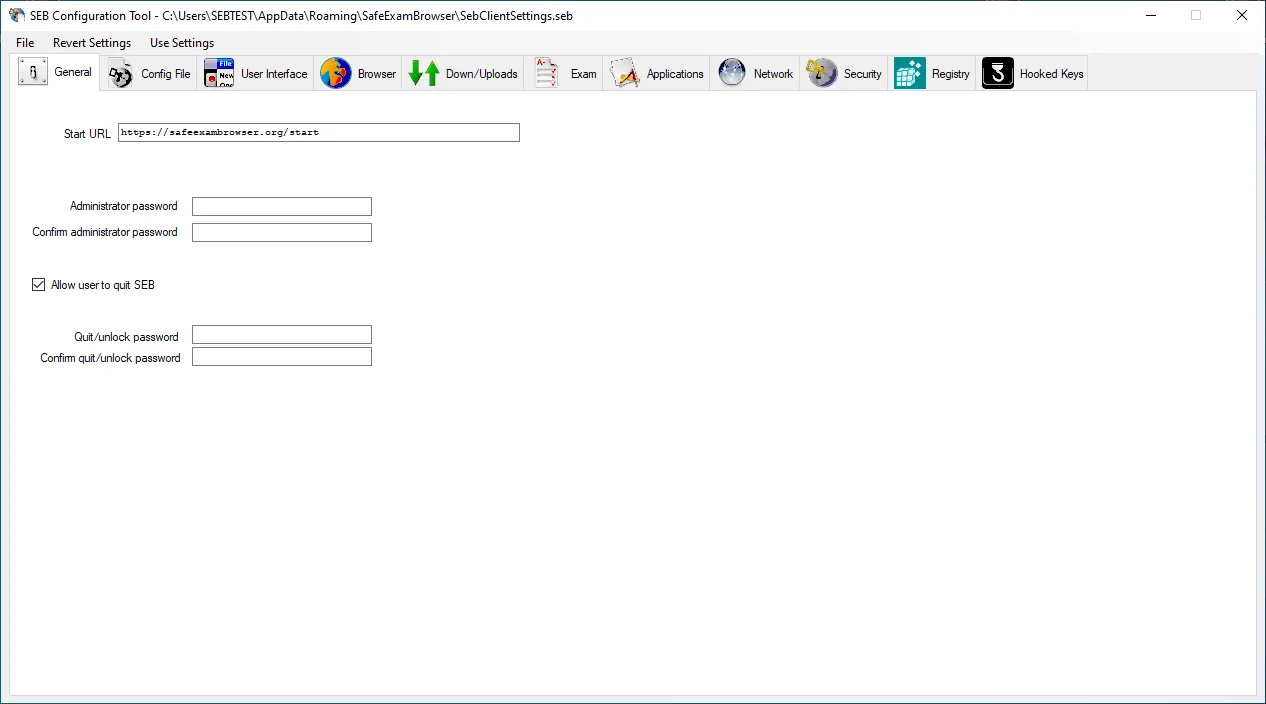
This entry links to the publisher's Windows 3.10.2 setup bundle, build 3.10.2.920. The publisher recommends the bundle for installation because it includes required runtime dependencies; administrators using separate MSI packages must install those prerequisites themselves. The screenshot shows the General pane of the Windows configuration tool from the publisher's 3.2-era manual images, not a verified capture of version 3.10.2.
What it offers
- Run web-based exams in a kiosk environment that restricts application switching and Windows system commands.
- Distribute encrypted .seb files with an exam URL, resource permissions and quit settings.
- Configure website access with URL filtering and selectively permit third-party applications.
- Use SEB integrations with Moodle, ILIAS and OpenOlat.
- Display assessment content through the Windows client's Chromium-based browser engine.
Good to know
- SEB locks down the client computer, not the assessment server; the exam provider must also configure the LMS or exam system correctly.
- Students need institution-specific exam settings and instructions; installing the browser alone does not provide an exam.
- The publisher reports that NVDA and JAWS are incompatible with Create New Desktop kiosk mode and recommends Disable Explorer Shell mode when those screen readers are required.
Product images
Sources
References used for this listing. Retrieval dates do not indicate hands-on testing.
More in utilities
View category ↗
1.1.1.1 with WARP 2026.8.2115.0
Encrypt traffic from your Mac to Cloudflare’s network with WARP, or use DNS-only mode for encrypted DNS queries to the 1.1.1.1 resolver.
1.1.1.1 with WARP 2026.8.2115.0
Encrypt traffic between your Windows PC and Cloudflare, or use encrypted DNS only, with the free 1.1.1.1 with WARP app.


3uTools 9.12.005
Manage iPhone and iPad photos, music, apps and backups from Windows with 3uTools, a free utility that also includes device checks and firmware flashing tools.