
Utilities Windows
SameBoy for Windows
Play Game Boy and Game Boy Color titles on Windows with SameBoy, a free, open-source emulator with save states, customizable controls and a text-based debugger.
Version 1.0.4 · Direct publisher file
Link checked · Download guidance
What is SameBoy?
SameBoy emulates Game Boy, Game Boy Color and Super Game Boy hardware. Its Windows SDL frontend combines game playback with battery saves, save states, adjustable controls and joypad support. Scaling filters and color-correction settings let you change how the emulated display looks, while turbo, rewind and slow-motion modes provide playback control.
For homebrew development and troubleshooting, the text-based debugger includes an expression evaluator, disassembler, conditional breakpoints and watchpoints. The publisher's 1.0.4 release adds a Pixelated/Sharp Bilinear scaling filter and VGM audio logging to the SDL frontend. The linked Windows download is the publisher's ZIP archive, not an installer.
Features differ between frontends. The graphical memory and video RAM viewers, local link-cable emulation and cheat searching are exclusive to the macOS Cocoa frontend. On Windows SDL, Game Boy Camera emulation uses graphical noise rather than live camera input. The publisher's reference to Game Boy Advance hardware means its Game Boy Color compatibility mode, not support for Game Boy Advance games.
What it offers
- Emulate Game Boy, Game Boy Color and Super Game Boy hardware.
- Keep progress with battery saves and save states, including BESS-compatible states.
- Customize controls, use a joypad and select turbo, rewind or slow-motion playback.
- Adjust scaling filters and color correction; advanced filters require OpenGL 3.2 support.
- Inspect execution with a text-based debugger, disassembler, breakpoints and watchpoints.
Good to know
- Local link-cable emulation, cheat searching and graphical memory/video RAM viewers are macOS Cocoa-only features, not Windows SDL features.
- The SDL frontend substitutes graphical noise for live Game Boy Camera input.
- Game Boy Advance hardware emulation is limited to its Game Boy Color mode; this is not a Game Boy Advance game emulator.
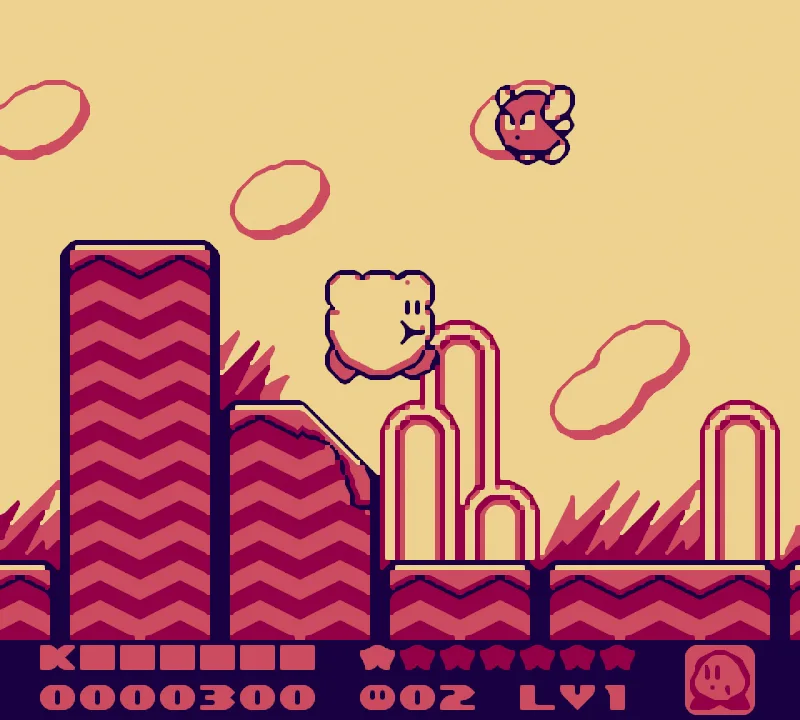
Product images
Sources
References used for this listing. Retrieval dates do not indicate hands-on testing.
- SameBoy - Download — Windows discovery and gallery ↗Retrieved
- SameBoy — official overview and screenshot gallery ↗Retrieved
- SameBoy 1.0.4 — official release notes and Windows archive ↗Retrieved
- SameBoy — official features and frontend limitations ↗Retrieved
- LIJI32/SameBoy — official repository and platform scope ↗Retrieved
- SameBoy — Expat license ↗Retrieved
More in utilities
View category ↗
1.1.1.1 with WARP 2026.8.2115.0
Encrypt traffic from your Mac to Cloudflare’s network with WARP, or use DNS-only mode for encrypted DNS queries to the 1.1.1.1 resolver.
1.1.1.1 with WARP 2026.8.2115.0
Encrypt traffic between your Windows PC and Cloudflare, or use encrypted DNS only, with the free 1.1.1.1 with WARP app.

3uTools 9.12.005
Manage iPhone and iPad photos, music, apps and backups from Windows with 3uTools, a free utility that also includes device checks and firmware flashing tools.