

Utilities Windows
Sandboxie for Windows
Run Windows applications in separate sandboxes with Sandboxie. This download provides the Plus interface for managing isolated programs, settings and snapshots.
- Operating system
- Windows 7, 10 and 11, as listed by the publisher for this x64 build
- Architecture
- x64
- Download package
- EXE installer — Sandboxie Plus
This link is the Plus 1.18.8 x64 build. ARM64 and Classic packages are separate; the publisher lists older x86 builds under legacy downloads.
Link checked · Download guidance
What is Sandboxie?
Sandboxie creates isolated environments for running Windows applications while keeping their changes to local drives and the Windows registry separate from normal use. You can create multiple sandboxes, run them independently and manage programs inside each one. The current community project is maintained by David Xanatos.
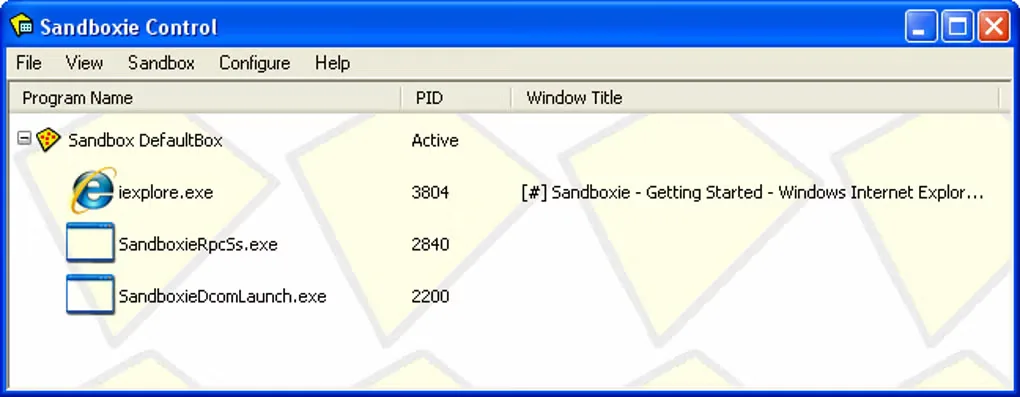
The publisher offers Plus and Classic builds with the same core components but different interfaces. This entry links to the Plus 1.18.8 x64 installer, whose Qt-based interface exposes newer configuration features. Classic retains the older Sandboxie Control interface; some newer options require manual configuration there. The gallery image shows that historical Classic interface, not the current Plus interface.
Plus includes sandbox snapshots, application and Internet-access restrictions, and sandbox import/export. Its license permits noncommercial use, but some functionality requires a support certificate. Commercial use requires a business certificate, apart from the limited evaluation allowance in the publisher's terms. Application compatibility is not universal; an application can fail to run or behave differently inside a sandbox.
What it offers
- Create separate sandboxes and run programs in multiple boxes at the same time.
- Manage sandbox settings through the Plus Qt-based interface.
- Use the Snapshot Manager to save a sandbox state for restoration.
- Configure application-launch and Internet-access restrictions.
- Import and export sandboxes using 7z files.
Good to know
- Some applications may fail to run or behave incorrectly inside a sandbox.
- Some Plus functionality requires a support certificate; commercial use requires a business certificate except for the license's limited evaluation allowance.
- The Classic interface does not expose all newer features; some require manual Sandboxie.ini configuration.
Product images
Sources
References used for this listing. Retrieval dates do not indicate hands-on testing.
More in utilities
View category ↗
1.1.1.1 with WARP 2026.8.2115.0
Encrypt traffic from your Mac to Cloudflare’s network with WARP, or use DNS-only mode for encrypted DNS queries to the 1.1.1.1 resolver.
1.1.1.1 with WARP 2026.8.2115.0
Encrypt traffic between your Windows PC and Cloudflare, or use encrypted DNS only, with the free 1.1.1.1 with WARP app.

3uTools 9.12.005
Manage iPhone and iPad photos, music, apps and backups from Windows with 3uTools, a free utility that also includes device checks and firmware flashing tools.