

Development Windows
SciTE for Windows
Edit source code with syntax styling and folding, then send build or run commands to external tools from SciTE, a free configurable editor for Windows.
- Operating system
- Windows 7 and later
- Architecture
- 64-bit Intel-compatible Windows (x64)
- Download package
- ZIP archive with executable, DLLs, configuration and documentation
Extract the archive and run SciTE.EXE. Separate x86 and ARM64 packages exist; this link is the full x64 package, not the single-file Sc1 executable.
Link checked · Download guidance
What is SciTE?
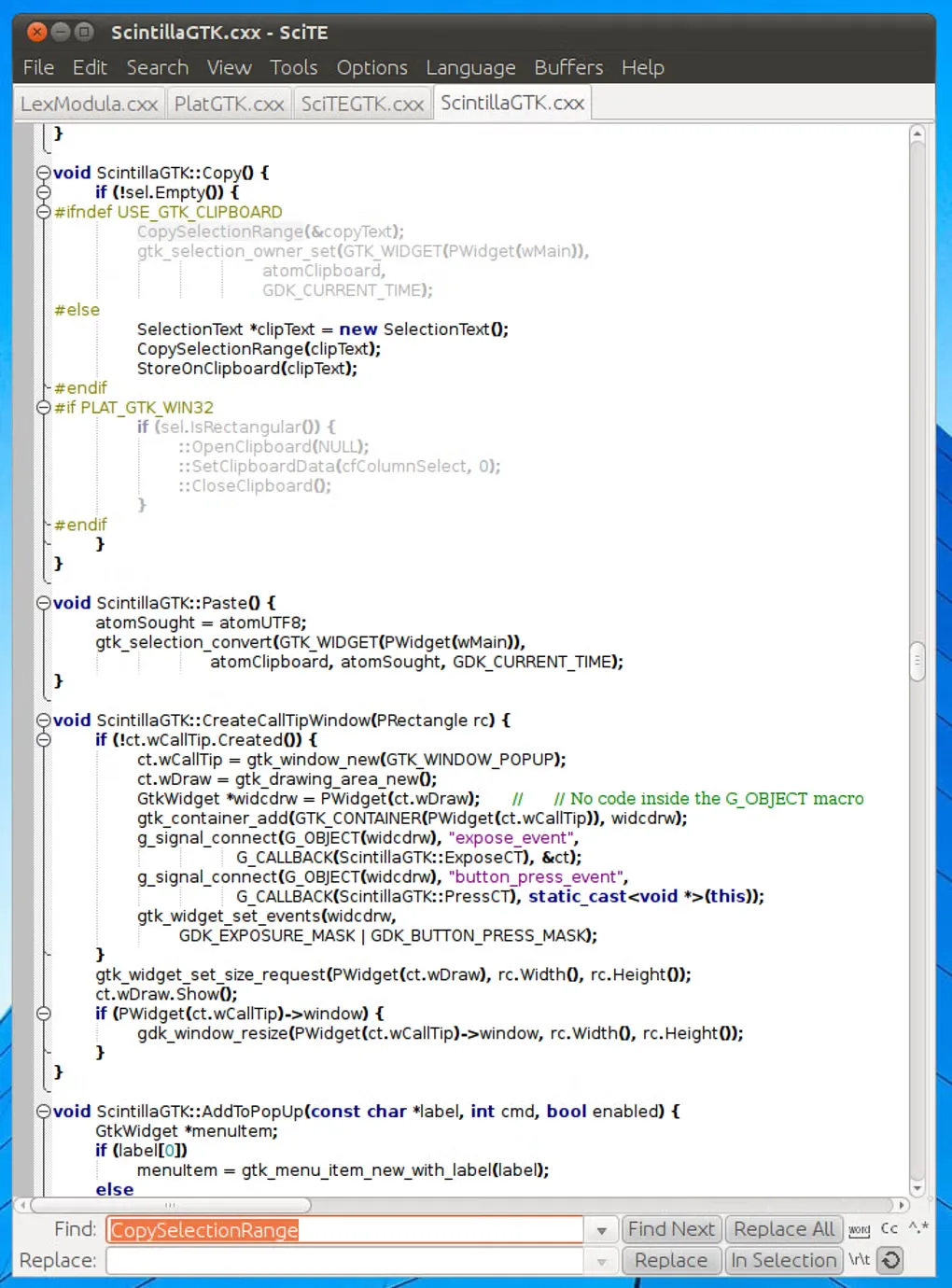
SciTE is a Scintilla-based source code editor for working on individual files and programs with simple build configurations. It provides automatic syntax styling, code folding for supported languages, rectangular selections and configurable file buffers. Its editing and output panes keep source text and command results in the same window.
You can send compile or run commands to external tools and use Next Message to move from recognized error messages to the relevant source line. The compiler or interpreter must be available separately; SciTE is the editor and command interface, not a bundled language toolchain.
This download is the publisher's full 64-bit Windows ZIP package for version 5.6.7. It includes the executable, required DLLs, configuration files and documentation. Extract the archive before running SciTE.EXE. Separate 32-bit and Windows on ARM packages are offered by the publisher. The screenshot illustrates the same editor on Linux/GTK; Windows window decorations and appearance differ.
What it offers
- Automatic syntax styling and folding for supported programming languages.
- Rectangular text selections and configurable buffers for switching between open files.
- Separate editing and output panes for compile and run command results.
- Navigate recognized compiler or interpreter errors with the Next Message command.
- Save and reload groups of open files as sessions.
Good to know
- Compiling or running programs requires the appropriate external compiler or interpreter; the editor does not replace those tools.
- The publisher recommends SciTE for jobs with simple configurations. More involved workflows require configuration rather than a ready-made project environment.
- Error navigation may fail when filenames contain spaces or '..', according to the documentation.
Product images
Sources
References used for this listing. Retrieval dates do not indicate hands-on testing.
- Scintilla and SciTE — publisher overview ↗Retrieved
- Download Scintilla and SciTE — release and Windows packages ↗Retrieved
- SciTE Documentation — editing, commands and sessions ↗Retrieved
- License for Lexilla, Scintilla, and SciTE ↗Retrieved
- SciTE - Download — normally served Windows page and gallery ↗Retrieved
- Scintilla and SciTE — publisher screenshot ↗Retrieved
More in development
View category ↗
010 Editor 17.0
Inspect and edit binary files on Mac with 010 Editor, a paid text and hex editor with Binary Templates, file comparison and a 30-day trial.
010 Editor 17.0
Inspect and edit binary files with 010 Editor for Windows, a text and hex editor with Binary Templates, file comparison and scripting. Includes a 30-day trial.
10x Editor
Edit and navigate C++ projects on Windows with a built-in parser, workspace search and Visual Studio project support. A paid license is required after the 30-day trial.