
Utilities Windows
Screen Calipers
Measure gaps, image details and angled distances on a Windows screen with Iconico's floating calipers. A free trial is available; custom units and transparency require purchase.
- Operating system
- Windows; exact supported versions not established by the sources used
- Architecture
- Not specified in the sources used
- Download package
- Screen Measurement Pack ZIP (shared publisher download)
Product version 4.0 is publisher-advertised, not verified from archive contents. No installation or Windows-build testing performed.
Link checked · Download guidance
What is Screen Calipers?
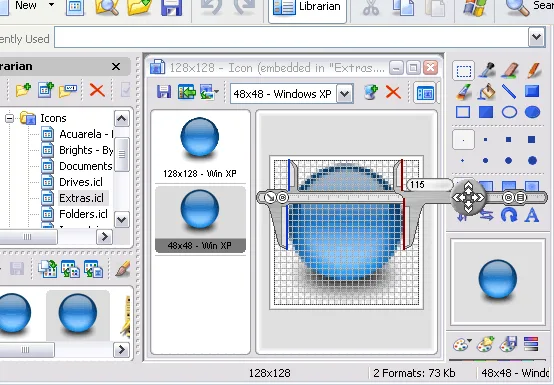
Screen Calipers places a movable measuring tool over other Windows applications, so you can check spacing in a layout, measure part of a photograph or compare distances on a drawing without importing it into another editor. Drag the left side to position the tool and the right side to extend or rotate it; the readout shows the measured distance. Rotation through 360 degrees makes it useful for diagonals as well as horizontal and vertical gaps.
For precise adjustments, the documented keyboard controls move or extend the calipers, while Lock Angle and Lock Measurement separate resizing from rotation. The menu also offers skins, clipboard copying and calibration to a known distance. Custom measurement units and transparency are paid features, not reasons to describe the trial as fully free.
Measurements start with pixels. The publisher explains that inches and centimeters use conversion factors rather than automatically matching the physical size shown on your monitor. For a scaled drawing, calibrate against a known distance in that image instead of treating a displayed inch as a physical ruler. The download linked here is the publisher's shared Screen Measurement Pack ZIP, not a separately verified Screen Calipers installer. Version 4.0 is the product version advertised on the publisher page; the archive contents and operation on a particular Windows build have not been tested.
What it offers
- Float the calipers above other Windows applications to measure visible content.
- Rotate through 360 degrees to measure angled distances.
- Use keyboard nudges, Lock Angle and Lock Measurement for controlled positioning.
- Copy the measured value to the clipboard and switch between interface skins.
- Calibrate custom units against a known distance; custom units and transparency require the paid version.
Good to know
- The free download is a trial; the publisher reserves custom measurement units and transparency settings for purchasers.
- Inches and centimeters use pixel conversion factors, not automatic physical monitor-size measurement; scaled images need appropriate calibration.
- The linked ZIP is a shared Screen Measurement Pack. Its contents, CPU architecture and compatibility with a specific Windows build were not verified.
Product images
Sources
References used for this listing. Retrieval dates do not indicate hands-on testing.
More in utilities
View category ↗
1.1.1.1 with WARP 2026.8.2115.0
Encrypt traffic from your Mac to Cloudflare’s network with WARP, or use DNS-only mode for encrypted DNS queries to the 1.1.1.1 resolver.
1.1.1.1 with WARP 2026.8.2115.0
Encrypt traffic between your Windows PC and Cloudflare, or use encrypted DNS only, with the free 1.1.1.1 with WARP app.

3uTools 9.12.005
Manage iPhone and iPad photos, music, apps and backups from Windows with 3uTools, a free utility that also includes device checks and firmware flashing tools.