

Utilities Windows
Screenpresso for Windows
Capture screenshots and screen videos on Windows, annotate images, and organize captures with Screenpresso. A free edition is available; advanced editing and capture tools require PRO.
- Operating system
- Windows 11 or Windows Server 2022
- Architecture
- x64 or ARM64 (publisher-listed platforms)
- Download package
- MSIX bundle
Publisher minimum: 4 GB RAM and 1 GB free disk space. Selected package is version 2.3.10.0, not the beta.
Link checked · Download guidance
What is Screenpresso?
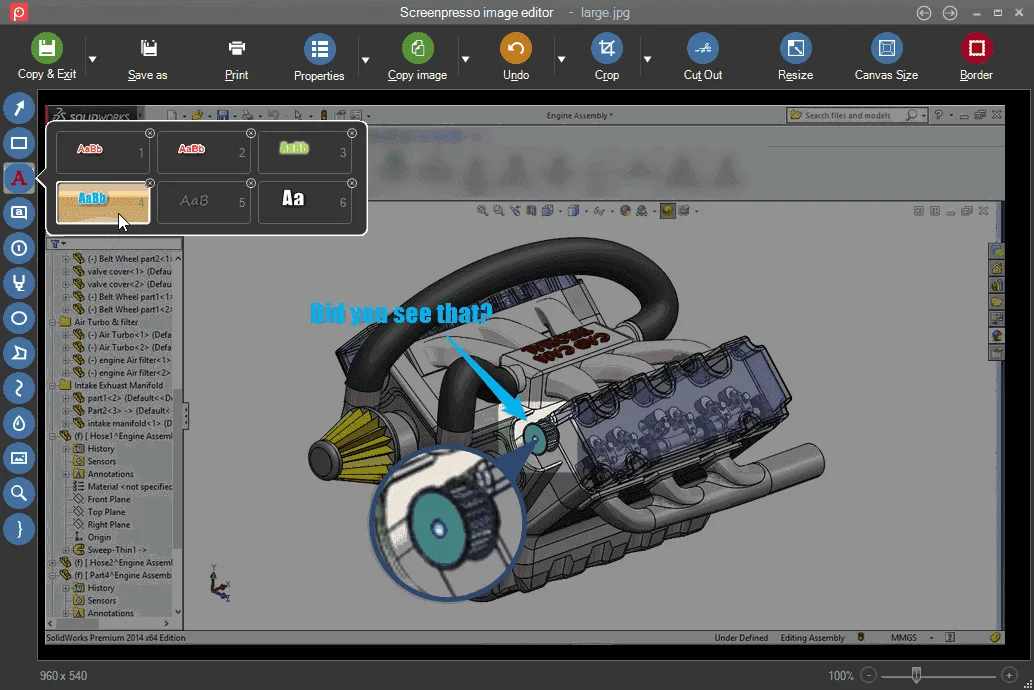
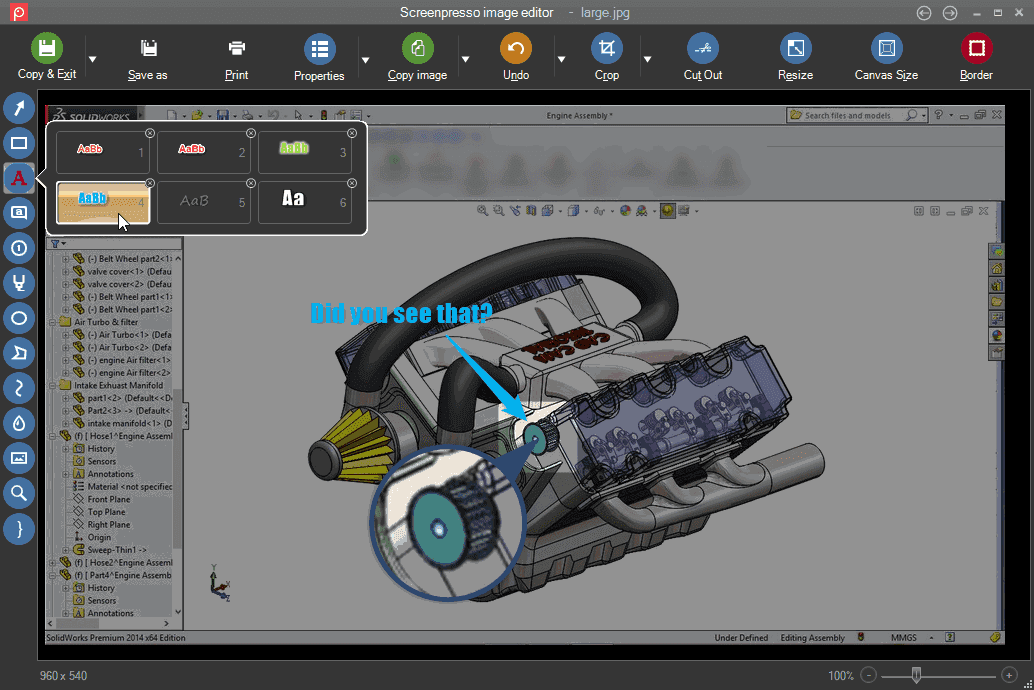
Screenpresso captures a screen region, a window or the full desktop and keeps the results in a workspace. Its image editor adds arrows, text, shapes and numbered steps, making it useful for explaining a problem or preparing illustrated instructions. It also records screen video and exports MP4 files.
The free edition includes image capture, a limited editor, and HD video and sharing with branding. PRO adds the full editor, OCR, document generation and other advanced tools. Free users must accept updates and need an Internet connection for them.
This download is the publisher-linked MSIX bundle for version 2.3.10.0, released on October 20, 2026, rather than the separately listed beta. The publisher currently lists Windows 11 or Windows Server 2022 with an x64 or ARM64 processor. This entry does not claim support for older Windows releases or portable use of the selected package.
What it offers
- Capture a selected region, a window or the full screen using the Print Screen shortcut.
- Annotate screenshots with arrows, text, shapes and numbered steps; the full editor requires PRO.
- Record screen video and export MP4 files; the free edition includes branding.
- Keep images and videos in a workspace with drag-and-drop access for other applications.
- Use OCR and generate illustrated documents with PRO.
Good to know
- The free edition has a limited image editor and adds branding to HD video and sharing features.
- Free-edition updates are mandatory and require an Internet connection.
- The selected MSIX bundle is an installation package, not a portable executable.
Product images
Sources
References used for this listing. Retrieval dates do not indicate hands-on testing.
- Screenpresso: The Ultimate Screen Capture Tool for Windows ↗Retrieved
- Features of Screenpresso ↗Retrieved
- Screenpresso pricing ↗Retrieved
- Software License Agreement ↗Retrieved
- Screenpresso releases ↗Retrieved
- Screenpresso 2.3.10.0 ↗Retrieved
- Screenpresso 2.3.0.0 ↗Retrieved
More in utilities
View category ↗
1.1.1.1 with WARP 2026.8.2115.0
Encrypt traffic from your Mac to Cloudflare’s network with WARP, or use DNS-only mode for encrypted DNS queries to the 1.1.1.1 resolver.
1.1.1.1 with WARP 2026.8.2115.0
Encrypt traffic between your Windows PC and Cloudflare, or use encrypted DNS only, with the free 1.1.1.1 with WARP app.

3uTools 9.12.005
Manage iPhone and iPad photos, music, apps and backups from Windows with 3uTools, a free utility that also includes device checks and firmware flashing tools.