

Utilities Windows
ScreenshotX for Windows
Capture an area or window, center the content, add a background and blur sensitive details with ScreenshotX, a freeware screenshot tool for Windows.
- Operating system
- Windows 11, 10, 8 and 7
- Architecture
- Not specified by the publisher
- Download package
- EXE setup installer
The selected download is the setup installer. A separate portable executable is also offered.
Link checked · Download guidance
What is ScreenshotX?
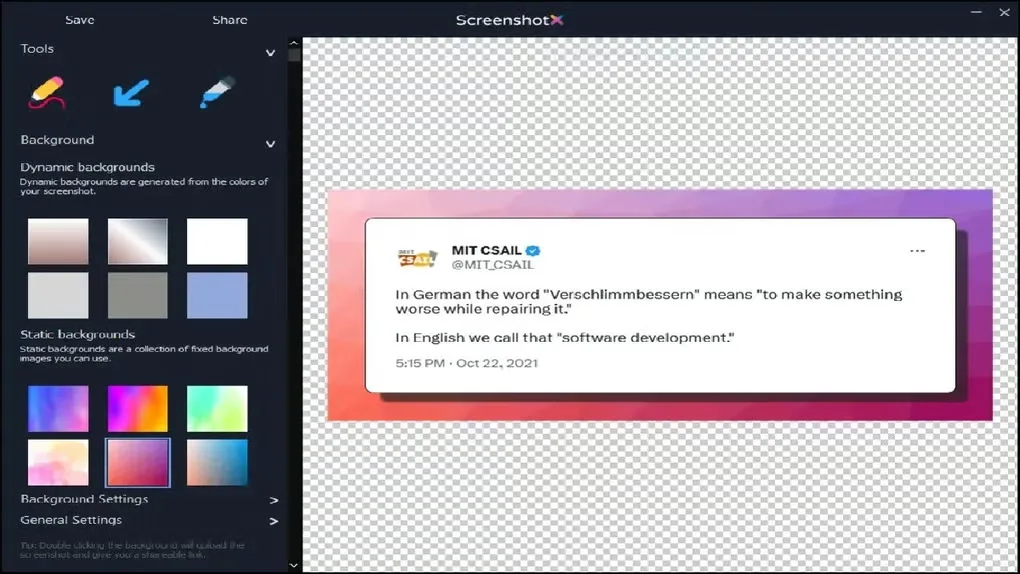
ScreenshotX captures an area of the screen or a single window and opens it in an editor. It is aimed at turning a quick snip into an image you can send: automatic balancing centers content on detected solid backgrounds, while background presets frame the result. Brush, highlighter and color-picker tools support quick edits, and blur helps obscure sensitive details before saving or sharing.
You can copy or save the image locally, or use Share to upload it without creating an account. Sharing produces a public link plus a separate administrative link for deletion and statistics. Anyone who knows the public link can view the upload, and the publisher schedules shared screenshot files for removal after 30 days. Use a local saved copy when you need a lasting record.
The publisher still labels text and annotations as forthcoming, so do not choose it on the assumption that those tools are already included. The linked Windows setup executable installs the application; the publisher also offers a separate portable executable.
What it offers
- Capture a selected area or a single window.
- Automatically center content on detected solid backgrounds and choose background presets.
- Edit with brush, highlighter, color picker and blur tools.
- Copy or save locally, or generate a sharing link without an account.
- Switch between dark and normal interfaces and 21 built-in languages.
Good to know
- Text and annotation tools are listed as forthcoming on the publisher website.
- Shared screenshots are accessible to anyone who knows their public URL and are scheduled for automatic removal 30 days after upload.
Product images
Sources
References used for this listing. Retrieval dates do not indicate hands-on testing.
More in utilities
View category ↗
1.1.1.1 with WARP 2026.8.2115.0
Encrypt traffic from your Mac to Cloudflare’s network with WARP, or use DNS-only mode for encrypted DNS queries to the 1.1.1.1 resolver.
1.1.1.1 with WARP 2026.8.2115.0
Encrypt traffic between your Windows PC and Cloudflare, or use encrypted DNS only, with the free 1.1.1.1 with WARP app.

3uTools 9.12.005
Manage iPhone and iPad photos, music, apps and backups from Windows with 3uTools, a free utility that also includes device checks and firmware flashing tools.