
Utilities macOS
Seamly2D
Draft digital sewing patterns from body measurements and formulas with Seamly2D, free and open-source patternmaking software for Mac.
- Operating system
- macOS 13 Ventura, 14 Sonoma, 15 Sequoia and 26 Tahoe
- Architecture
- Apple Silicon or Intel, as listed by the publisher
- Download package
- ZIP archive
System and architecture support follow the current publisher README, not older wiki requirements. Application installation and execution were not tested.
Link checked · Download guidance
What is Seamly2D?
Seamly2D is a pattern-drafting application for creating custom-fit digital sewing patterns. Build garment blocks with points, lines, curves and formulas, using individual measurements or multi-size measurement files rather than drawing each size independently. The companion SeamlyMe application manages the body-measurement files used in a draft.
The workflow separates drafting, pattern pieces and layout into distinct modes. It suits patternmakers and tailors who want to construct and revise their own designs using a chosen patternmaking method. The tools do not replace that method: the official start-to-finish tutorial explicitly asks users to supply suitable pattern instructions and measurements.
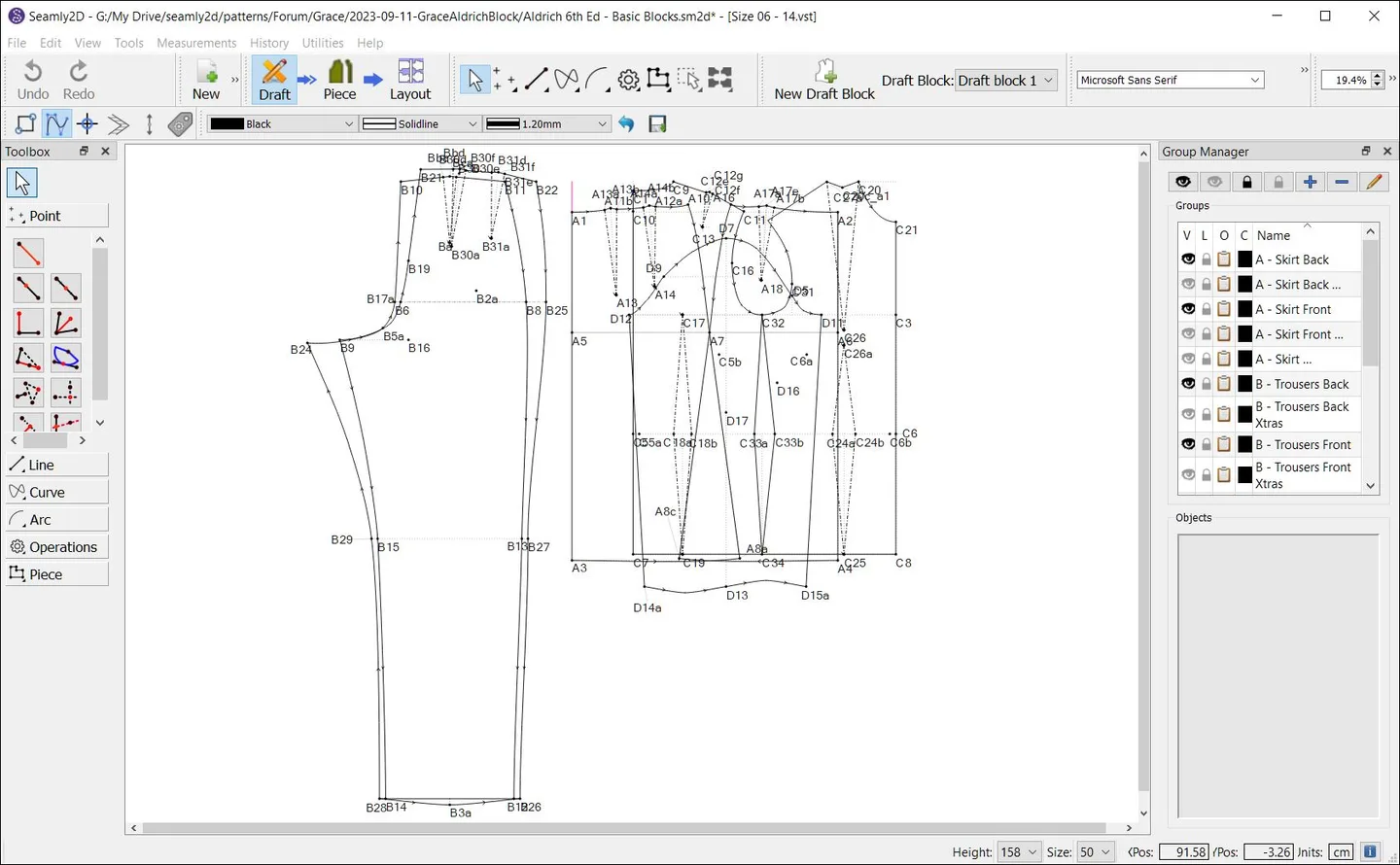
This entry links to the publisher's macOS ZIP for release 2026.10.26.146. The current repository lists macOS 13 Ventura, 14 Sonoma, 15 Sequoia and 26 Tahoe, with support for Apple Silicon and Intel. The screenshot illustrates the shared drafting workspace on Windows; it is not a capture of this Mac release.
What it offers
- Construct sewing-pattern drafts with point, line, curve and arc tools.
- Use individual measurement files for custom-fit patterns or multi-size files for standardized sizes.
- Use formulas and reusable variables to define pattern geometry and ease values.
- Move between Draft, Piece and Layout modes as a pattern progresses.
- Manage body measurements in the companion SeamlyMe application.
Good to know
- Requires suitable body measurements and patternmaking instructions; the official tutorial teaches the tools but does not explain which drafting values to choose.
Product images
Sources
References used for this listing. Retrieval dates do not indicate hands-on testing.
More in utilities
View category ↗
1.1.1.1 with WARP 2026.8.2115.0
Encrypt traffic from your Mac to Cloudflare’s network with WARP, or use DNS-only mode for encrypted DNS queries to the 1.1.1.1 resolver.
1.1.1.1 with WARP 2026.8.2115.0
Encrypt traffic between your Windows PC and Cloudflare, or use encrypted DNS only, with the free 1.1.1.1 with WARP app.



3uTools 9.12.005
Manage iPhone and iPad photos, music, apps and backups from Windows with 3uTools, a free utility that also includes device checks and firmware flashing tools.