

Utilities Windows
SearchMyFiles for Windows
Find Windows files by name, content, size or date, compare duplicates byte by byte and export results with SearchMyFiles, a portable freeware utility.
- Operating system
- Windows 2000 through Windows 11, as listed by the publisher
- Architecture
- x64 (selected download); separate 32-bit package available
- Download package
- Portable ZIP archive
The publisher lists both 32-bit and 64-bit Windows support. This link selects the x64 package; no installation process is required.
Link checked · Download guidance
What is SearchMyFiles?
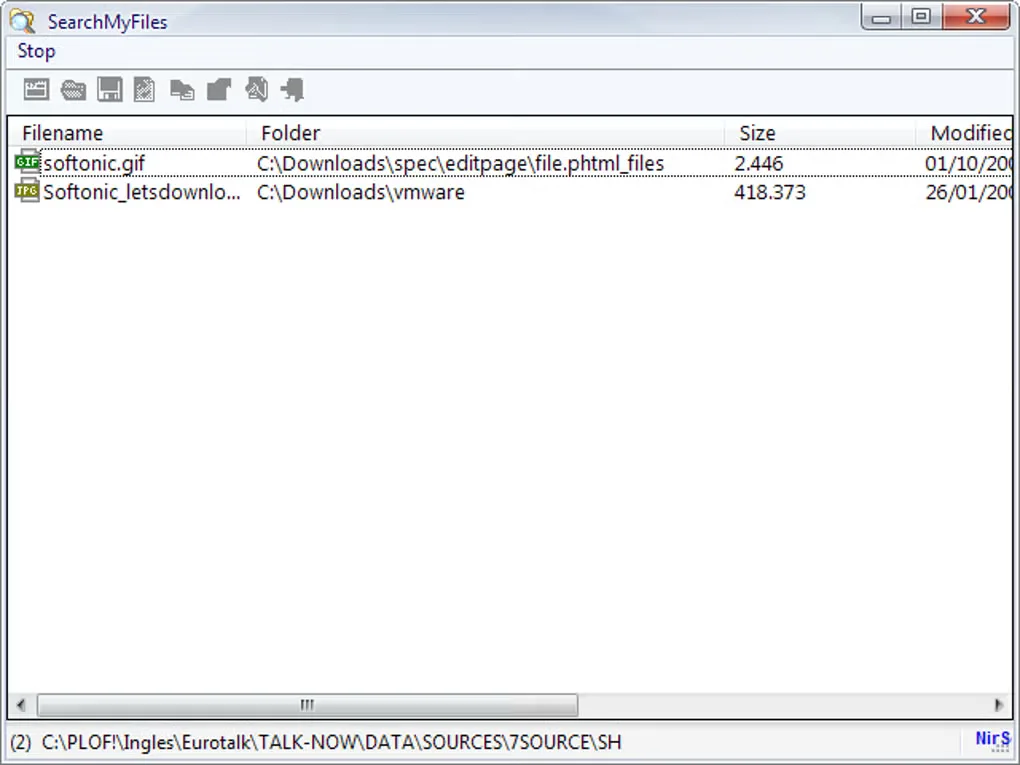
SearchMyFiles helps locate files when a filename alone is not enough. Choose the folders to scan, combine wildcard names with size or timestamp filters, and search for text or binary content inside files. Excluded folders and file types let you restrict the scan to the material you need. The Windows utility is portable and does not require installation.
Duplicate Search compares equal-size files byte by byte to identify identical content. Separate modes find non-duplicate files or repeated filenames, while Summary Mode reports folder totals and can locate empty folders. Selected search results can be copied to the clipboard or exported as text, CSV, HTML or XML; command-line options support searches and report export without the graphical interface.
Narrow duplicate scans with date or size filters: NirSoft warns that unrestricted searches can be slow and consume substantial memory. Searching text inside PDFs also depends on a properly installed Microsoft PDF search handler or Adobe PDF iFilter and the Windows search-handlers option. The linked download is the publisher's x64 portable ZIP, not an installer.
What it offers
- Combine filename wildcards, file size, attributes and created, modified or accessed time filters.
- Search file contents for text or binary data and exclude folders or file types.
- Find identical files through byte-by-byte duplicate comparison, or search for repeated filenames.
- View folder summaries and locate empty folders.
- Export selected results to text, CSV, HTML or XML, with command-line search and export options.
Good to know
- Unrestricted duplicate searches can be slow and use substantial memory; the publisher recommends date or size restrictions.
- PDF text search requires a correctly installed Microsoft PDF search handler or Adobe PDF iFilter and the Windows search-handlers option.
Product images
Sources
References used for this listing. Retrieval dates do not indicate hands-on testing.
More in utilities
View category ↗
1.1.1.1 with WARP 2026.8.2115.0
Encrypt traffic from your Mac to Cloudflare’s network with WARP, or use DNS-only mode for encrypted DNS queries to the 1.1.1.1 resolver.
1.1.1.1 with WARP 2026.8.2115.0
Encrypt traffic between your Windows PC and Cloudflare, or use encrypted DNS only, with the free 1.1.1.1 with WARP app.

3uTools 9.12.005
Manage iPhone and iPad photos, music, apps and backups from Windows with 3uTools, a free utility that also includes device checks and firmware flashing tools.