
Utilities Windows
SG TCP Optimizer
Adjust Windows TCP/IP settings, check latency and find a suitable MTU with SG TCP Optimizer, a free network-tuning utility from Speed Guide, Inc.
Version 4.1.1 · Direct publisher file
Link checked · Download guidance
What is SG TCP Optimizer?
SG TCP Optimizer brings Windows network-tuning options into one interface. It lets you select a connection speed and network adapter, review suggested changes or enter custom values, and adjust TCP/IP parameters such as MTU and TCP window settings. Built-in tools help check average latency across multiple hosts and find the largest usable packet size.
The publisher supplies a standalone EXE that needs no installation and should be run with administrator permissions. Its catalog lists version 4.1.1, dated January 8, 2021, and describes support for most Windows versions from XP to Windows 11. Available settings differ between Windows versions; an older screenshot is not a guide to every option in the current package.
This utility changes system networking settings through the Registry, netsh and, in version 4, PowerShell. Review the proposed changes, create the backup and log described in the publisher documentation, and reboot when prompted. This entry does not claim measured speed improvements or independent compatibility testing.
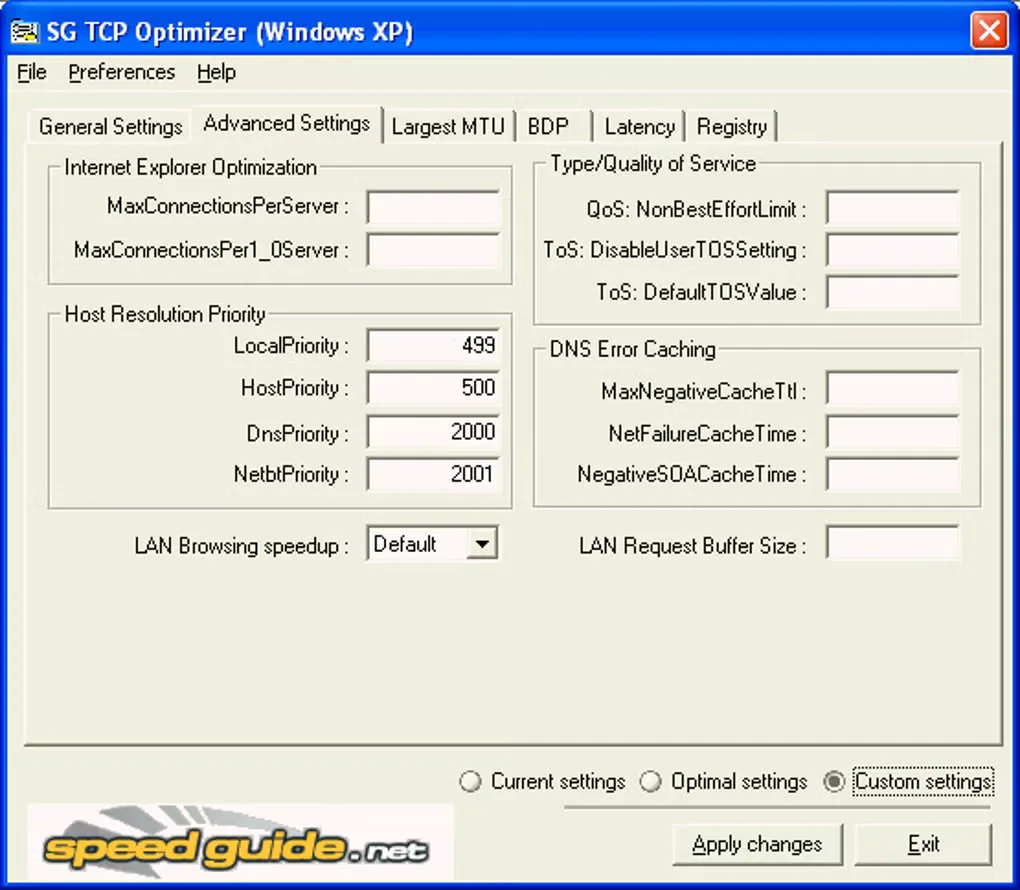
Developed by Speed Guide, Inc. — www.speedguide.net. The screenshot below is a historical Windows XP interface image from the Softonic gallery, not a capture of version 4.1.1.
What it offers
- Review suggested TCP/IP changes before applying them, or enter custom settings.
- Select a network adapter and connection speed for tuning.
- Adjust parameters including MTU, TCP window settings and QoS-related options.
- Check average latency over multiple hosts and find the largest usable packet size.
- Create a backup and log when applying changes, as described in the publisher documentation.
Good to know
- Administrator permissions are required to apply system-level network changes; a reboot may be needed.
- Available settings vary by Windows version. The gallery screenshot shows a legacy Windows XP interface, not the selected 4.1.1 package.
Product images
Sources
References used for this listing. Retrieval dates do not indicate hands-on testing.
More in utilities
View category ↗
1.1.1.1 with WARP 2026.8.2115.0
Encrypt traffic from your Mac to Cloudflare’s network with WARP, or use DNS-only mode for encrypted DNS queries to the 1.1.1.1 resolver.
1.1.1.1 with WARP 2026.8.2115.0
Encrypt traffic between your Windows PC and Cloudflare, or use encrypted DNS only, with the free 1.1.1.1 with WARP app.

3uTools 9.12.005
Manage iPhone and iPad photos, music, apps and backups from Windows with 3uTools, a free utility that also includes device checks and firmware flashing tools.