

Utilities macOS
ShareMouse for macOS
Share a mouse and keyboard between a Mac and other Macs or Windows PCs over your local network. ShareMouse also offers clipboard sharing and drag-and-drop file transfers, with features depending on the edition.
Version 7.0.31 · Direct publisher file
Link checked · Download guidance
What is ShareMouse?
ShareMouse lets you operate multiple computers from one mouse and keyboard without moving a physical switch. Move the pointer onto another computer's monitor to direct input there. It suits a desk with a Mac alongside another Mac or Windows PC: each computer keeps its own display, while input travels over the local Wi-Fi or Ethernet network.
The application also offers clipboard sharing and drag-and-drop file transfers between computers. Check the edition before relying on these extras: the publisher reserves some features for paid editions. The free edition is restricted to qualifying personal use; professional, commercial and power-user setups require a license. The all-features demo runs for 30 minutes and can be restarted for continued evaluation.
Install ShareMouse on every computer you want to link. The publisher lists macOS 14–15 and 26–27, and Windows 10/11 for Windows peers. On a Mac, its setup documentation calls for Accessibility permission for input control and Full Disk Access for file and clipboard functions. This is a local-network input-sharing tool, not an internet remote-access service or a way to share one monitor between computers.
What it offers
- Switch mouse and keyboard control between computers by moving the pointer to another computer's monitor.
- Link Macs and Windows PCs over a local Wi-Fi or Ethernet network.
- Share clipboard content and drag files between computers, subject to edition limits.
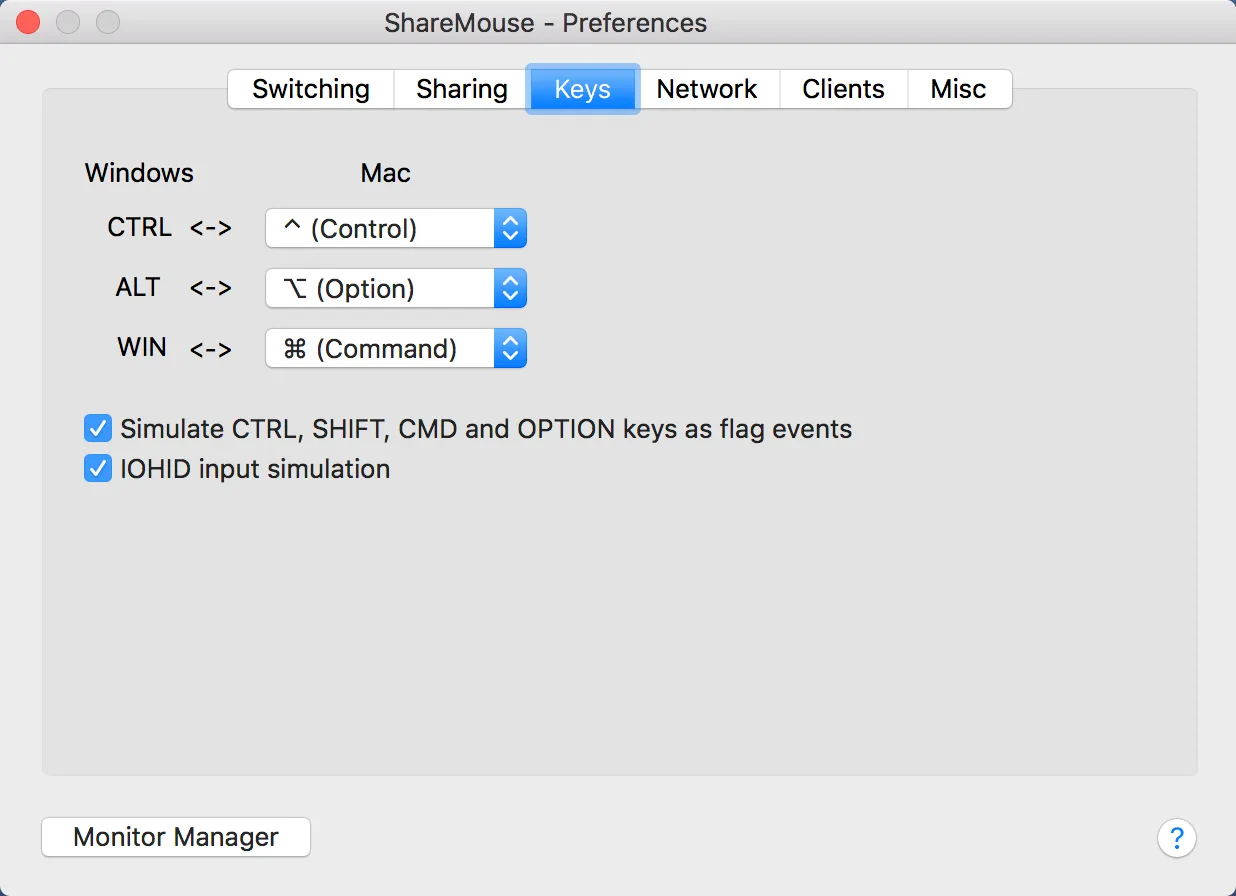
- Configure Windows-to-Mac modifier-key mappings in the Mac preferences.
- Optionally password-protect and AES-encrypt traffic between computers.
Good to know
- Requires at least two computers on the same local network, each with its own monitor; it does not work over the internet.
- The free edition excludes commercial/professional use, more than two total displays and features reserved for paid editions.
- The all-features demo is limited to 30-minute sessions; restart ShareMouse for continued evaluation or buy the appropriate license.
- Mac setup requires system permissions for input control and file/clipboard access.
Product images
Sources
References used for this listing. Retrieval dates do not indicate hands-on testing.
- Official ShareMouse Download directly from the maker ↗Retrieved
- Share Mouse and Keyboard with multiple Mac and Windows computers. ↗Retrieved
- Mouse and Keyboard Sharing ShareMouse Freeware Version ↗Retrieved
- ShareMouse - Installation ↗Retrieved
- ShareMouse for Mac - Changelog ↗Retrieved
- Screenshots of ShareMouse for Windows and Mac ↗Retrieved
More in utilities
View category ↗
1.1.1.1 with WARP 2026.8.2115.0
Encrypt traffic from your Mac to Cloudflare’s network with WARP, or use DNS-only mode for encrypted DNS queries to the 1.1.1.1 resolver.
1.1.1.1 with WARP 2026.8.2115.0
Encrypt traffic between your Windows PC and Cloudflare, or use encrypted DNS only, with the free 1.1.1.1 with WARP app.

3uTools 9.12.005
Manage iPhone and iPad photos, music, apps and backups from Windows with 3uTools, a free utility that also includes device checks and firmware flashing tools.