

Utilities Windows
ShareX for Windows
Capture screenshots, annotate images and record video or GIFs with ShareX, a free, open-source Windows tool with configurable saving and upload workflows.
- Operating system
- Windows 10 or later, per publisher guidance
- Architecture
- x64 (64-bit)
- Download package
- EXE installer — ShareX 21.0.0
Not the portable ZIP, browser extension or native ARM64 package. Exact minimum Windows build is unconfirmed because publisher source metadata differs. Version 22.0.0 is marked pre-release at verification.
Link checked · Download guidance
What is ShareX?
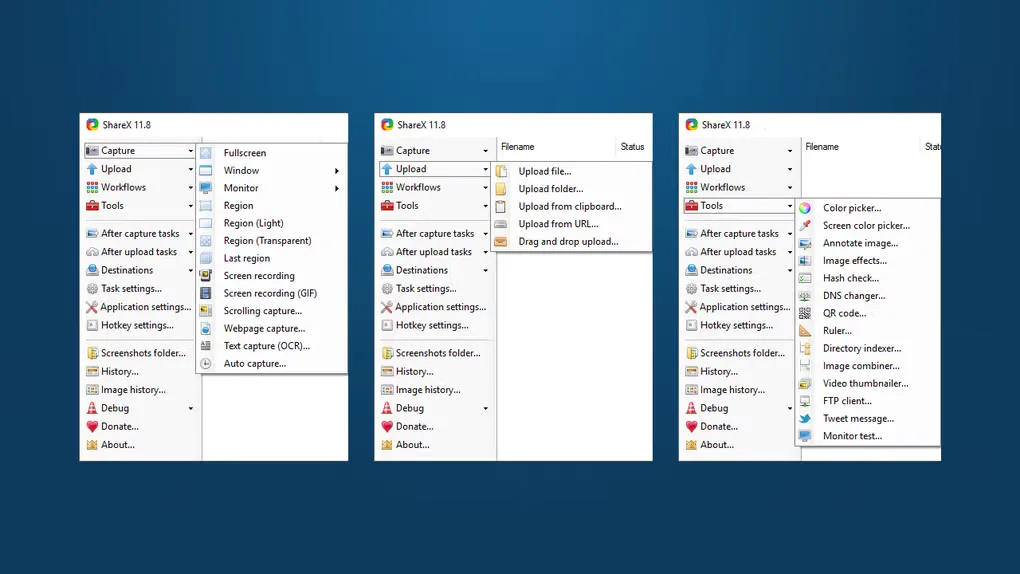
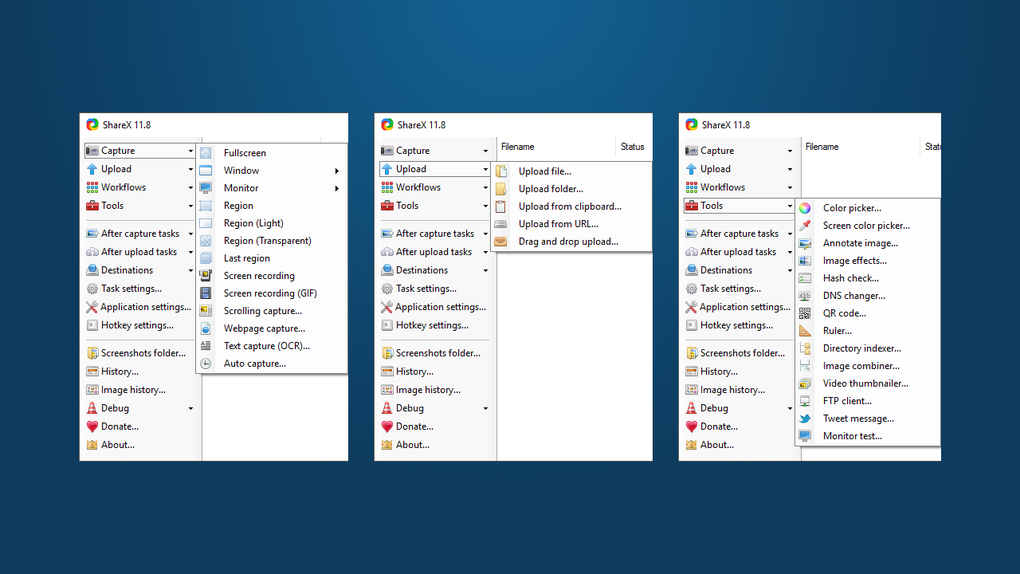
ShareX captures a screen region, window, monitor or scrolling page, then lets you edit, save, copy or upload the result. It suits illustrated bug reports, support replies and short screen demonstrations. Add arrows, text or numbered steps in the image editor, or assign hotkeys and after-capture tasks to repeat the same workflow.
Sharing is configurable rather than a required destination: save captures locally or send selected files to an upload service you choose. Uploading sends those files outside your computer, so check the destination and its privacy policy before sharing sensitive material.
The download here is the ShareX 21.0.0 x64 EXE installer, not the separate portable ZIP or browser extension. The official release API identifies 21.0.0 as a non-pre-release and marks 22.0.0 as a pre-release at verification. Publisher guidance says Windows 10 64-bit or higher, but the versioned installer and application source disagree on the minimum Windows build; a precise minimum build is not confirmed here.
What it offers
- Capture a region, window, monitor or scrolling page.
- Annotate screenshots with arrows, text, highlights and numbered steps; crop images in the editor.
- Record screen video or animated GIFs.
- Configure hotkeys and after-capture tasks to save, copy, edit or upload captures.
- Upload images, text and other files to selected services, with custom uploader support.
Good to know
- This x64 installer is not a 32-bit Windows package; the publisher no longer supports Windows 7.
- Upload workflows send selected files to third-party services whose privacy policies apply; use local saving when you do not want to upload a capture.
- Publisher source metadata conflicts on the minimum Windows build, so compatibility with a specific older Windows 10 build is not confirmed.
Product images
Sources
References used for this listing. Retrieval dates do not indicate hands-on testing.
- ShareX — official capture features and download links ↗Retrieved
- ShareX official non-pre-release and installer asset metadata ↗Retrieved
- ShareX 22.0.0 official pre-release status ↗Retrieved
- ShareX — official release history and Windows guidance ↗Retrieved
- ShareX 21.0.0 — installer architecture and publisher declarations ↗Retrieved
- ShareX 21.0.0 — application target declarations ↗Retrieved
- ShareX 21.0.0 — GNU GPL version 3 license ↗Retrieved
- ShareX — third-party upload privacy policy ↗Retrieved
- ShareX — official logo and icon assets ↗Retrieved
- ShareX for Windows — observed Softonic screenshot gallery ↗Retrieved
More in utilities
View category ↗
1.1.1.1 with WARP 2026.8.2115.0
Encrypt traffic from your Mac to Cloudflare’s network with WARP, or use DNS-only mode for encrypted DNS queries to the 1.1.1.1 resolver.
1.1.1.1 with WARP 2026.8.2115.0
Encrypt traffic between your Windows PC and Cloudflare, or use encrypted DNS only, with the free 1.1.1.1 with WARP app.

3uTools 9.12.005
Manage iPhone and iPad photos, music, apps and backups from Windows with 3uTools, a free utility that also includes device checks and firmware flashing tools.