
Utilities Windows
Sharp World Clock
Track city times with customizable desktop clocks, compare time zones and plan meetings in Sharp World Clock for Windows. A 15-day trial is available.
- Operating system
- Windows 10 and 11; publisher footer also lists Windows 8
- Architecture
- Not specified on the inspected publisher homepage
- Download package
- EXE installer
Publisher compatibility wording is inconsistent. Installer architecture and operation were not independently tested.
Link checked · Download guidance
What is Sharp World Clock?
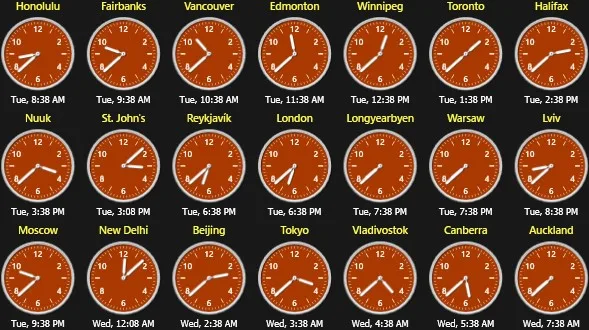
Sharp World Clock puts analog or digital clocks for different cities on your Windows desktop. You can arrange them in rows or grids, detach individual clocks and change their colors, fonts, borders and date formats. Its time zone converter and meeting planner help compare local times when arranging calls across regions, with daylight-saving rules handled through the IANA time zone database.
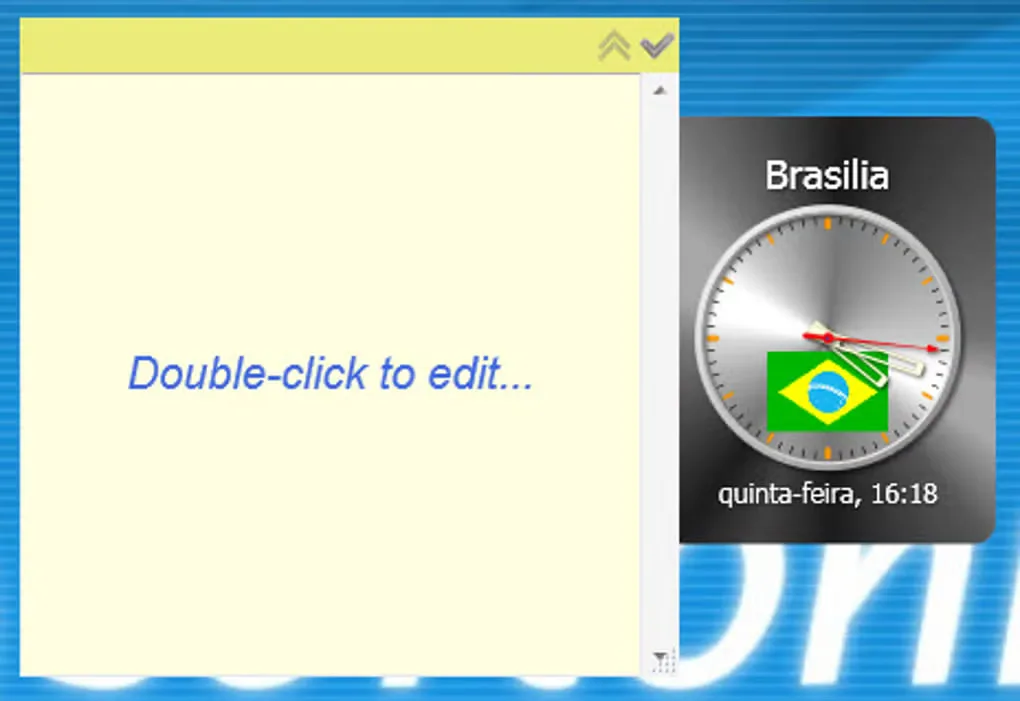
The application also includes recurring alarms, countdown timers, a calendar widget, weather reports and sticky notes. The publisher lists version 9.67 and offers a free trial for up to 15 days; continued use requires a paid license. Its homepage highlights Windows 10 and 11, while the footer additionally lists Windows 8. The screenshots illustrate publisher and historical catalog examples, not a hands-on test of the current installer.
What it offers
- Display multiple analog or digital city clocks with individual styling and detachable layouts.
- Compare city times with a time zone converter and meeting planner using IANA daylight-saving rules.
- Set single or recurring alarms, countdown timers and optional chimes or spoken time announcements.
- Use a calendar widget, weather reports, sticky notes and office-hours indicators.
Good to know
- The free trial lasts up to 15 days; continued use requires a paid license.
- Publisher compatibility wording differs: the main page highlights Windows 10 and 11, while its footer also includes Windows 8.
Product images
Sources
References used for this listing. Retrieval dates do not indicate hands-on testing.
More in utilities
View category ↗
1.1.1.1 with WARP 2026.8.2115.0
Encrypt traffic from your Mac to Cloudflare’s network with WARP, or use DNS-only mode for encrypted DNS queries to the 1.1.1.1 resolver.
1.1.1.1 with WARP 2026.8.2115.0
Encrypt traffic between your Windows PC and Cloudflare, or use encrypted DNS only, with the free 1.1.1.1 with WARP app.

3uTools 9.12.005
Manage iPhone and iPad photos, music, apps and backups from Windows with 3uTools, a free utility that also includes device checks and firmware flashing tools.