

Utilities Windows
SharpKeys for Windows
Remap individual keyboard keys in Windows with SharpKeys, a free, open-source utility that writes system-wide mappings to the Registry.
- Operating system
- Windows 10 and Windows 11; publisher also documents older Windows versions
- Architecture
- x86 and x64 (linked MSI)
- Download package
- MSI installer
Publisher documents .NET 4.0 Client Profile support. ARM and ARM64 require the separate installer-less ZIP, not this MSI.
Link checked · Download guidance
What is SharpKeys?
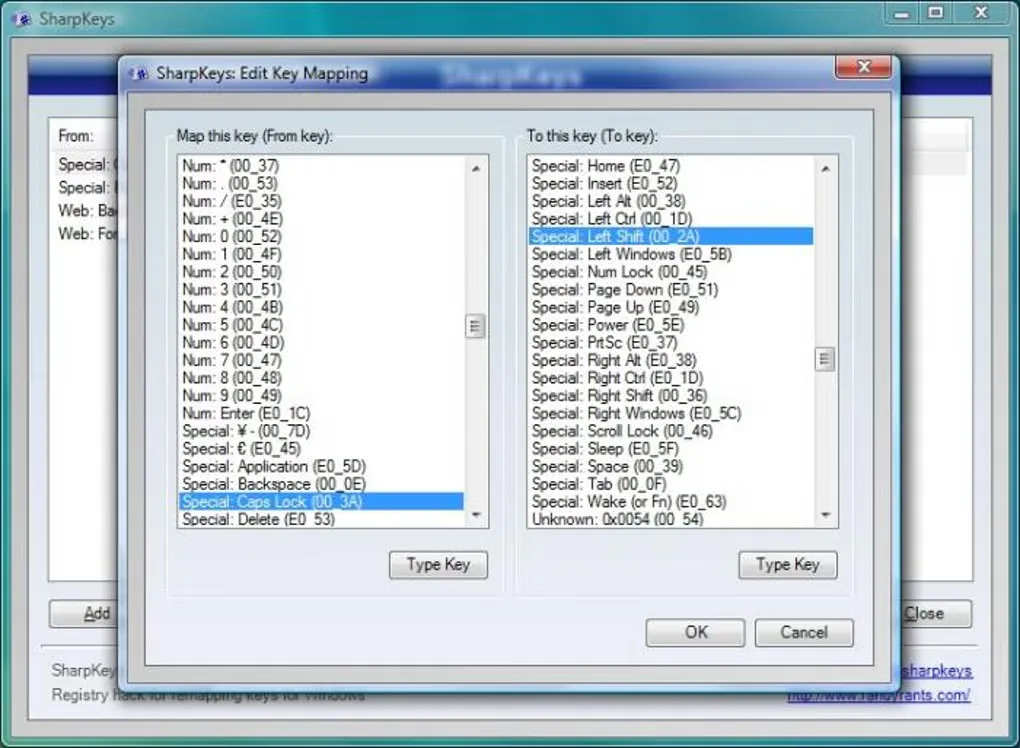
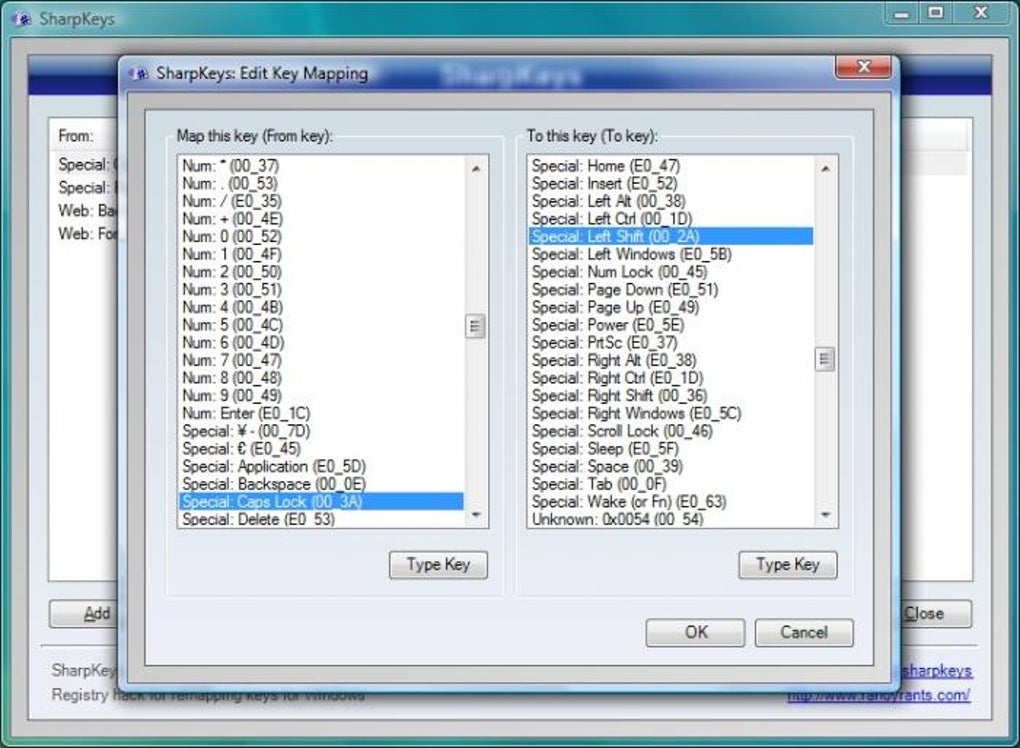
SharpKeys changes what individual keys do in Windows. Use it to make Caps Lock act as Shift, swap two keys or disable a key you keep pressing by accident. It provides a list of common keys and a Type Key control for recognizing most keys, so you do not need to enter scan codes in Registry Editor.
Add or edit a mapping, choose Write to Registry, then sign out and back in or restart Windows to apply it. Windows performs the remapping; SharpKeys is the interface for changing the Registry setting. The mappings affect the whole machine rather than a separate profile for each user.
This entry links to the publisher's SharpKeys 3.9.4 MSI for x86 and x64 Windows. The publisher offers a separate installer-less ZIP for ARM and ARM64 systems. SharpKeys works on Windows 11, but it is not a shortcut or macro editor: it cannot remap a combination such as Ctrl+C, mouse clicks or most hardware-handled Fn keys. Avoid disabling keys needed for sign-in; the publisher warns that an unsuitable mapping can prevent normal access to the computer.
What it offers
- Assign one whole key to another, such as Caps Lock to Shift.
- Swap two keys, map several keys to one destination or disable a key.
- Choose from a common-key list or use Type Key to recognize most keyboard keys.
- Write mappings to the Windows Registry without manually entering scan codes.
Good to know
- Cannot remap key combinations such as Ctrl+C, mouse clicks or most Fn keys handled by keyboard hardware.
- Mappings are machine-wide, not per-user; sign out and back in or restart to apply changes.
- The linked MSI supports x86 and x64, not ARM or ARM64; those systems need the publisher's separate ZIP package.
- Disabling a key needed for sign-in can prevent normal access; review mappings before writing them to the Registry.
Product images
Sources
References used for this listing. Retrieval dates do not indicate hands-on testing.
- RandyRants — publisher homepage ↗Retrieved
- SharpKeys — official repository and README ↗Retrieved
- SharpKeys 3.9.4 — publisher release ↗Retrieved
- GitHub release metadata — SharpKeys 3.9.4 ↗Retrieved
- SharpKeys — Microsoft Public License ↗Retrieved
- SharpKeys - Download — Windows listing and screenshot gallery ↗Retrieved
More in utilities
View category ↗
1.1.1.1 with WARP 2026.8.2115.0
Encrypt traffic from your Mac to Cloudflare’s network with WARP, or use DNS-only mode for encrypted DNS queries to the 1.1.1.1 resolver.
1.1.1.1 with WARP 2026.8.2115.0
Encrypt traffic between your Windows PC and Cloudflare, or use encrypted DNS only, with the free 1.1.1.1 with WARP app.

3uTools 9.12.005
Manage iPhone and iPad photos, music, apps and backups from Windows with 3uTools, a free utility that also includes device checks and firmware flashing tools.