

Utilities Windows
SIW for Windows
Inspect Windows hardware, installed software and network configuration with SIW, a system-information utility with report exports and a 14-day evaluation trial.
Version 16.16.1014 · Direct publisher file
Link checked · Download guidance
What is SIW?
SIW (System Information for Windows) collects hardware, software and network details in one application. Use it to document a PC before an upgrade, identify its motherboard and memory, review installed programs and drivers, or collect configuration information for a support request. Its reports can be saved in HTML, JSON, CSV, TXT or XML for later reference.
The linked download is the publisher's trial installer, not a free perpetual edition or the portable Technician's Version. Evaluation lasts 14 days; continued use requires an appropriate paid license. Home Edition is for personal, non-commercial use, while Technician and Enterprise editions have different licensing scopes.
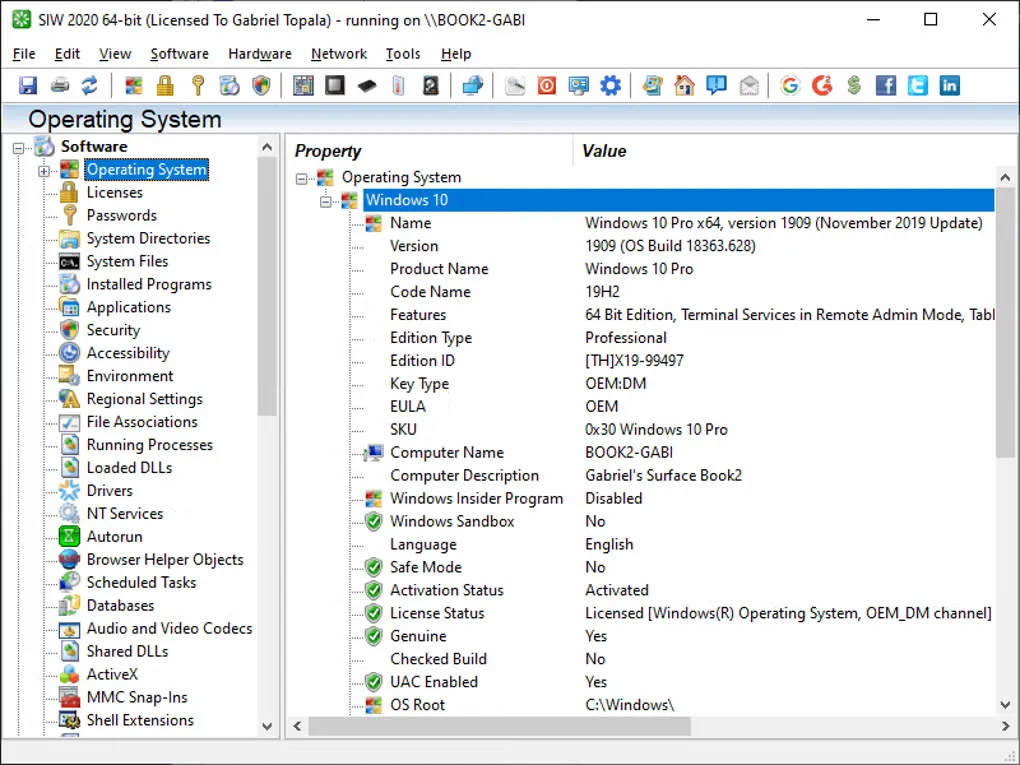
SIW reports information rather than automatically optimizing the computer. Detected product keys do not establish license entitlement, and reports can include sensitive information: inspect only authorized systems and handle exports as confidential. The screenshot shows an older SIW 2020 interface on Windows 10, not proof of the current release's exact appearance.
What it offers
- Inspect hardware details including CPU, motherboard, memory, storage and sensors.
- Review installed programs, Windows updates, services and drivers.
- View network configuration, connections and open ports.
- Export system reports as HTML, JSON, CSV, TXT or XML.
Good to know
- The trial is limited to 14 days; continued use requires a paid license.
- Home Edition is licensed for personal, non-commercial use; commercial support requires a suitable edition.
- Detected license keys do not validate license entitlement, and reports may expose sensitive system information.
Product images
Sources
References used for this listing. Retrieval dates do not indicate hands-on testing.
More in utilities
View category ↗
1.1.1.1 with WARP 2026.8.2115.0
Encrypt traffic from your Mac to Cloudflare’s network with WARP, or use DNS-only mode for encrypted DNS queries to the 1.1.1.1 resolver.
1.1.1.1 with WARP 2026.8.2115.0
Encrypt traffic between your Windows PC and Cloudflare, or use encrypted DNS only, with the free 1.1.1.1 with WARP app.

3uTools 9.12.005
Manage iPhone and iPad photos, music, apps and backups from Windows with 3uTools, a free utility that also includes device checks and firmware flashing tools.