
Utilities macOS
Snipaste for macOS
Capture and annotate screenshots on Mac, then pin them above other windows as visual references. Snipaste 2 is free for personal, non-commercial use; business use requires Pro.
- Operating system
- macOS; Softonic lists macOS 10.15
- Architecture
- Universal (publisher label)
- Download package
- DMG disk image
Publisher minimum macOS version not independently stated on inspected pages. Screen Recording permission is required on macOS Catalina and later; UI element detection needs Accessibility permission.
Link checked · Download guidance
What is Snipaste?
Snipaste for Mac combines screen capture, image annotation and pinned image windows. Capture a region, mark it with text, arrows or blur, and keep it visible while working in another application. Its paste function can also turn clipboard text or color information into a floating image, useful when comparing a design or keeping a short reference beside your work. Pinned images can be resized, rotated, mirrored and made translucent.
The linked publisher download is the macOS Universal DMG for version 2.11.3. Softonic lists macOS 10.15; the publisher pages inspected do not independently specify a minimum macOS version. On macOS Catalina and later, screen capture needs Screen Recording permission. Automatic UI element detection is off by default on Mac and needs Accessibility permission when enabled.
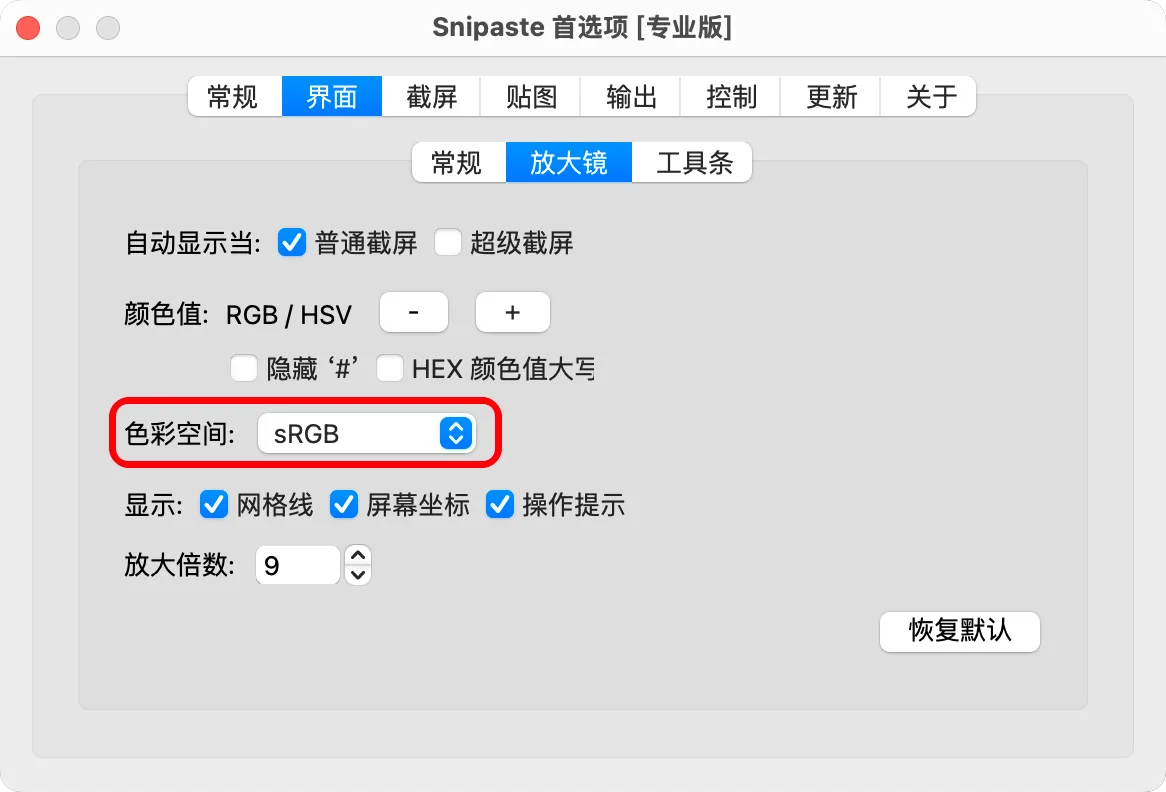
Snipaste 2 is free only for personal, non-commercial use. Business use and features such as text extraction and barcode decoding require Pro. It also stays running in the background to maintain pinned image windows. The screenshot shows the publisher’s Chinese-language macOS Pro preferences, not a demonstration of every feature available free.
What it offers
- Capture a screen region and annotate it with text, arrows, shapes, mosaic or blur.
- Pin screenshots and supported clipboard content as topmost floating image windows.
- Resize, rotate, mirror and adjust the opacity of pinned images.
- Pick screen colors; the publisher documents a Mac color-space setting with sRGB as the default.
Good to know
- Snipaste 2 requires a paid Pro license for business or commercial use; text extraction and barcode decoding are Pro features.
- Screen capture needs macOS Screen Recording permission; automatic UI element detection is disabled by default on Mac and requires Accessibility permission.
- The application must stay running in the background to maintain pinned image windows.
Product images
Sources
References used for this listing. Retrieval dates do not indicate hands-on testing.
- Snipaste for Mac - Download ↗Retrieved
- Snipaste — publisher features and platform download ↗Retrieved
- Snipaste Downloads — release history ↗Retrieved
- Snipaste End User License Agreement ↗Retrieved
- Snipaste 2 Pro vs Free — publisher documentation ↗Retrieved
- Snipaste troubleshooting — macOS permissions ↗Retrieved
- Snipaste FAQ — background operation ↗Retrieved
- Snipaste publisher feedback — macOS color-space setting and screenshot ↗Retrieved
More in utilities
View category ↗
1.1.1.1 with WARP 2026.8.2115.0
Encrypt traffic from your Mac to Cloudflare’s network with WARP, or use DNS-only mode for encrypted DNS queries to the 1.1.1.1 resolver.
1.1.1.1 with WARP 2026.8.2115.0
Encrypt traffic between your Windows PC and Cloudflare, or use encrypted DNS only, with the free 1.1.1.1 with WARP app.


3uTools 9.12.005
Manage iPhone and iPad photos, music, apps and backups from Windows with 3uTools, a free utility that also includes device checks and firmware flashing tools.