
Utilities Windows
Snipaste for Windows
Capture and annotate screenshots, then pin them as floating reference windows with Snipaste for Windows. The portable x64 package is free for personal use; business use requires Pro.
- Operating system
- Windows 11, 10, 8 and 7 (publisher-listed)
- Architecture
- x64
- Download package
- Portable ZIP archive
The publisher offers separate x86 and ARM64 builds. This link resolves to Snipaste-2.11.3-x64.zip; no software was installed or run.
Link checked · Download guidance
What is Snipaste?
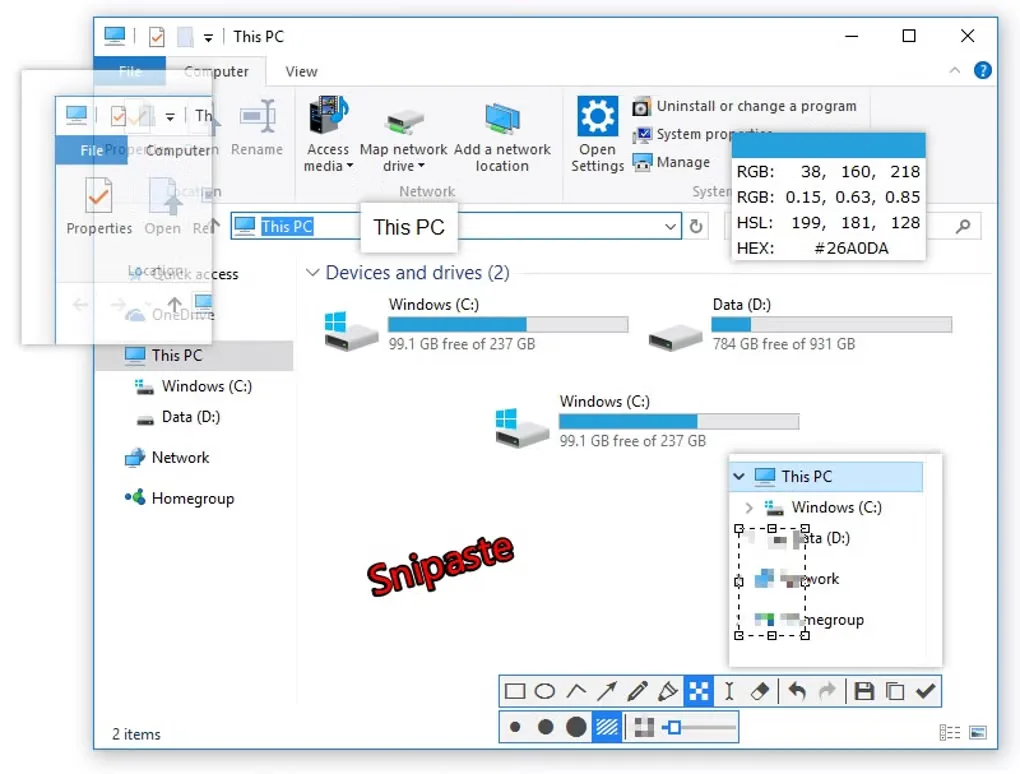
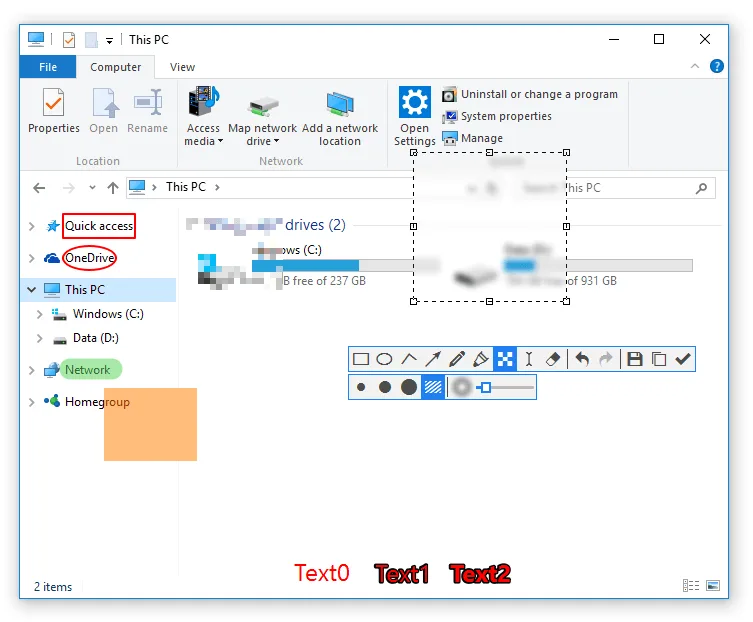
Snipaste combines screen capture with floating image windows. Capture a screen region, add arrows, shapes or text, and keep the result visible while working in another application. The publisher documents F1 for snipping and F3 for pasting a capture back onto the screen. This makes it useful for keeping a visual reference beside the work it relates to.
Pinned images can be zoomed, rotated, flipped or made translucent, with a click-through option when you need to interact with the window underneath. Clipboard text and color information can also become floating images. The capture tools include a color picker, capture-history playback, multi-screen support and customizable hotkeys.
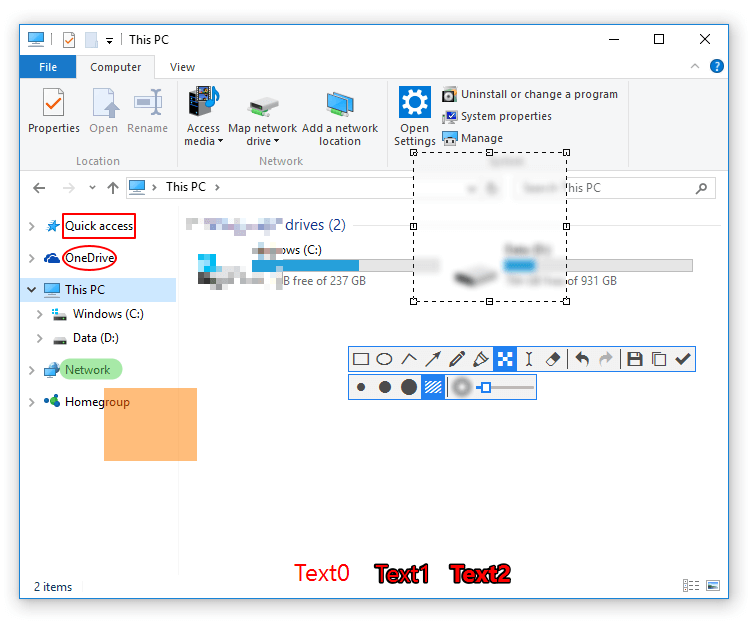
This entry links to the publisher’s portable Windows x64 ZIP package. The publisher lists separate x86 and ARM64 packages, so choose the build that matches your system. Snipaste 2 is free for personal, non-commercial use, but business or commercial use requires a Pro license. The screenshots illustrate the Windows interface and are not proof of the exact downloaded build.
What it offers
- Capture screen regions with UI-element detection and pixel-level control.
- Annotate captures with shapes, arrows and text, or apply mosaic and Gaussian blur.
- Pin captures as topmost floating windows with zoom, rotation, transparency and click-through controls.
- Turn clipboard images, text or color information into floating images.
- Use capture-history playback, a color picker, multi-screen support and customizable hotkeys.
Good to know
- Snipaste 2 requires a Pro license for business or commercial use; free use is personal and non-commercial.
- The linked portable ZIP is x64; x86 and ARM64 systems need the separate publisher builds.
Product images
Sources
References used for this listing. Retrieval dates do not indicate hands-on testing.
More in utilities
View category ↗
1.1.1.1 with WARP 2026.8.2115.0
Encrypt traffic from your Mac to Cloudflare’s network with WARP, or use DNS-only mode for encrypted DNS queries to the 1.1.1.1 resolver.
1.1.1.1 with WARP 2026.8.2115.0
Encrypt traffic between your Windows PC and Cloudflare, or use encrypted DNS only, with the free 1.1.1.1 with WARP app.

3uTools 9.12.005
Manage iPhone and iPad photos, music, apps and backups from Windows with 3uTools, a free utility that also includes device checks and firmware flashing tools.